


Epson Pro Cinema LS9000 4K HDR 3LCD Laser Projector Review

- Competitive in class brightness with rated 2200 Lumens
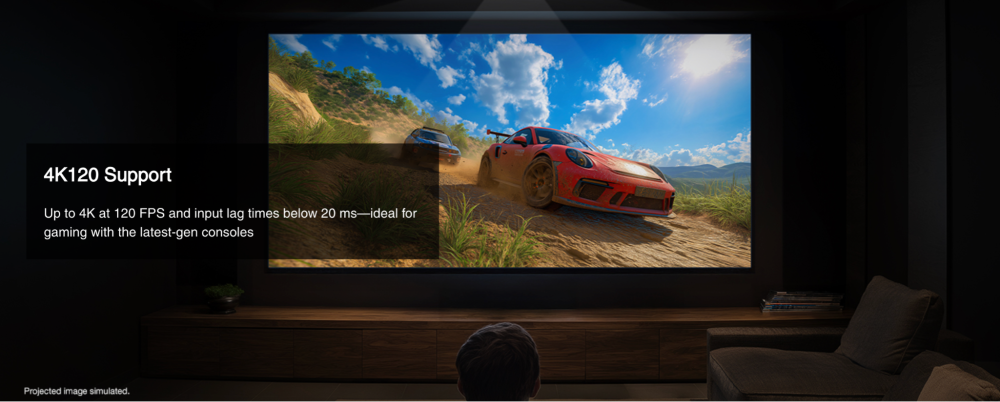
- Great overall gaming performance and low input lag below 20ms
- Image is nicely sharp and detailed
- Quiet fan operation
- Backlit remote
- Great Color Accuracy before and after calibration
- No RBE (rainbow effect) from being 3LCD
- HDMI 2.1 40Gbps with native 120hz
- Flexible motorized lens shift and memory for easy installation
- High quality native motion handling and motion interpolation processing
- Still pixel shifting for 4K resolution though image detail is still very good
- No 3D support at all
- P3 gamut coverage of 87% XY / 90% UV measured
- Epson Lineup Starting To Feel Crowded
- Native Full On Full Off contrast isn’t a strong point
- No Dynamic Tone Mapping
- Low luminance “blue glow” still present
- No ALLM support for gaming
About The Epson LS9000
Epson’s $3,999 MSRP latest entry into the Home Theater Laser Projector market is a 3-Chip 3LCD projector rated for 20,000+ hours of laser life. This is a new entry laser product that slots in under the LS11000/12000 and shares the same body. Epson rates the LS9000 with the same dynamic contrast performance on the LS12000, which is higher than the LS11000, just with a lower lumen output comparatively. Rated at 2200 lumens, which it reaches in its brightest Dynamic picture mode, the LS9000 comes in brighter than its main competitors in this range. In the more color accurate Natural and Cinema modes I measured it at a still impressive ~1750 ISO lumens.
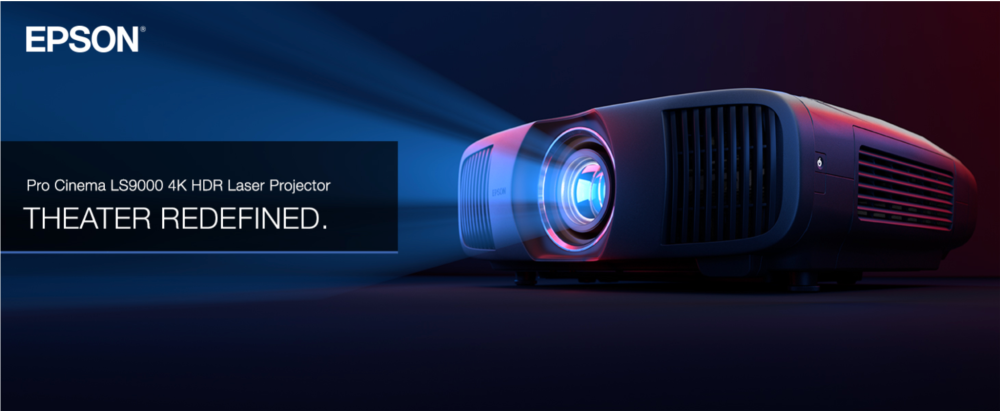
The LS9000 is powered by Epson’s ZX picture processing. This is a proprietary 32bit processor that handles the tone mapping, motion handling, upscaling, and more.
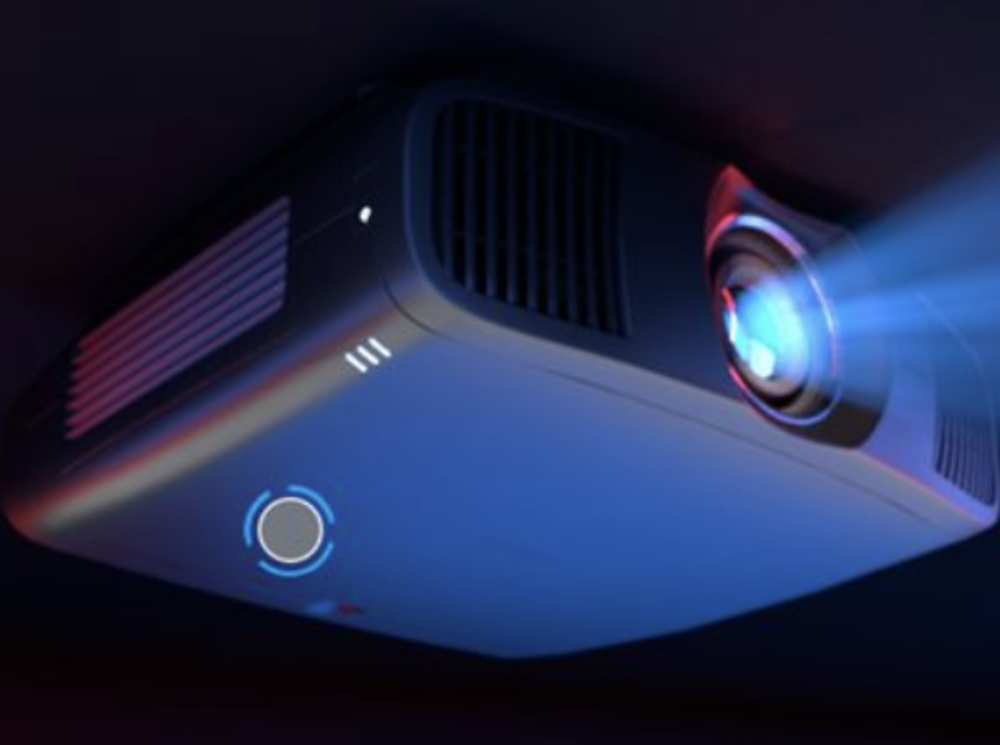
- 3-Axis Motorized Lens Shift— Making installation simple, you can precisely shift the lens up to +/- 96% vertically and up to +/- 24% horizontally without any loss in picture distortion or clarity; You can also set the zoom and focus, then store all the settings in one of ten lens memory presets
- Smart Home Control— Integrates seamlessly with home automation and remote monitoring systems; supports IP Control via PJLink, Control4 and Crestron Control Systems
- World-Class Warranty & Support— Standard 3-year limited warranty with 2-business-day full unit replacement, including free shipping; And, all Epson Pro Cinema projectors come with free lifetime technical phone support
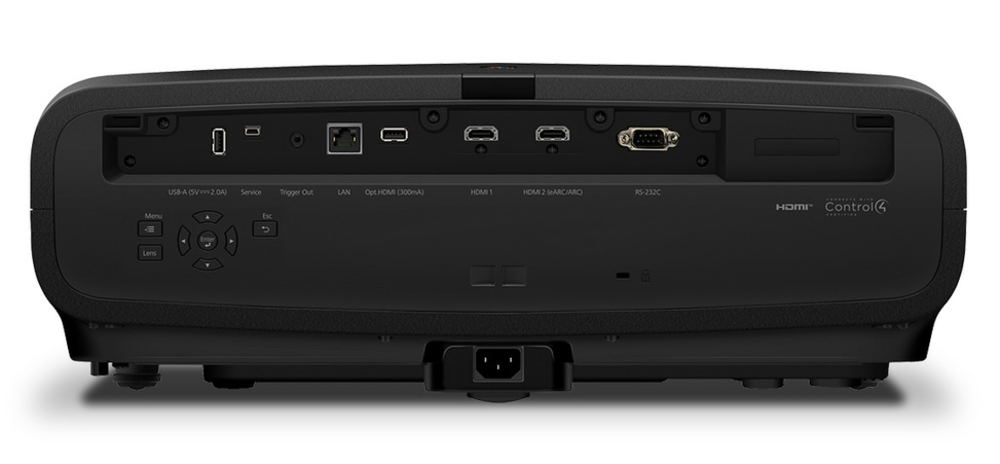
The Epson LS9000 offers an excellent gaming experience supporting 4K resolution up to 120Hz, but does not support ALLM (auto low latency mode) detection. There are 2x HDMI 2.1 40Gbps ports, and Epson claims an input lag below 20ms at 120hz. It also supports ARC and eARC which allows the game console or PC to be connected directly to the LS9000 and be able to pass audio to your AVR or external audio source. The LS9000 does not feature Dynamic Tone Mapping, and you will have to manually set the static tone mapping setting based on your setup, the game you are playing, and your preference for luminance vs detail in bright HDR highlights.
Along the back you will find all the connection ports including 2x HDMI 2.1 40Gbps with HDMI 2 being the ARC/eARC port. There are also full controls on the back of the projector which are nice to have during setup if the remote is out of reach or you prefer to use on-unit controls. The power and source buttons are on the right side near the front of the chassis.
Epson positions the LS9000 as the entry 4k laser model in their line-up. Priced at $3,999, coming in at half the cost of the highest tier (not counting QL line) QB1000, with 2200 lumens compared to 3300, and a very similar feature set (LS9000 subtracts DTM, and drops the processor a tier).
Pro Cinema LS9000 |
Home Cinema LS11000 |
Pro Cinema LS12000 |
Q-Series QB1000 |
|
|---|---|---|---|---|
Light Source |
Quick Turn-On 20,000-Hour Laser Light Source |
Quick Turn-On 20,000-Hour Laser Light Source |
Quick Turn-On 20,000-Hour Laser Light Source |
Quick Turn-On 20,000-Hour Laser Light Source |
Color Brightness (IDMS Rated) and White Brightness (ISO Rated) |
2,200 Lumens |
2,500 Lumens |
2,700 Lumens |
3,300 Lumens |
Dynamic Contrast Ratio |
Up to and Above 2,500,000:1 |
Up to and Above 1,200,000:1 |
Up to and Above 2,500,000:1 |
Up to and Above 5,000,000:1 |
High Dynamic Range Support |
HDR10+, HDR10 and HLG |
HDR10+, HDR10 and HLG |
HDR10+, HDR10 and HLG |
HDR10+, HDR10 and HLG |
HDMI Ports |
2x HDMI 2.1 with eARC |
2x HDMI 2.1 with eARC |
2x HDMI 2.1 with eARC |
2x HDMI 2.1 with eARC |
Response Time |
Under 20 ms |
Under 20 ms |
Under 20 ms |
Under 20 ms |
Motorized Lens |
Focus, 2.1x Zoom, Lens Shift 96% V 47% H and 10 Memory Presets |
Focus, 2.1x Zoom, Lens Shift 96% V 47% H and 10 Memory Presets |
Focus, 2.1x Zoom, Lens Shift 96% V 47% H and 10 Memory Presets |
Focus, 2.1x Zoom, Lens Shift 96% V 47% H and 10 Memory Presets |
Refresh Rate |
120 Hz |
120 Hz |
120 Hz |
120 Hz |
Dynamic Tone Mapping |
— |
— |
— |
Yes |
Auto Low Latency Mode |
— |
— |
— |
Yes |
Projection Technology |
True 3-Chip 3LCD Projector Engine |
True 3-Chip 3LCD Projector Engine |
True 3-Chip 3LCD Projector Engine |
True 3-Chip 3LCD Projector Engine |
Noise Level Range |
22 dB - 30 dB |
22 dB - 30 dB |
22 dB - 30 dB |
22 dB - 30 dB |
Power Consumption Range |
204 W - 311 W |
204 W - 311 W |
204 W - 311 W |
206 W - 341 W |
Resolution |
4K UHD (3840 x 2160), 8.29 Million Pixels On-Screen |
4K UHD (3840 x 2160), 8.29 Million Pixels On-Screen |
4K UHD (3840 x 2160), 8.29 Million Pixels On-Screen |
4K UHD (3840 x 2160), 8.29 Million Pixels On-Screen |
Initial Setup and Impressions
In my initial testing of the Epson LS9000 in “out of the box” state, the color accuracy was quite good in the Natural picture mode. I tested on a 92” reference white 1.3 gain screen from 12ft away. At 100% laser power I measured just over 200 nits on screen at D65 white point, and over 270 nits in the out of the box Dynamic picture mode. Laser turned down to the lowest settings of 60% in Natural picture mode and with white point at D65 resulted in 120 nits in my particular setup. SDR performance was tested as such, and HDR was set up using the Cinema picture mode, also corrected to D65 white point, and 100% laser power.

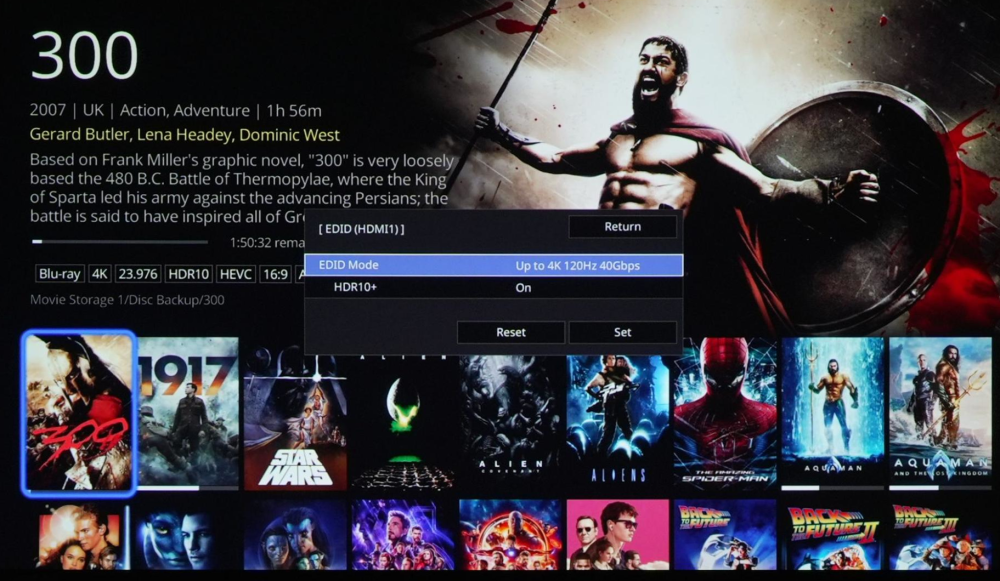
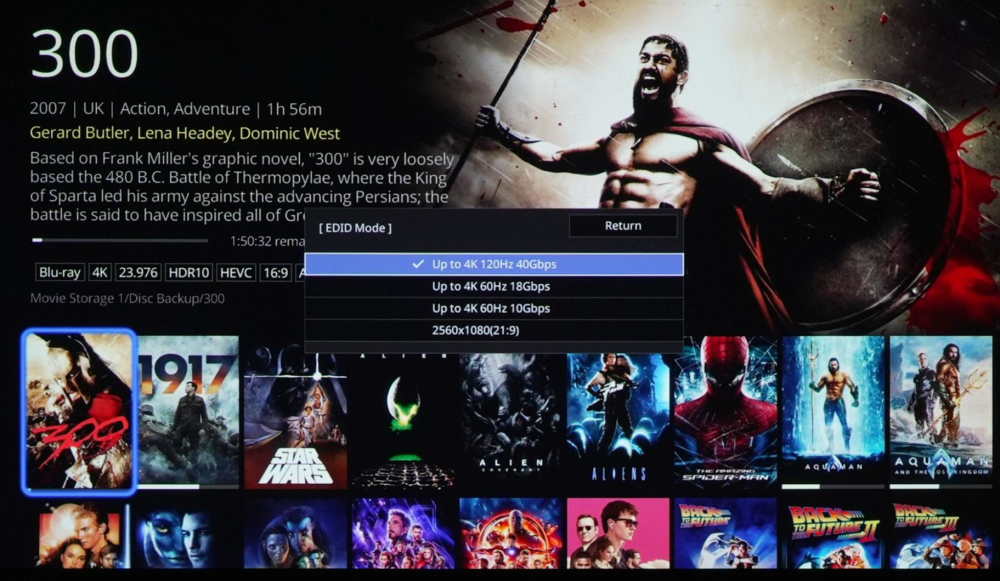
During initial setup, there are multiple EDID settings you can change if you have a particular source (like an older cable box) that isn’t working correctly.
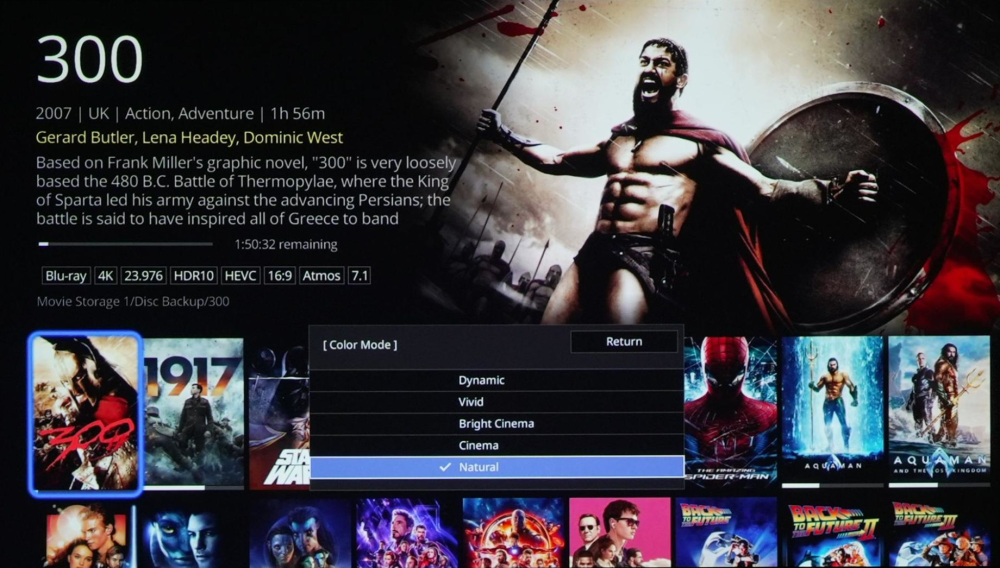
There are five picture modes to pick from. Dynamic mode which is the mode with the highest lumens (2170 lumens), and least color accurate image. Vivid mode is similar to dynamic, but dialed back a little (1870 lumens). Bright Cinema is a little lower, (1800 lumens) then Cinema and Natural (1740 lumens) modes are very similar with just a few user adjustable settings configured differently out of the box.
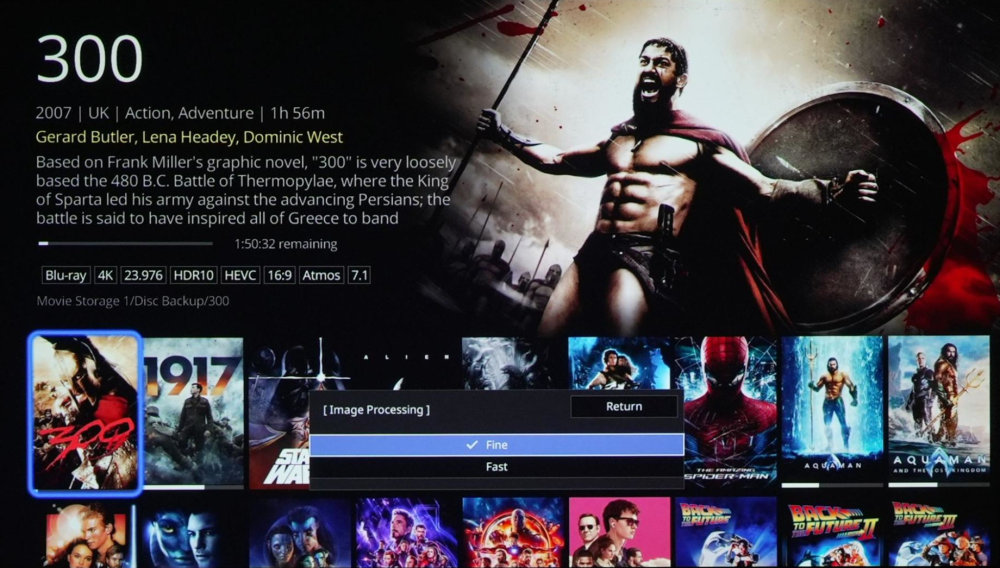
There isn’t a “game mode” picture mode and instead is a separate setting called “Fast” or “Fine” with Fast disabling some image processing for lower input lag. The LS9000 does not have ALLM or switch between these settings automatically.
Aside from the picture mode, there are processing Image Preset Modes which are Off or 1-5. You can customize the settings in the presets, or use them as they are already pre-configured. As you go higher in the preset, the more processing is applied to the image which can cause it to look over-processed with artifacts and ringing at the higher presets, or can be adjusted to a milder look. The presets have controls for Noise & MPEG Noise Reduction, Super-Resolution, and Auto Contrast Enhancement.
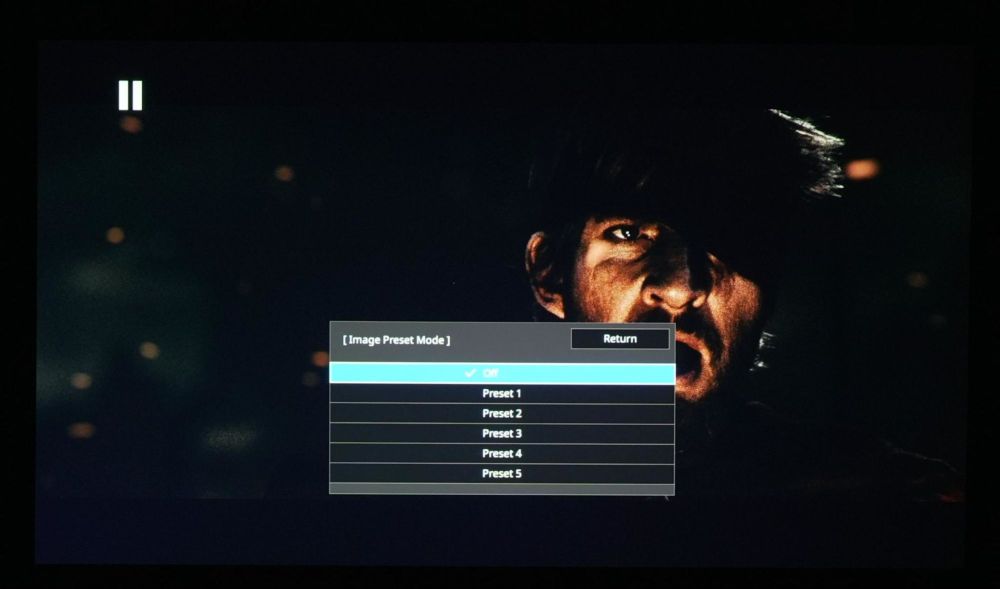
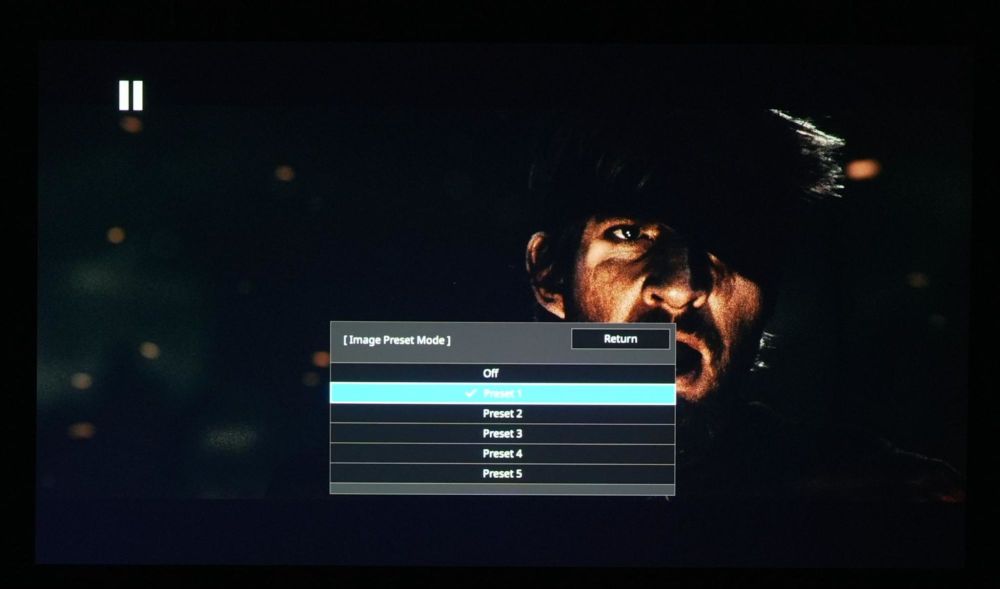
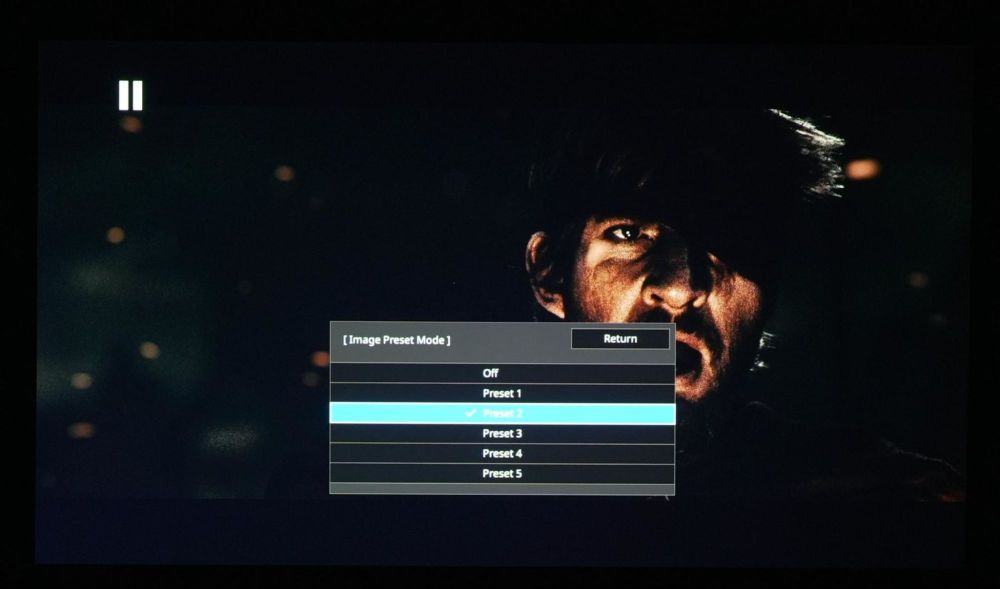
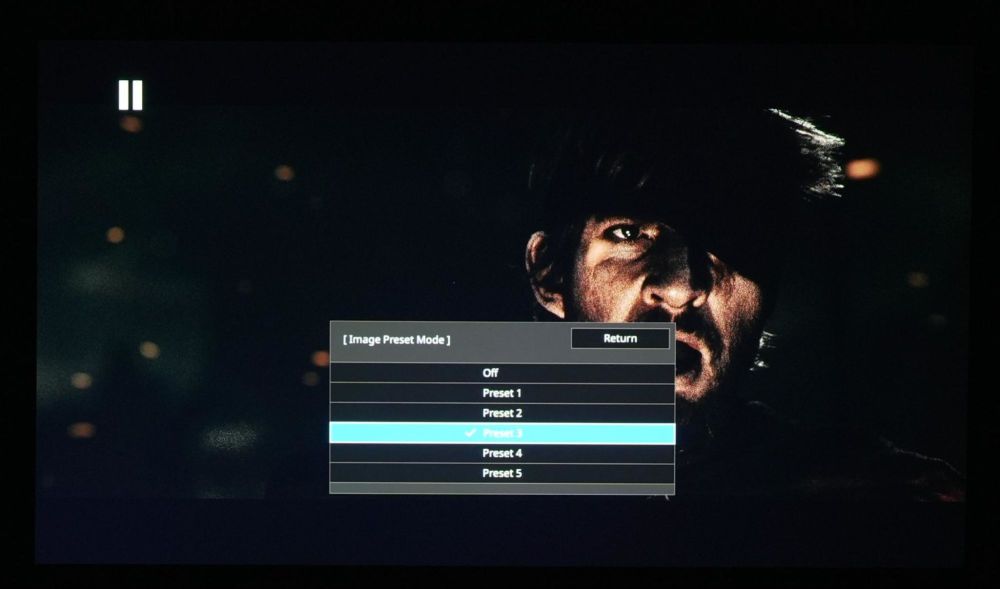
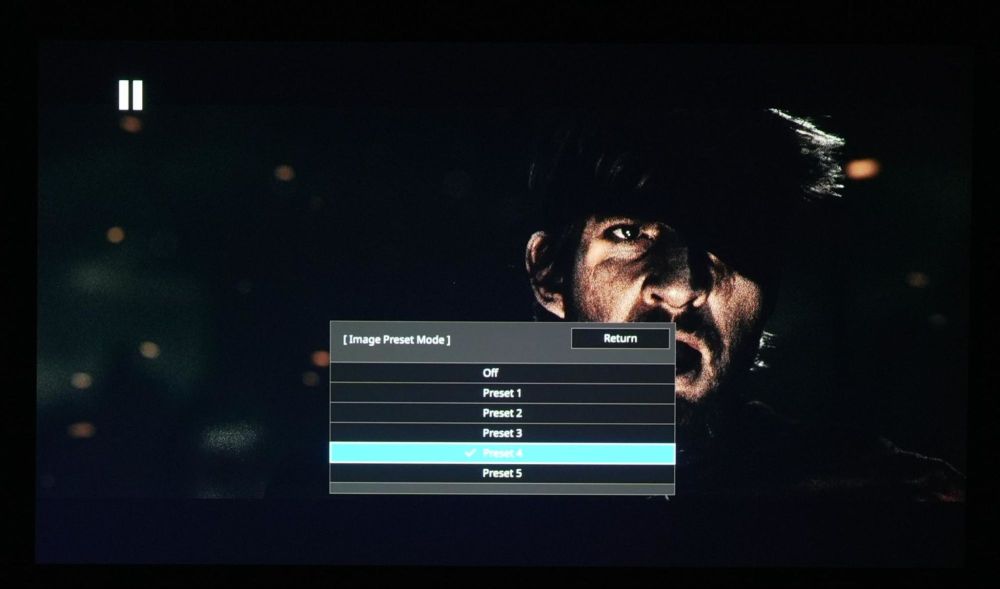
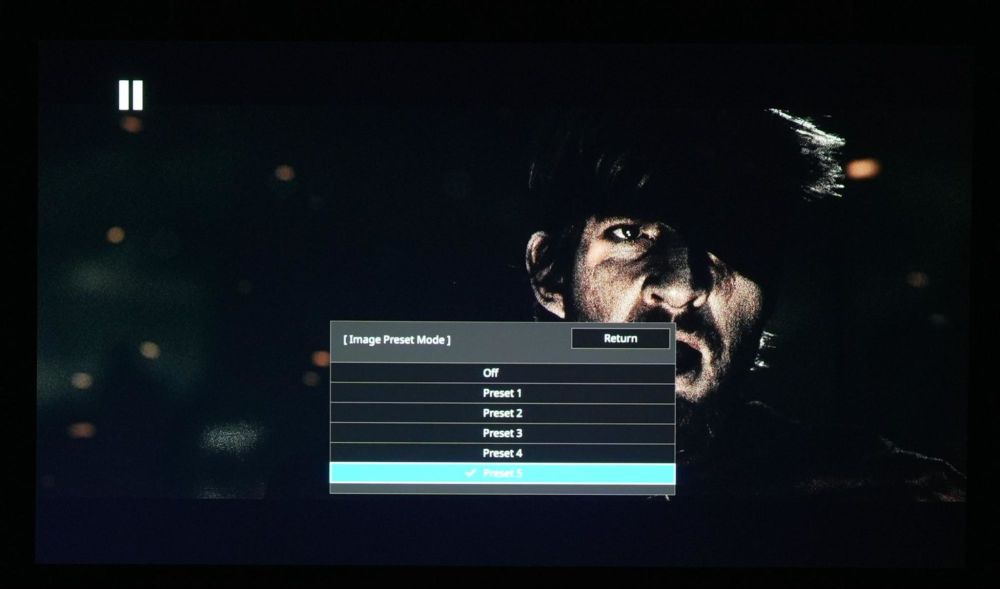
Stills from 300, heavy film grain and facial detail. The image starts to go white from over processing as the settings are set too high.
Spears and Munsil UHD Benchmark, HD Scaling pattern is mostly clean of any notable artifacts or issues with my recommended sharpness and image enhancement settings at “2”
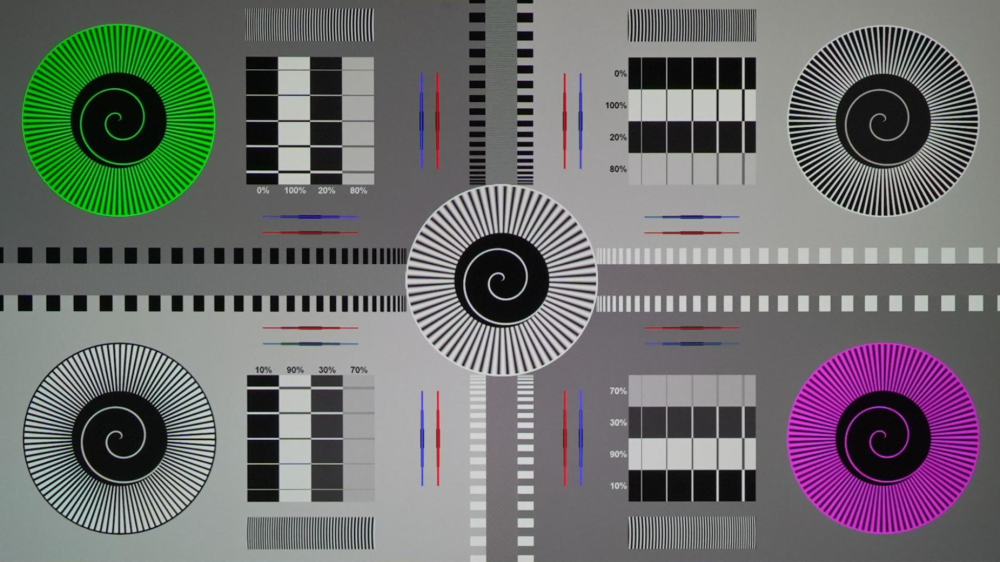
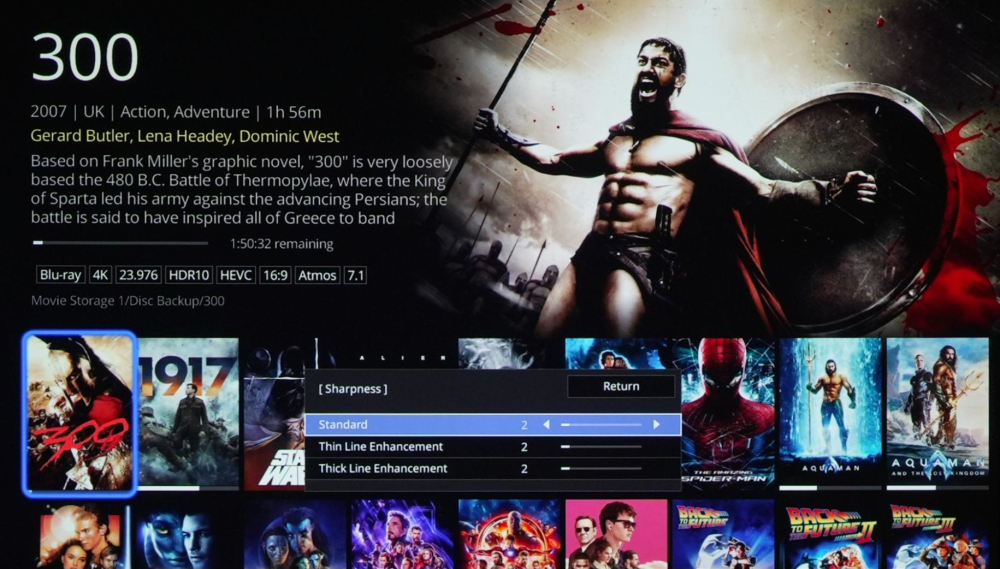
The sharpness and enhancement settings also play into how detailed the image can look.I found a setting of 2 on the Sharpness and Super Resolution settings to present good detail and sharpness with no visible artifacts in real content.
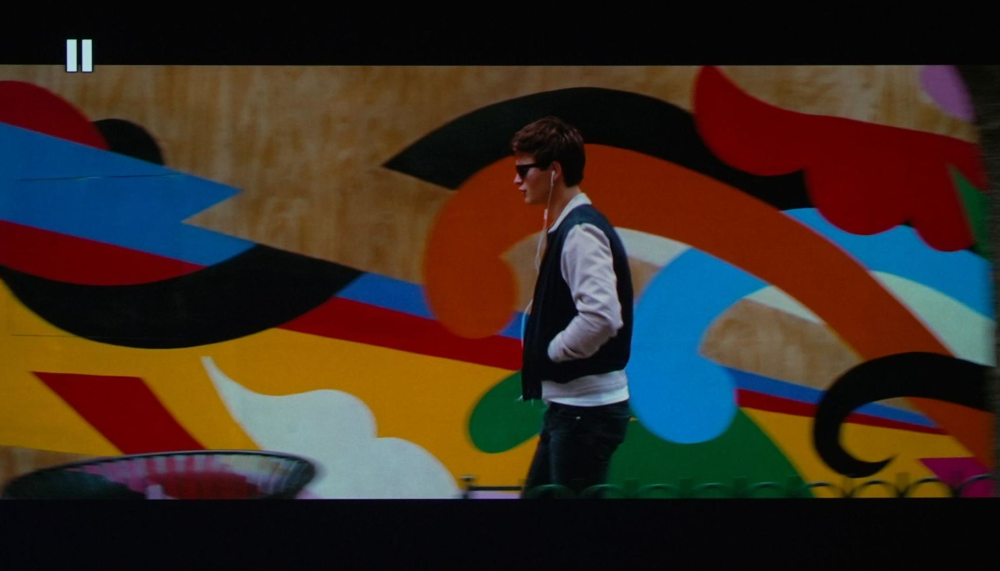
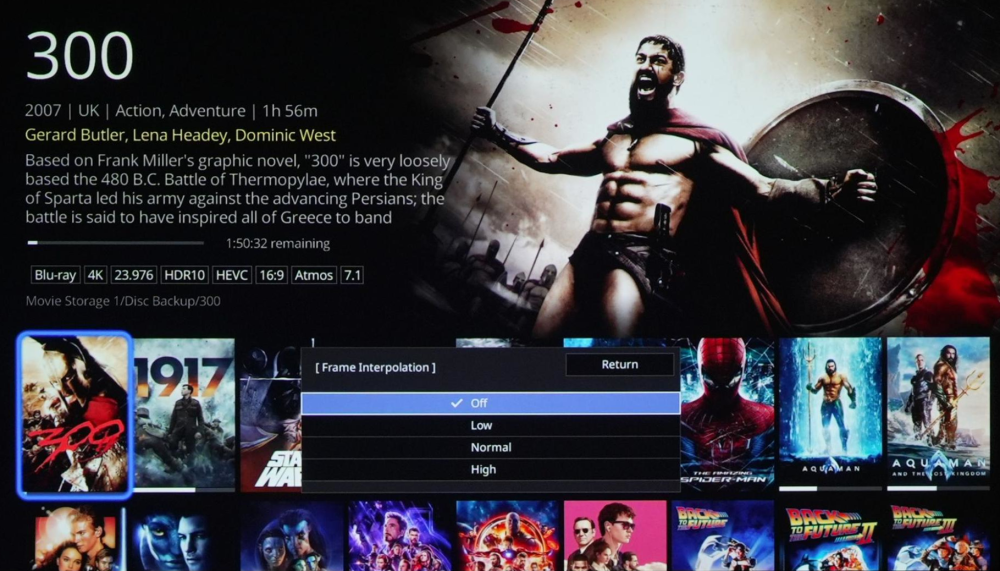
For motion testing on the LS9000, I used the scene from Baby Driver as he walks around the city and the camera is constantly moving. Native 24Hz motion handling with interpolation settings off is excellent. If you like to have added interpolation with minimal or no visible Soap Opera Effect (SOE) even the lowest setting can’t do that. There is moderate SOE visible with the lowest setting that gets stronger as the setting is increased. However, if you like to have some SOE, it did so very cleanly with no visible artifacts until the highest setting. I used the Sarah On A Hammock in 60FPS on the Spears & Munsil benchmark disc and high frame rate motion was handled very well.

The lack of Dynamic Tone Mapping (DTM) on the LS9000 is a bit of a miss after having it on the previously launched QB1000 (and QL series).
Many people confuse DTM with Tone Mapping as a whole. There can be Static Tone Mapping, and there is Dynamic Tone Mapping which would adjust how aggressive the image is being tone mapped (or dynamic range compressed) without you having to adjust any settings.
With the Static Tone Mapping on Epson, you can adjust how much tone mapping occurs across ALL scenes unless you change the setting. This can be adjusted from 1 through 16, where 1 will be as bright as possible and letting details be clipped, where 16 will darken the image a lot to show all details in the image.
Most of the time the ideal solution would be a setting somewhere in the middle, however no one setting would work best for all content. If you have a higher, more aggressive setting for really bright scenes, then in a dark scene the image would be way too dark. You would have to be adjusting the setting constantly, or have DTM to change the setting for you (absent from the LS9000 - LS12000). In most cases I would suggest having a lower value, around 3-6 if you were looking for a single set value and didn’t want to change it often. This would offer a reasonable amount of tone mapping for brighter scenes and not overly darken darker scenes. I settled on 5 for my particular setup.
In the examples below, the camera exposure was locked and I took the pictures with the tone mapping setting at 1, 5, 10, and 15. You can see how in the higher graded content, a higher setting is needed for retaining the detail at the expense of overall brightness. But in lower graded content, a lower value would be preferred that can still show all or most of the highlight detail without lowering the scene APL, or Average Picture Level brightness.
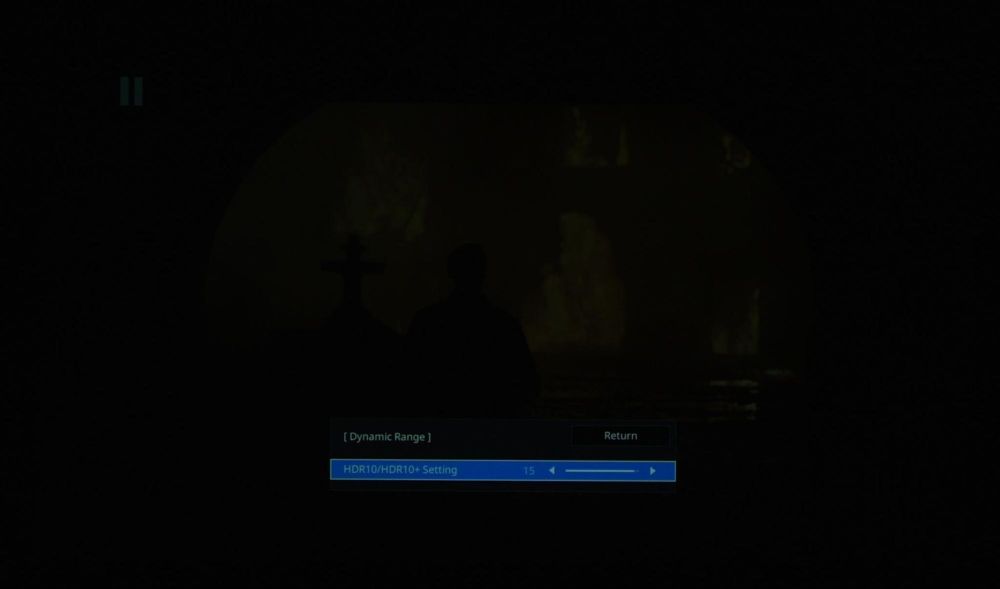
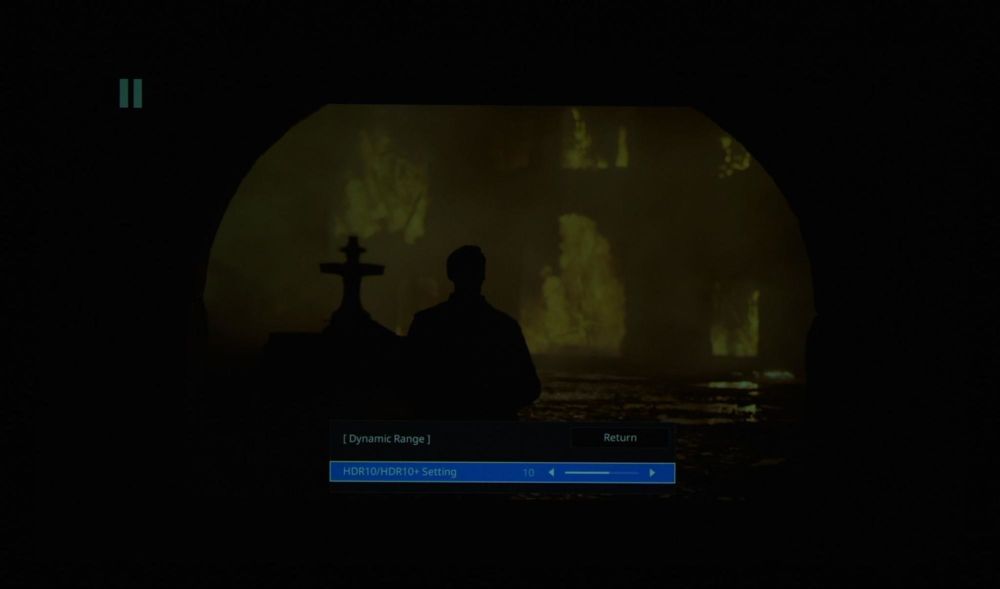
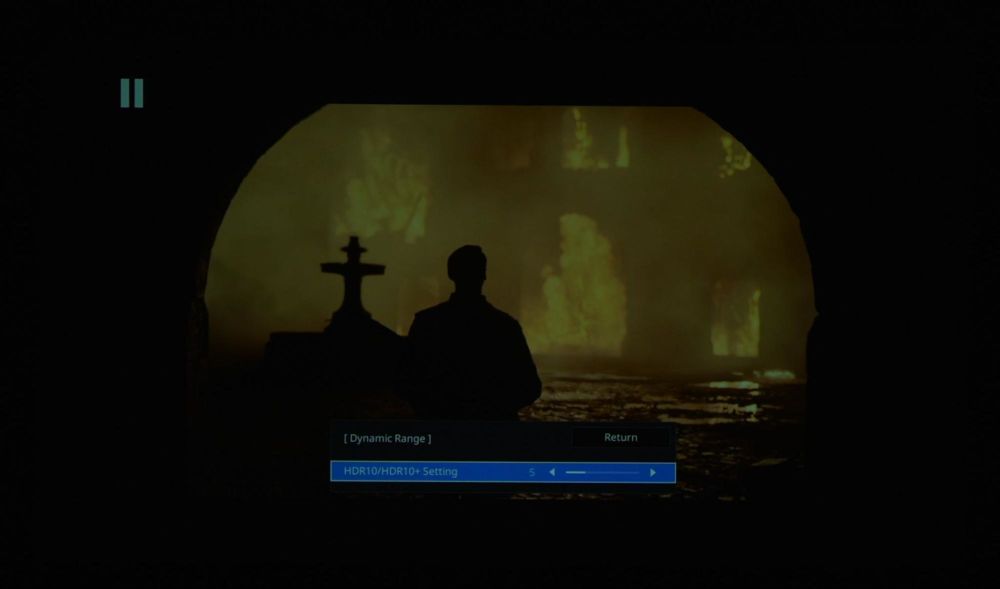

Stills from 1917. The fire in this image isn’t very highly graded and doesn’t require a lot of tone mapping. This is more in line with most average content.
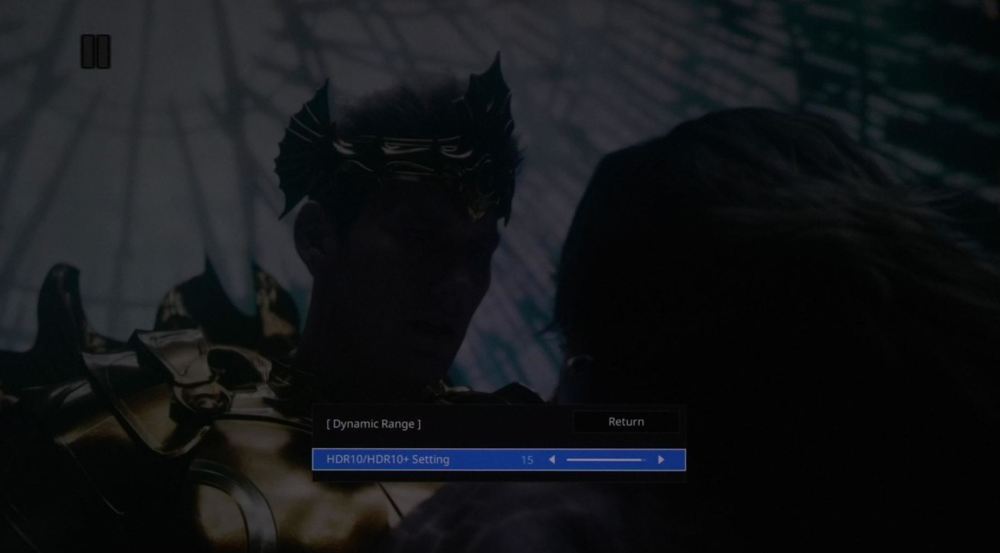
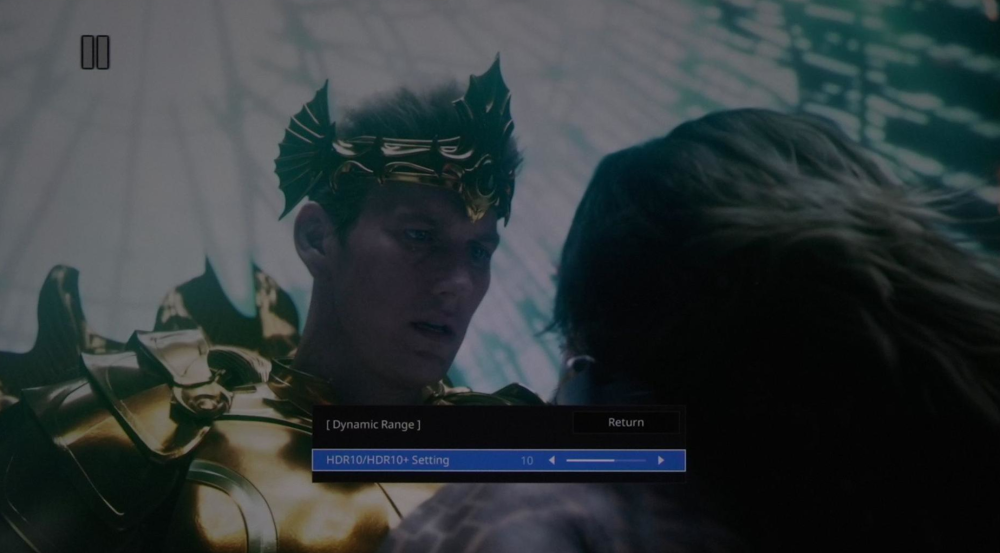
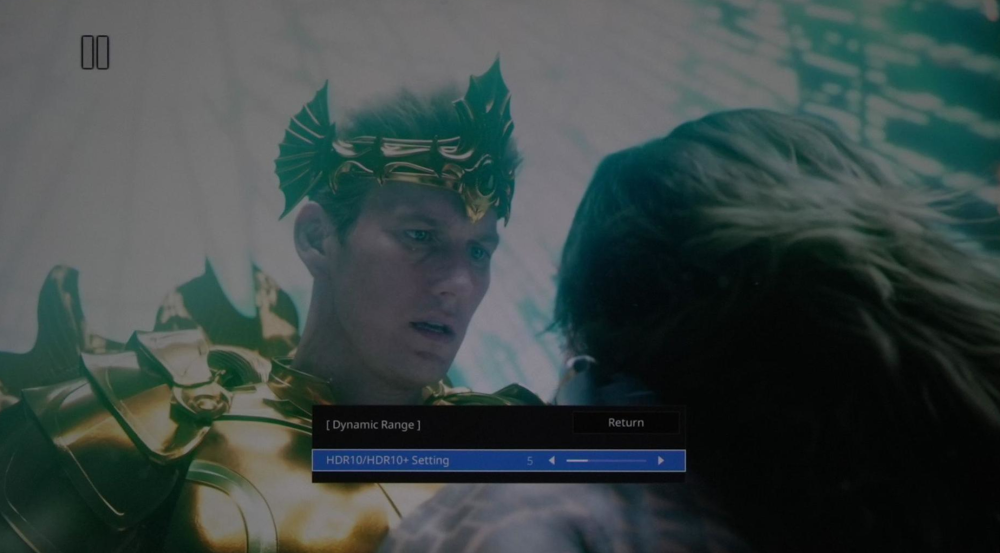
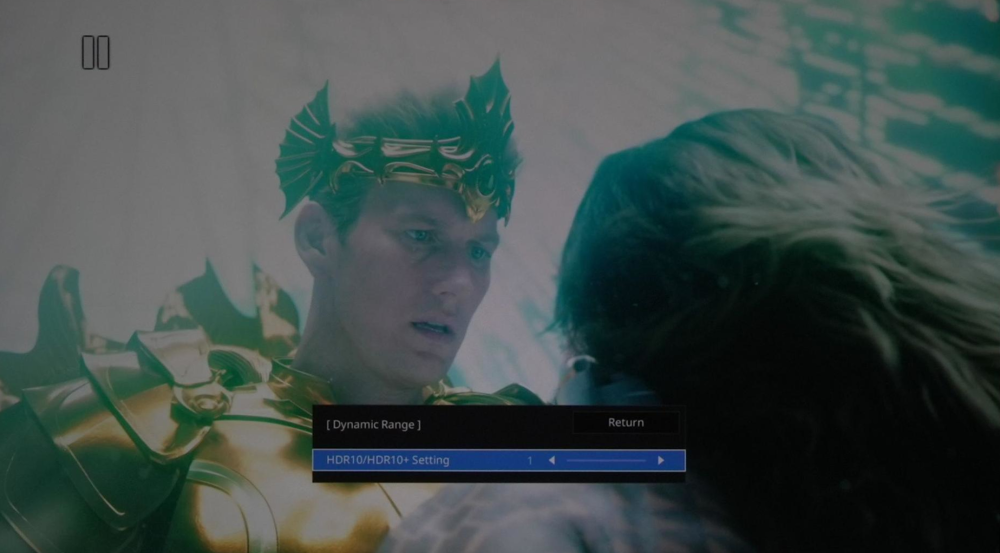
Stills from Aquaman. This scene is very bright and high APL, and needs more tone mapping to maintain the detail in the window. However to keep the image impact, some loss of detail would be required as well.
The LS9000 makes for a pretty great gaming projector. Epson says input lag comes in under 20ms, and I experienced no noticeable delay when playing a variety of games. It supports 4K 120Hz, however the lack of ALLM is disappointing. Image quality was very good, with good in-scene mixed contrast, great color accuracy after white point and gamma correction, and brightness on a smaller screen.
Measurements and calibration were done using Colorimetry Research CR-250 spectroradiometer and CR-100 colorimeter, Murideo 6G pattern generator, and Calman Ultimate software.
Strictly out of the box, the Natural picture mode was lacking some green in the grayscale which gave a magenta push to the image. This could be impacted and visually different from unit to unit, room to room, and screen to screen. My color evaluations are now being done exclusively after correction to D65 white point to eliminate these variables.
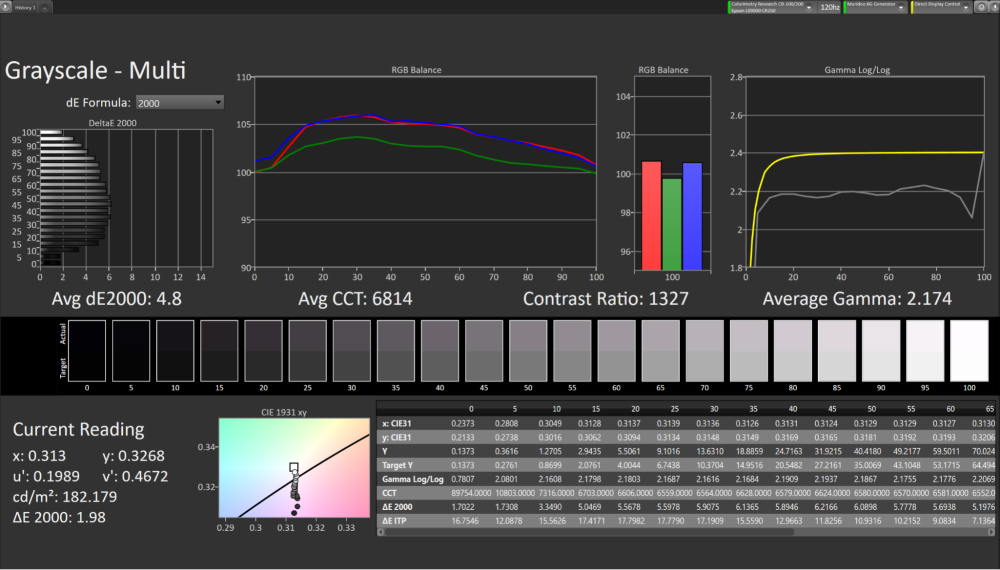
Also out of the box gamma is targeting 2.2 instead of the SDR standard of 2.4. Hopefully Epson (and other manufacturers) will start aiming for 2.4 gamma in at least the most accurate picture mode/s. Also the default laser level was pretty high for my particular installation which raised the luminance and black floor.
Setting the gamma setting to -1 mostly corrected the gamma, and a few mild adjustments to the white balance menu (G-M correction and gain adjustment only) the grayscale was much better. I also reduced the laser as low as available to 60% to get as close as I could to 100 nits and also reduced the black level.
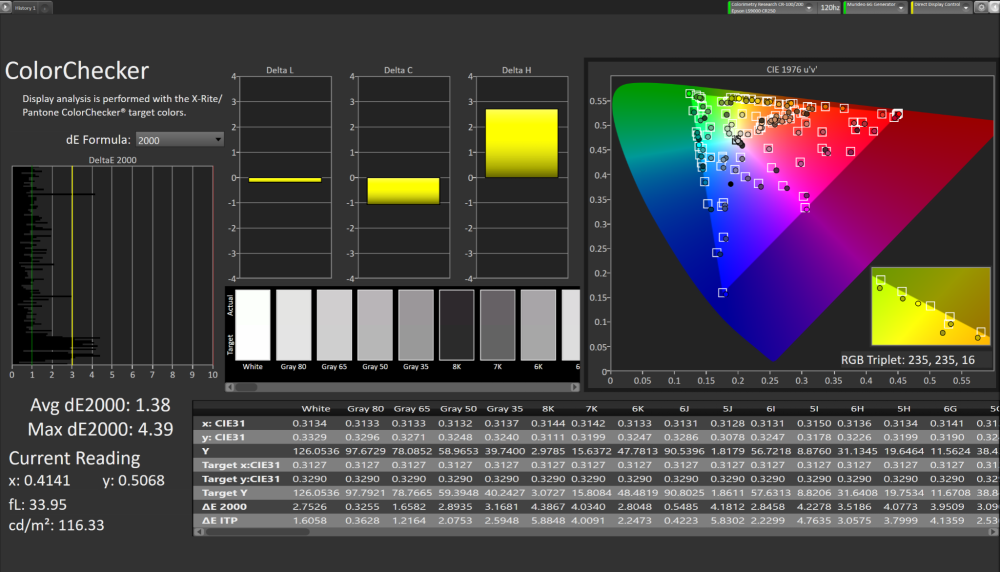
After these mild corrections, in SDR Natural picture mode with no advanced setting corrections to the grayscale multi-point or color CMS settings, the Calman Color Checker SG results are excellent. Average dE2000 for just 1.38, and a max of 4.39 with very few colors exceeding a suggested visual threshold of 2.3.
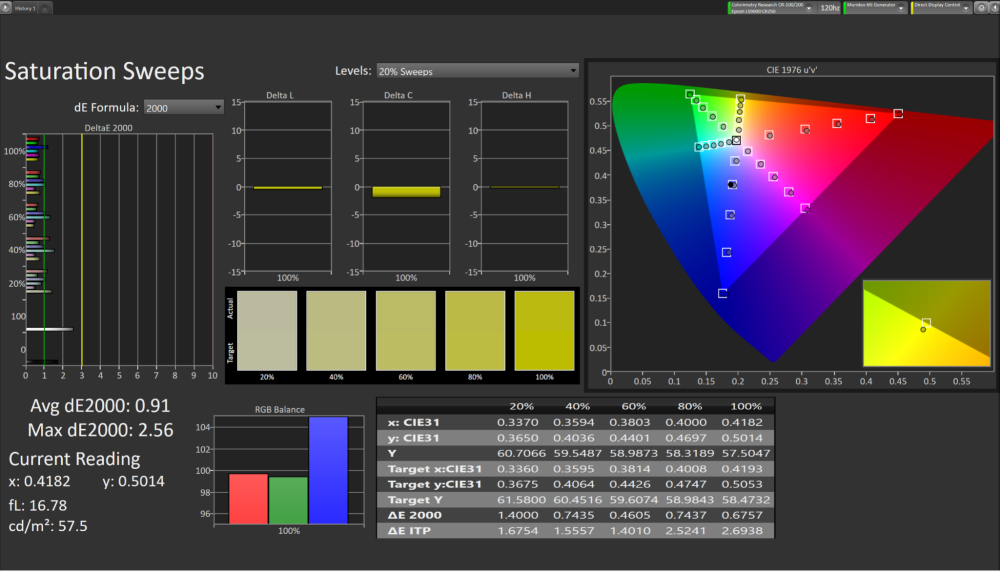
In the saturation sweep using default 75% stimulus for rec709, I continued to see great color accuracy with a dE2000 average of under 1.
Moving on to HDR using the Cinema picture mode preset. Again, strictly OOTB has a deficiency in green through the grayscale. Also with the default settings, the EOTF under tracks quite a bit from the higher, more aggressive tone mapping setting. After setting it to 5 which had a good balance for the 200nits peak white I was getting in my setup, and correcting the basic white balance and gain controls I was able to get great results again.
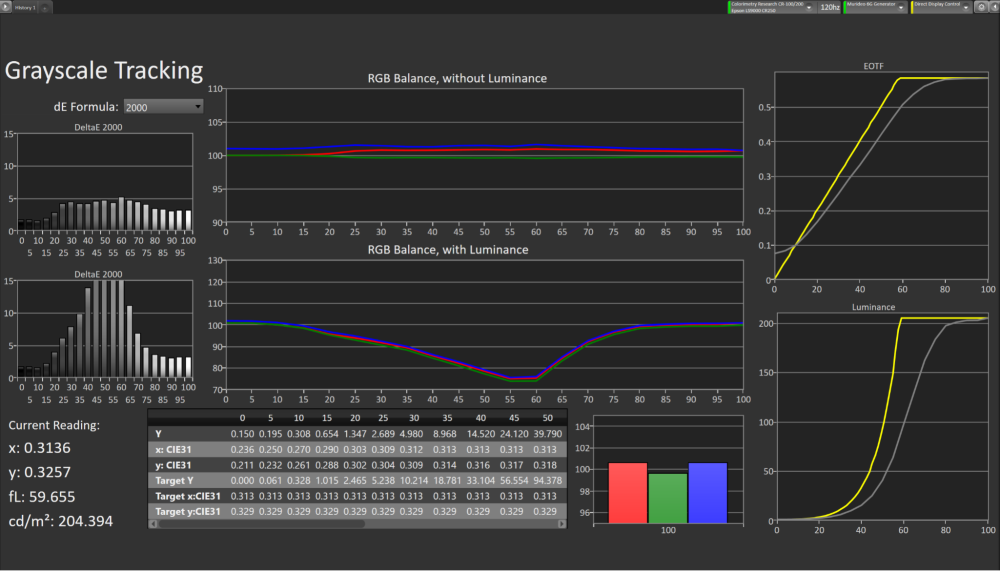
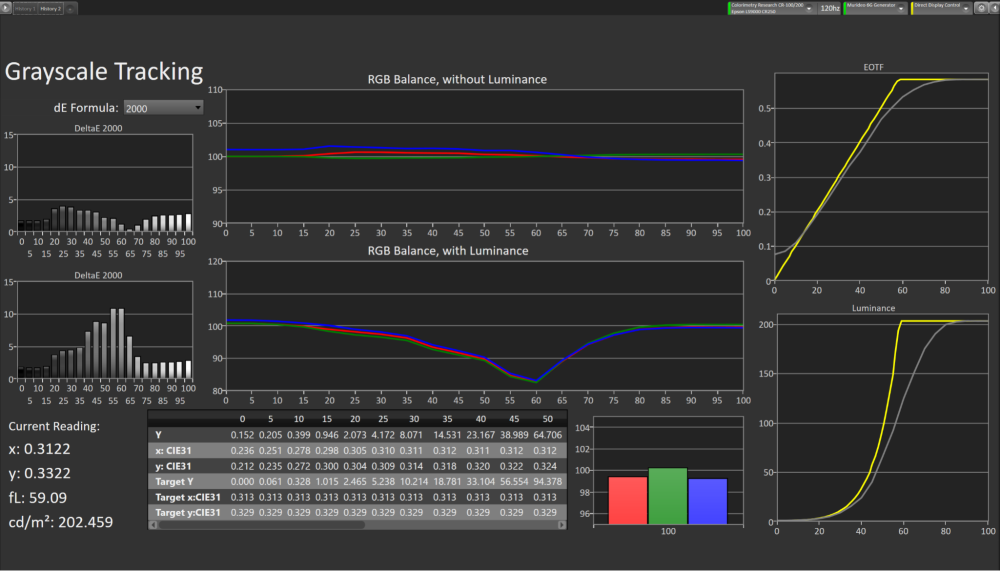
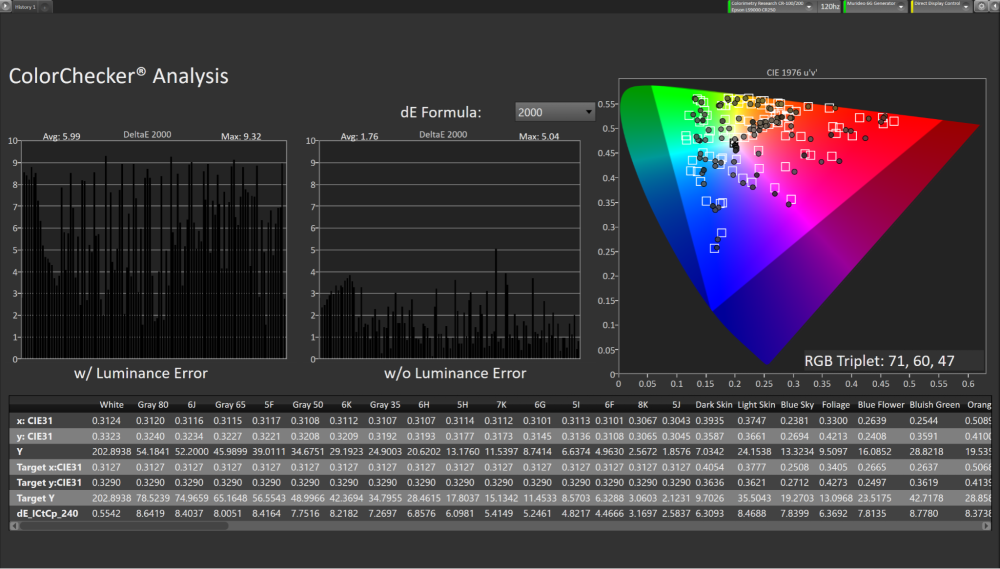
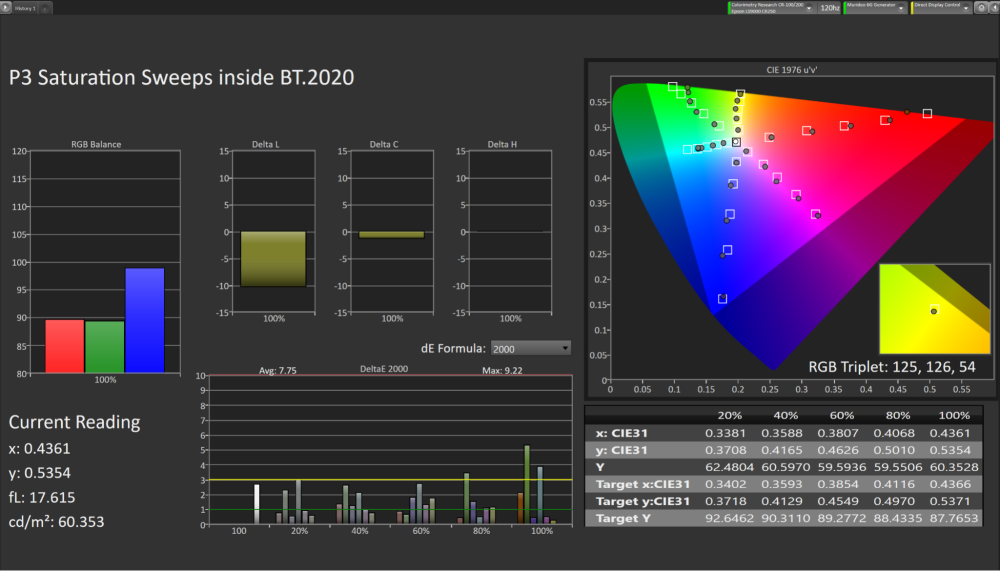
ColorChecker without luminance error was a very good dE2000 of 1.76 with the higher errors in the more rare outer edge of the gamut range. The LS9000 covers just about 90% of P3 gamut in UV, with green in particular having a curve in the saturation tracking after around 50% saturation as visible in the saturation sweep chart below.
I measured a Full On Full Off native contrast of just over 2,000:1 in my installation at the widest end of the zoom. The installation, room, and other factors will affect the native contrast you get. This is lower than other technologies in other competing projectors, but is only one small slice of the “contrast pie”. As the ADL (Average Display Luminance) increases, the visual performance difference begins to level out. Also with the dynamic contrast on normal or high speed, contrast performance in darker scenes improves above what the native contrast measurement would indicate. For most people it would take a direct side by side with other projectors in this value range to really be able to tell the difference in most situations.
Using the Dynamic Contrast control can improve the contrast performance quite well in certain darker scenes. Measurably the contrast nearly doubled with the setting of “Normal” and nearly tripled with the setting of “High Speed” with a 3 second measurement delay and 1% added APL to the edge of the window pattern. Trying to measure a dynamic contrast is not a consistent or very useful metric as it will vary greatly depending on the timing of the measurement and how much dimming has taken place at that point.
I exposed the camera as best as I could to try and represent how these images looked in person. The more white area on the screen the more the black level would rise to be gray as it would on any projector to some degree.
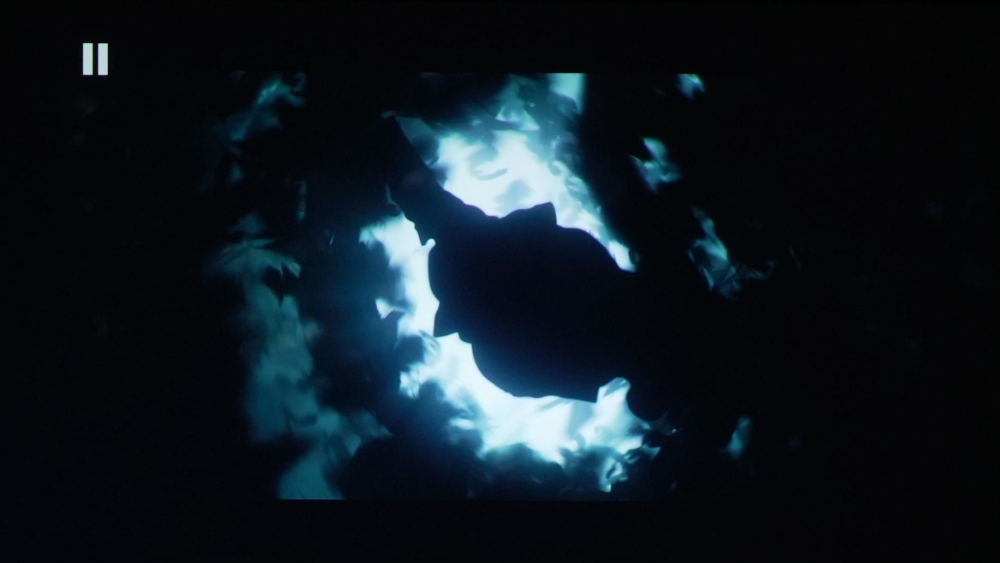
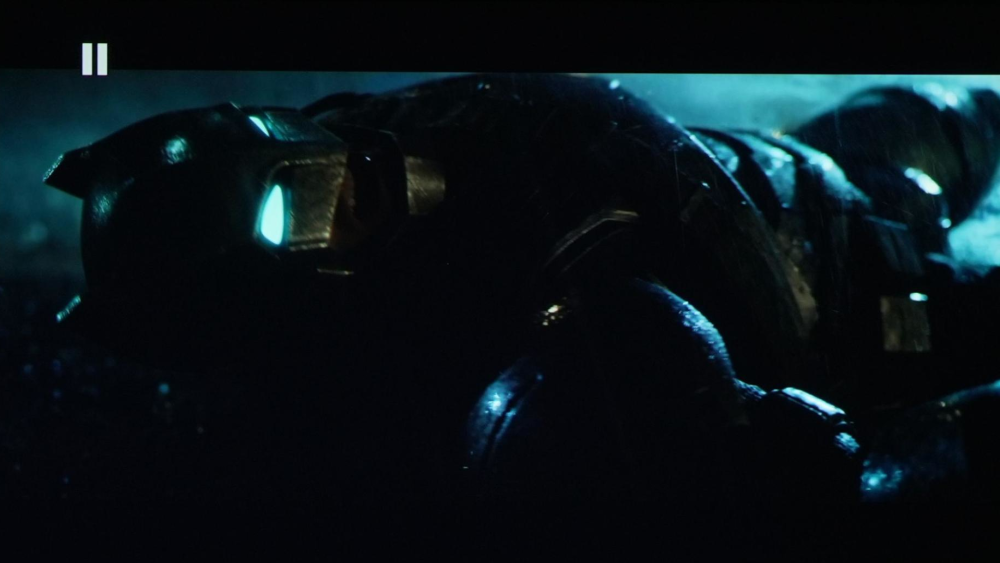
Batman V Superman, high contrast opening cave scene, and Batman dark suit details
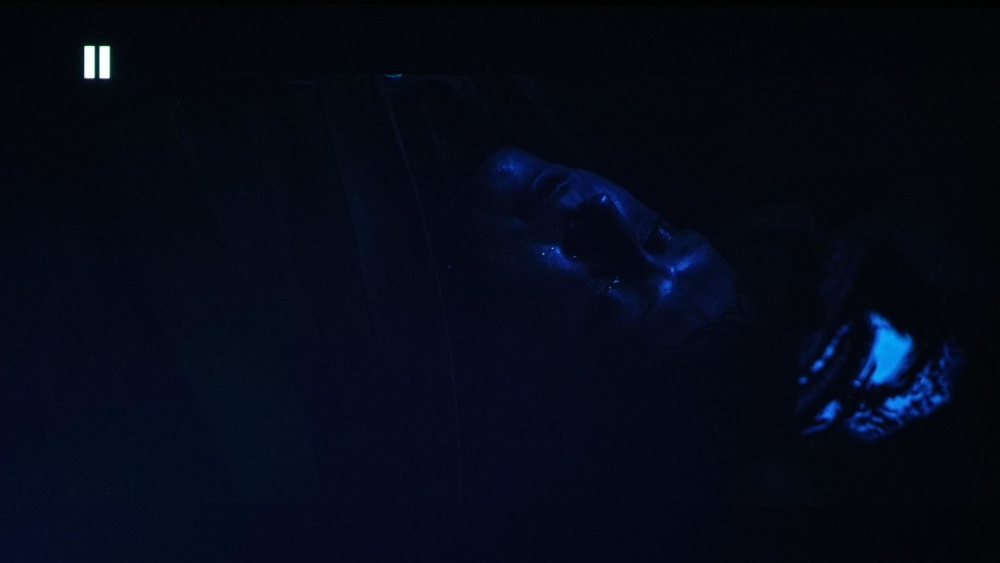
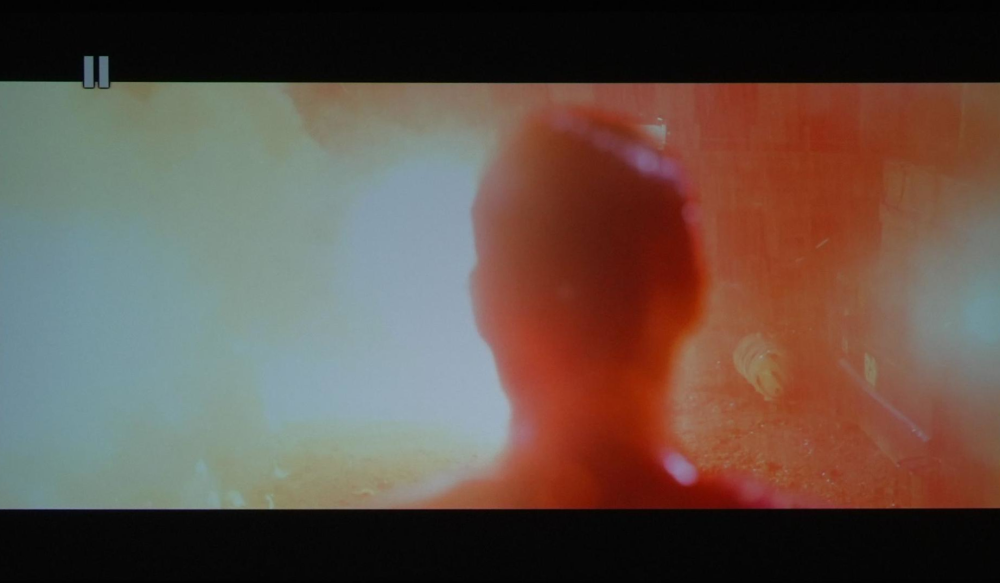
1917 waking up at the bottom of the stairs scene, demonstrating blue glow in very low luminance scenes.
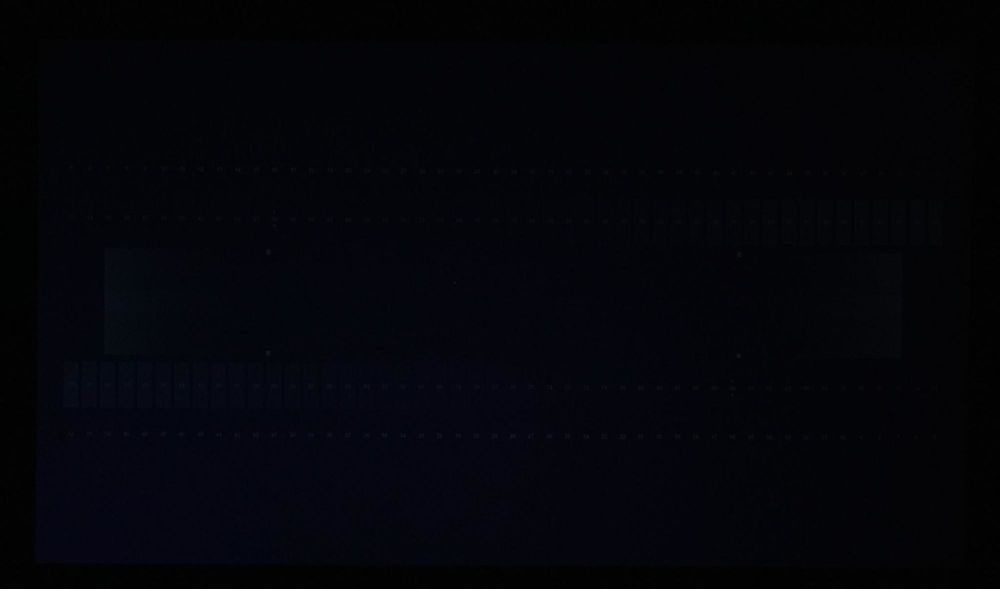
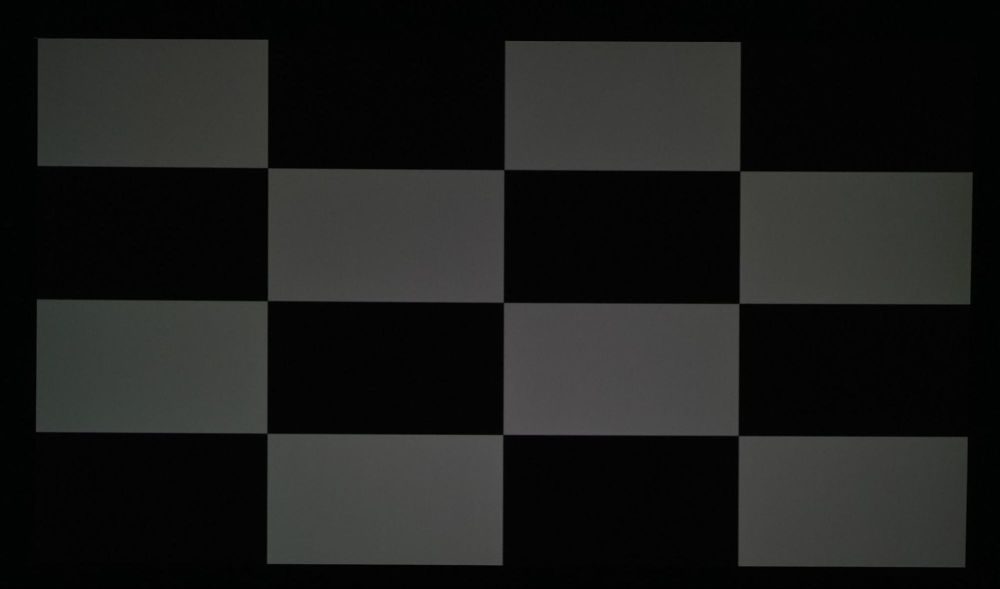
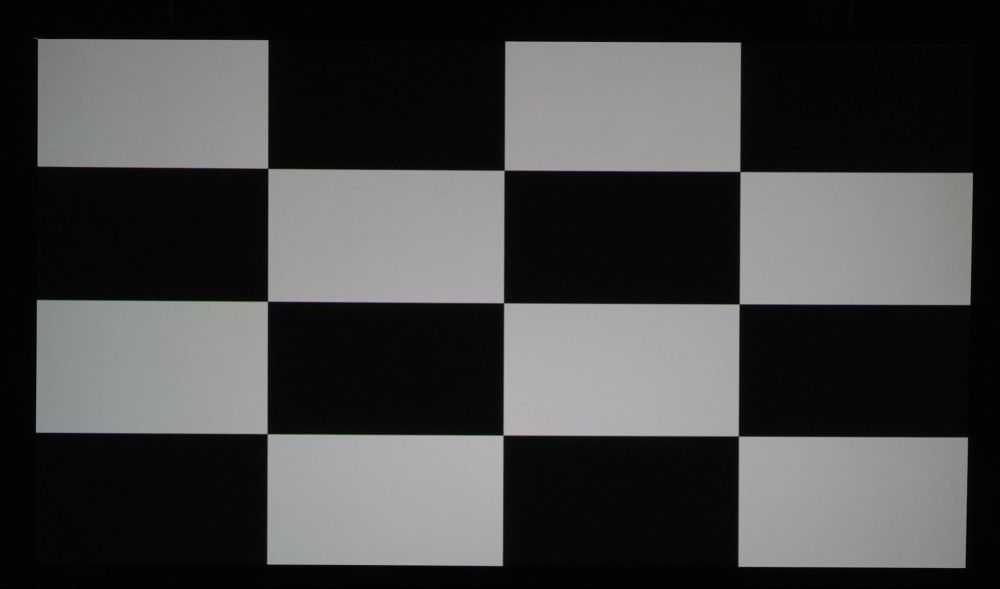
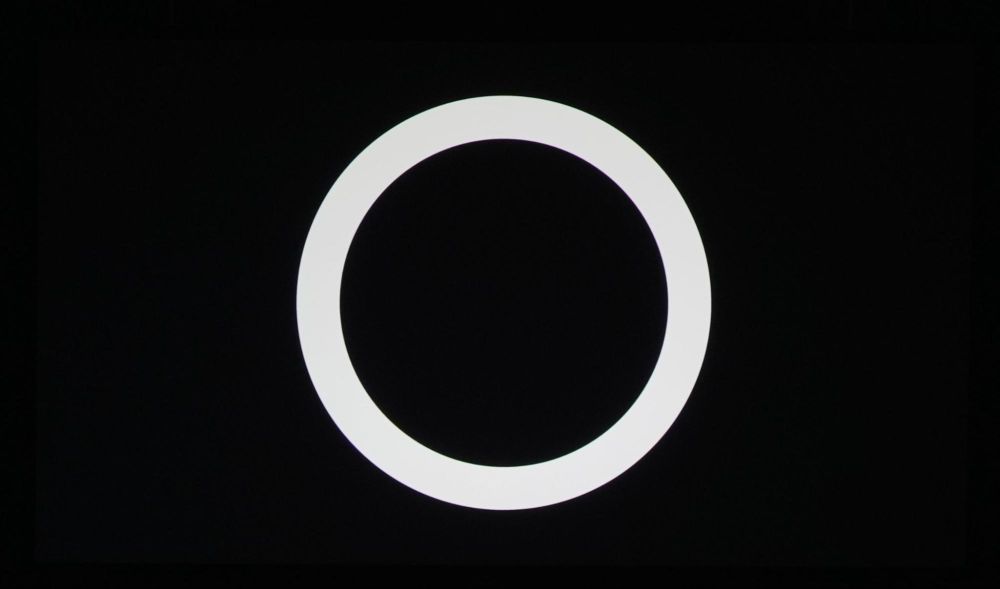
Spears and Munsil UHD Benchmark, Dynamic Range Low, and 50%/100% checkerboard, and PCA patterns. More blue glow visible (exaggerated by camera) but with good luminance tracking coming out of black.
Overall HDR performance
My HDR experience with the Epson LS9000 was overall quite good and even with just 90% coverage of P3 color gamut, color luminance ability of the LS9000 helped in keeping the vibrancy in higher graded WCG content. Without a side by side comparison, most would not be able to tell or notice any missing color saturation.
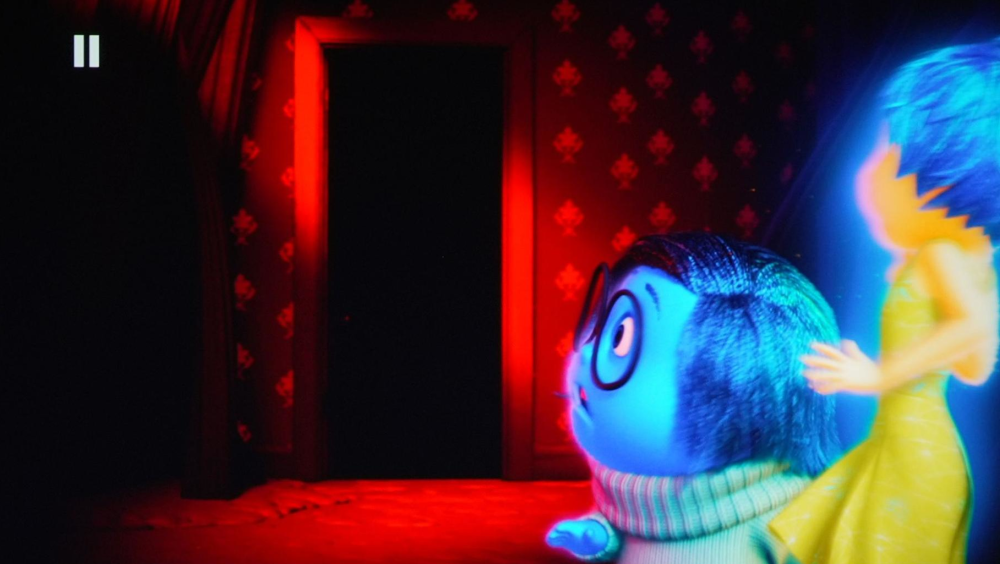
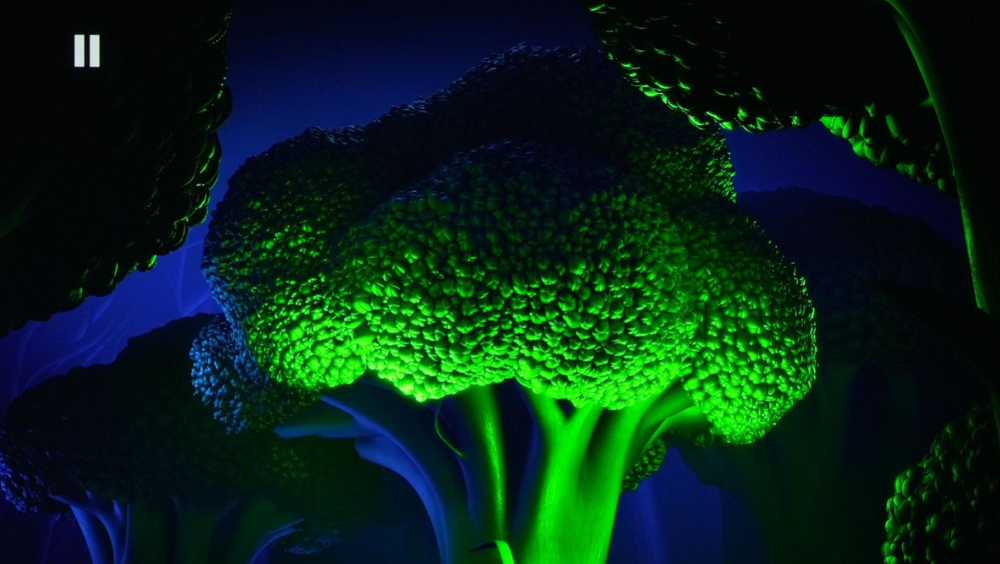
Inside Out colors are graded to exceed P3 and go into BT2020 in these scenes.
I didn’t experience or notice any color banding or posterization issues with the LS9000. Gradients were mostly smooth with no notable discoloration in different steps.
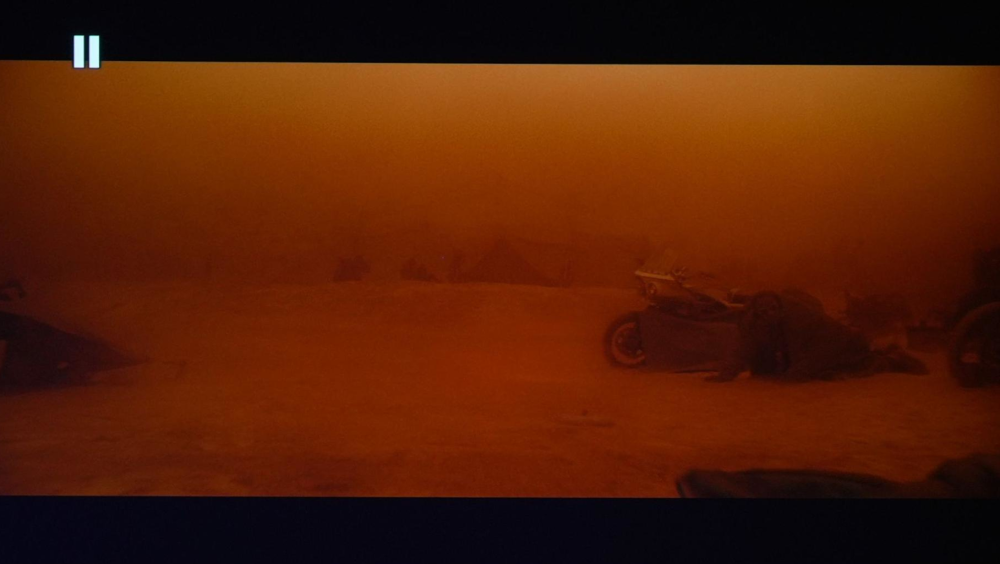
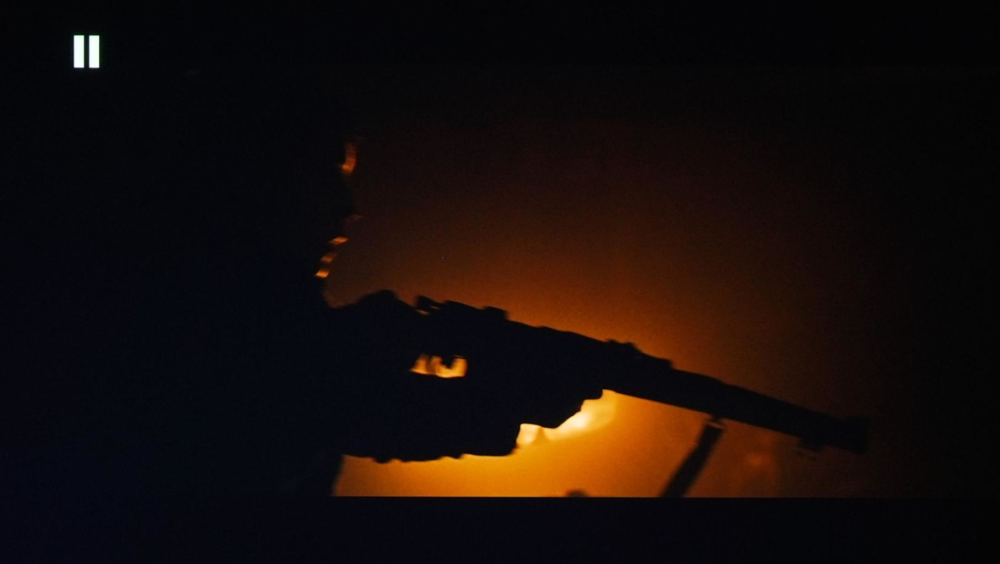
Lower luminance color scenes were handled mostly very well. In the darkest scenes the blue tinting can be noticeable to those who are more sensitive to color accuracy.
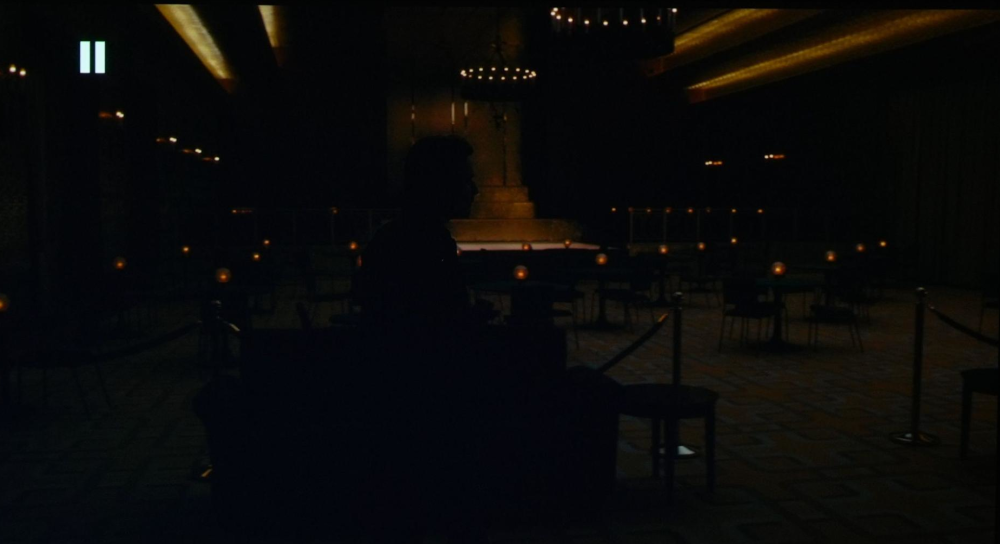
Epson projectors generally do well with high luminance color ability, and the LS9000 is no different. With a bit over 200 nits on screen in my installation, color vibrancy was very good in bright HDR content.
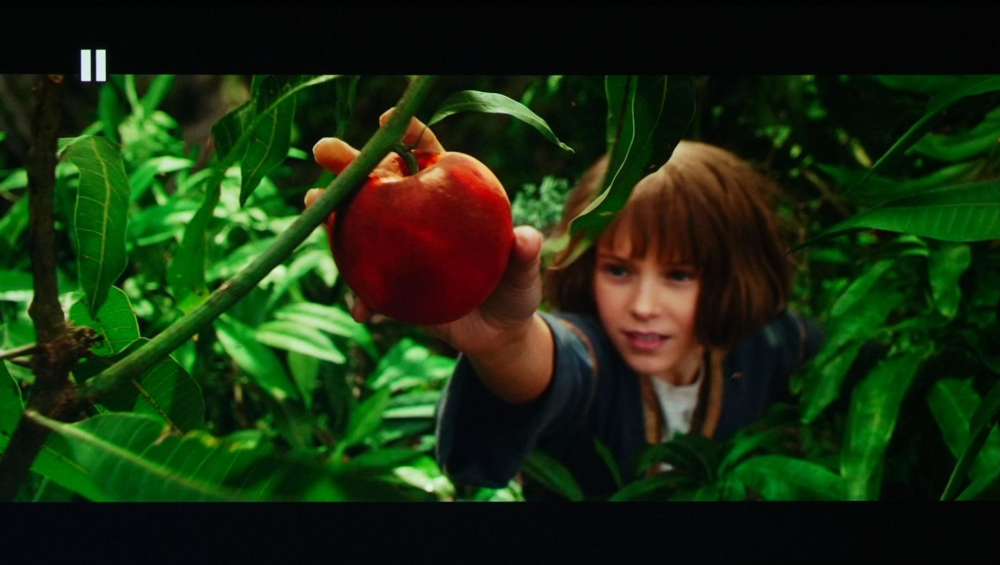
General scenes with an average or higher ADL have a great level of mixed contrast. Especially in content without black bars. The dark stripes of the Zeebra in this scene from Earth One Amazing Day are convincingly dark and bring solid depth to the image.

Despite being a pixel shifted 4k image, the sharpness, detail and clarity are all very good on the Epson LS9000. This is with the sharpness and image enhancement settings at a very mild setting of “2”.
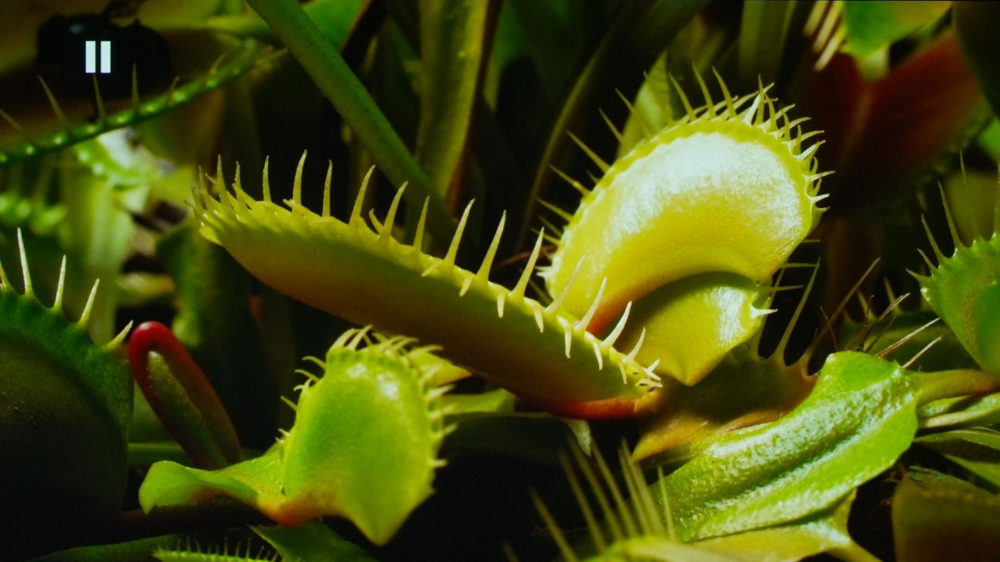
Earth One Amazing Day demonstrates great sharpness and clarity.
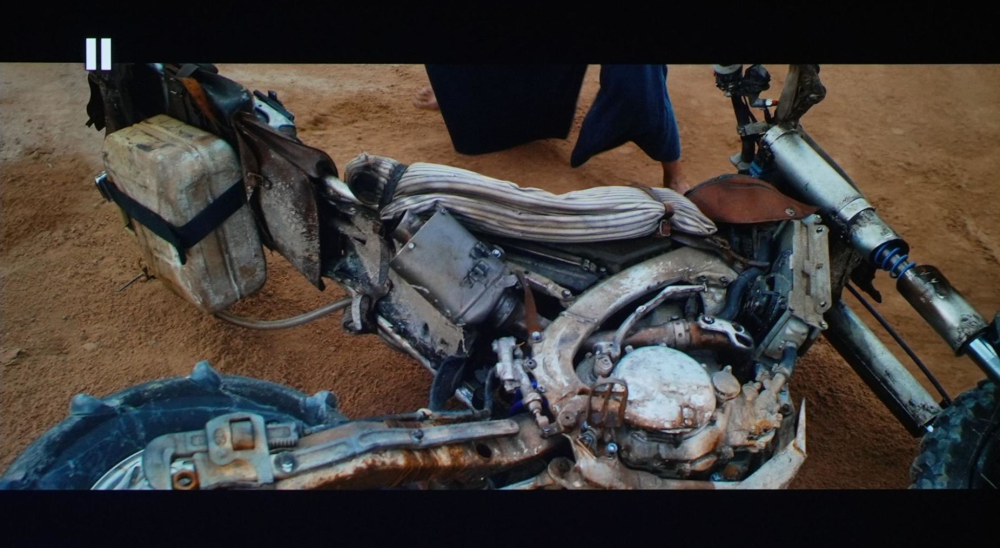
Mad Max Furiosa the fine details in this scene from the desert sand to the very small details in the materials on the bike are all clean and well defined.
In SDR the LS9000 also does a fantastic job in being a very well-rounded projector. In my installation I settled on a slightly high 120 nits for SDR with the laser at its lowest setting for 60. I wanted to maintain 200 nits for HDR, or I could have moved the projector further back to reduce the brightness some and increase contrast a little. I also checked SDR performance in sports where the LS9000 also did well. It handled the 60hz motion excellently just like it does with film 24hz. Color accuracy was fantastic, and sharpness and clarity continue to be great.
Recommended Settings
For SDR:
- Light Output – Set as needed; I used 60% for a smaller 92in screen
- Picture Mode - Natural
- Brightness/Contrast/Saturation/Tint - Default 50
- Sharpness – 2/2/2
- White Balance - Color Temp - 6500k
- White Balance - G-M Correction - 5
- White Balance - Red Gain reduced to 47, all others default 50
- Dynamic Contrast - Normal
- Frame Interpolation – Off or Low
- Image Enhancement – Preset 1 – Noise/MPEG Reduction 0 – Super Resolution 2/2
- Gamma -1
For HDR:
- Light Output – 100
- Picture Mode - Cinema
- Brightness/Contrast/Saturation/Tint - Default 50
- Sharpness – 2/2/2
- White Balance - Color Temp - 7
- White Balance - G-M Correction - 6
- Dynamic Contrast - High Speed
- Frame Interpolation – Off or Low
- Image Enhancement – Preset 1 – Noise/MPEG Reduction 0 – Super Resolution 2/2
- Tone Mapping – Based on you setup and preference, I used 5 for 200nits on screen
Final Conclusions
The Epson LS9000 offers great overall performance for its price, and is a well rounded package in the entry 4k laser projector market. Aside from pure light output, it offers very similar performance to the LS12000 big brother, so if you don’t have a need for the extra lumens for a bigger screen for example, the LS9000 can save you quite a bit of money. You would have to double the cost of the LS9000 to go up to the QB1000 to gain features like Dynamic Tone Mapping and ALLM.
I was very impressed by how good the color performance was after correcting the grayscale alone to D65 with just basic settings. While I would recommend you to get it calibrated, most will still be very happy with the color performance out of the box.
Gaming is responsive and a strong point for the LS9000. Again, you would be looking at double the price to go with the QB1000 for auto switching between “fine” and “fast” processing modes, and to gain DTM for gaming.
Motion performance, clarity and detail are all strong points for the LS9000. Lack of 3D is disappointing to some, but also expected from Epson at this point.
Installation is a breeze with Epson's excellent lens flexibility, digital zoom and shift, 10 profile lens memory (and 10 profile settings memory that is separate), along with image blanking (if alignment isn’t perfect it allows you to crop the top/bottom/sides as needed), and digital keystone if needed (never recommended). Some competitors in this bracket do not offer digital lens adjustments, which is great to have for changing aspect ratios on scope screens.
Overall the Epson LS9000 gets a strong recommendation and should be a consideration for many home theater installs in this price bracket ($3000-5000).


