


The Ultimate Projector Buying Guide

This Guide Contains Everything You Need To Know About Buying The Best Projector To Meet Your Needs. Ready To Check It Out? Let's Do It!
Video projectors have long been used for home theaters, businesses, schools, churches and anywhere else there’s a need for a big screen experience. They delight, they dazzle, they inform, they entertain. Nothing captures the cinematic experience the way a digital projector can.
Transform your entertainment experience with a home theater projector! Enjoy vibrant, cinema-quality visuals with incredible brightness and color accuracy right in your living room. Perfect for movie nights, gaming, and sports events, they offer unparalleled picture quality and long-lasting performance. Elevate your screenings and immerse yourself in stunning detail—make the switch today!
Of course researching the best projectors can be overwhelming, with many acronyms and technological terms.
That's why in this guide we’ve covered everything you need to know about buying a new projector.
What Is A Projector?

A projector is an optical device that projects or “throws” an image or video onto a surface, oftentimes using a projection screen. Projectors create an image by shining light through a small transparent lens. Some projectors use a lamp and others utilize lasers for the light source. While there are still image and real time projectors like the overhead projectors you’d find in classrooms, camera obscura, magic lanterns and slide projectors. This guide will be focusing on devices that project moving images.
What Else Are Projectors Known As?
Projectors are sometimes referred to as beamers, home projectors, movie projectors, cinema projectors, and digital projectors. While the term “film projector” often refers to a device that beams actual film, like 8mm, super 8 or 16mm, it can also refer to the digital projector you’d find in a home cinema or media room.
During the 1990's many film and analog projectors were replaced with digital projectors, even in commercial movie theaters. This is largely thanks to the development of DVDs as a digital media source, which of course had their start as those oversized laserdiscs.
How Do I Know What Projector To Get?
For Home Theater
If you want the most immersive film watching experience you need to get a home theater projector and not a “business” or “commercial” projector. With a projector made for a home theater, it has a focus mostly on delivering incredible image quality with high contrast, deep blacks and rich color saturation.
Most in-home projectors work best in a dedicated media room where you can control the amount of light in the room and the light that gets in from outside such as through windows or doors. Cinema room projectors typically don’t have as many lumens as other types because they’re operating in a controlled, dark space and thus don’t need to overcome the ambient light.
When buying a home theater projector, you want to order one that has a 4K resolution and offers HDR compatibility. While less discerning people may be satisfied with a 1080p projector, by buying a 4K home theater beamer you get a far superior image that will thrill your visual senses.
Getting a 4K home cinema projector is especially important when you consider the size of your screen. While you might not be able to see the difference as easily on a small flatscreen TV, on a big cinema screen the pixels are spread out over a greater surface area so you're able to see more pixilation on a 1080p projector. A 4K projector however will give you a much sharper, more detailed image.
Home theater projectors generally have a native 16:9 HD aspect ratio, which is the format that HDTV broadcasts in. Higher end projectors will support a cinemascope aspect ratio of 2.35:1 or 2.4:1 either natively, through the use of lens memory or via an optional anamorphic lens.
- Build a Bundle
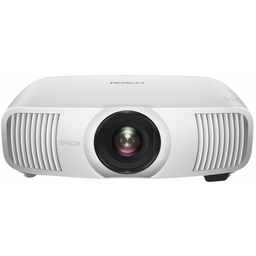
$3,999.99
- Resolution: 4K
- Status: Out of Stock
- Refresh Rates: 120 Hz
- Lumens: 2500
- Light Source: Laser
- Projector Type: Standard Throw
- Dynamic Contrast Ratio: 1,200,000:1
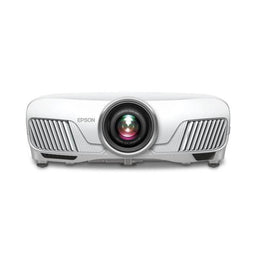
$2,499.99
- Resolution: 4K
- Status: Currently Unavailable
- Refresh Rates: 60 Hz
- Lumens: 2400
- Light Source: Bulb
- Projector Type: Standard Throw
- Build a Bundle
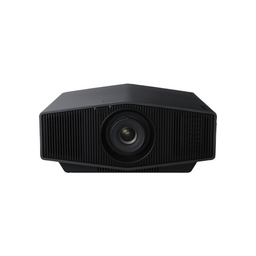
$5,998.00
- Resolution: 4K
- Status: In Stock
- Refresh Rates: 60 Hz
- Lumens: 2000
- Light Source: Laser
- Projector Type: Standard Throw
- Dynamic Contrast Ratio: Infinite:1
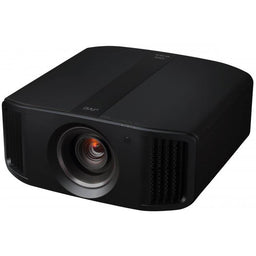
$15,999.95
- Resolution: 8K
- Status: Discontinued
- Refresh Rates: 240hz
- Lumens: 2500
- Light Source: Laser
- Projector Type: Standard Throw
- Native Contrast Ratio: 80,000:1
- Dynamic Contrast Ratio: Infinite:1
- Build a Bundle
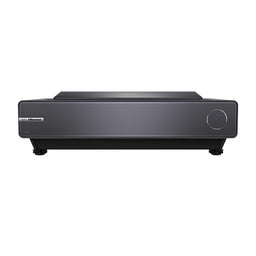
$2,997.97
- Resolution: 4K
- Status: Out of Stock
- Refresh Rates: 60 Hz
- Lumens: 2400
- Light Source: Laser
- Projector Type: Ultra Short Throw
- Dynamic Contrast Ratio: 2,000,000:1
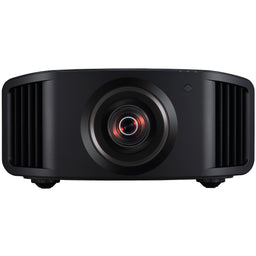
$5,999.00
- Resolution: 4K
- Status: Discontinued
- Refresh Rates: 240 Hz
- Lumens: 1900
- Light Source: Bulb
- Projector Type: Standard Throw
- Native Contrast Ratio: 40,000:1
- Dynamic Contrast Ratio: 400,000:1
For Living Room
Living rooms present a unique challenge for projection enthusiasts. You want to have a big display, with bright vivid opticals but in a well-lit environment and likely without the needed throw distance for a large screen.
Normally this is a challenge for most regular throw projectors but not for the new class of entertainment projection devices: Ultra Short Throw projectors! These optical devices sit directly under the movie screen so they are able to cast a very bright colorful image at a very short throw distance.
Their installation is simplified compared to traditional throw projection as you will likely need to run less cabling from your video source to the cinema projector as they often will be on the same stand or in the same credenza.
Additionally you can use an ambient light rejecting screen to help you reduce the effect of light in the environment.
Similarly to the home theater one you want a living room projector that’s 4K and offers HDR compatibility.
- Sale
- Build a Bundle
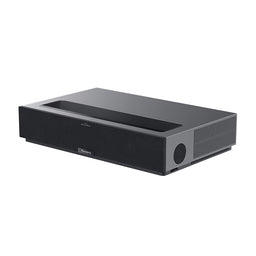
$2,199.00
- Resolution: 4K
- Status: In Stock
- Refresh Rates: 60 Hz
- Lumens: 1800
- Light Source: Laser
- Projector Type: Ultra Short Throw
- Native Contrast Ratio: 3,000:1
- Build a Bundle
- Free $100 Gift
- $100 Cash back
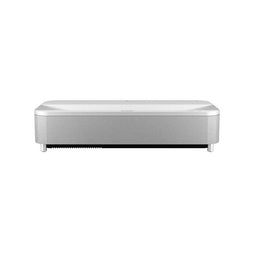

$3,799.99
- Resolution: 4K
- Status: Leaves Warehouse within 5-10 Business Days
- Refresh Rates: 60 Hz
- Lumens: 4000
- Light Source: Laser
- Projector Type: Ultra Short Throw
- Dynamic Contrast Ratio: 2,500,000:1
- Build a Bundle
- Free $100 Gift
- $100 Cash back

$3,799.99
- Resolution: 4K
- Status: In Stock
- Refresh Rates: 60 Hz
- Lumens: 4000
- Light Source: Laser
- Projector Type: Ultra Short Throw
- Dynamic Contrast Ratio: 2,500,000:1
For The Office
Business projectors are made primarily to display static images, such as graphs and PowerPoint slides, but they also work great for multimedia and entertainment use.
When it comes to office projectors it’s all about the lumen output. Workplace environments are typically very well lit making it a challenge for lesser multimedia projectors. But with an extra bright business projector you can easily make outstanding presentations in front of a huge screen.
You can go with either a regular or a short throw projector. We’d typically recommend using a short throw projector so you can give your presentation without blocking the light from the screen, however short throw projectors generally have much less of a zoom range (if any at all) so they need to be specifically placed in relation to the screen to get the desired image size.
With regards to the lumen output, look for a media beamer with at least 4000 lumens. This will ensure your projected data is bright enough.
You can go with either a 16:9 or a 16:10 aspect ratio. Typically we suggest getting a 16:10 WUXGA projector for the office as that is the high definition (above 1080p) resolution for the 16:10 aspect ratio. The low resolution 16:10 would be WXGA; while it is the same shape as WUXGA the resolution is much lower.
A 16:10 allows you to show more data on the screen at a time and is supported by most modern computers, which is often the video source in business applications.
Depending on the content you plan on showing, a 1080p or WUXGA projector should be sufficient for projecting data such as spreadsheets, financials and other presentations where being able to see detail is important. For the most critical applications, a 4K projector would be suggested as it can resolve 4x the amount of data as a 1080p projector with images showing the highest level of detail.
Just like with a living room projector you can pair it with an ambient light rejecting screen to get the best and most clear visuals no matter the lighting of the room.
- $50 Cash back
- $50 Cart Discount
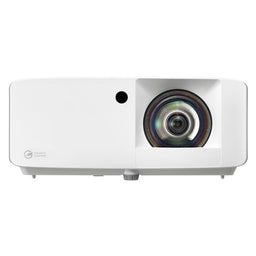
$1,709.00
- Resolution: 1080P
- Status: Discontinued
- Lumens: 4000
- Light Source: Laser
- Projector Type: Short Throw
- Native Contrast Ratio: 300,000:1
- Dynamic Contrast Ratio: 2,000,000:1
- Build a Bundle
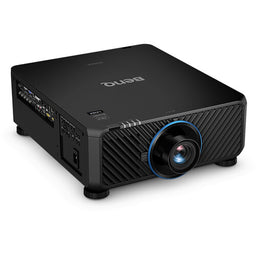
$13,999.00
- Resolution: WUXGA
- Status: Discontinued
- Lumens: 10000
- Light Source: Laser
- Projector Type: Optional Lens
- Dynamic Contrast Ratio: 3,000,000:1
- $50 Cash back
- $50 Cart Discount
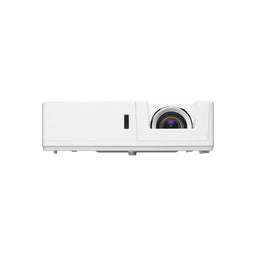
$2,999.00
- Resolution: WUXGA
- Status: Leaves Warehouse within 1-2 Business Days
- Lumens: 6500
- Light Source: Laser
- Projector Type: Standard Throw
- Dynamic Contrast Ratio: 300,000:1
For Classrooms
Projectors can make learning more fun and engaging, so they’re a great tool for educators at all levels. Classroom projectors typically need similar capabilities to a business projector but often utilize a lower resolution in k-12 environments than in higher education.
If the projector is not permanently installed in a classroom and is moved into place on a cart, a short throw is going to be the way to go so that you don’t get in the way of the projector when you’re teaching.
Having a school projector with built in speakers can make it much easier for presentations because it simplifies the setup process, however the built in speakers for any multimedia projector are often very poor and may not provide appropriate audio levels and clarity for your application.
You also want to make sure you have a good amount of connectivity inputs for the same reason.
- $50 Cash back
- $50 Cart Discount
$1,709.00
- Resolution: 1080P
- Status: Discontinued
- Lumens: 4000
- Light Source: Laser
- Projector Type: Short Throw
- Native Contrast Ratio: 300,000:1
- Dynamic Contrast Ratio: 2,000,000:1
- Build a Bundle
- Free $100 Gift
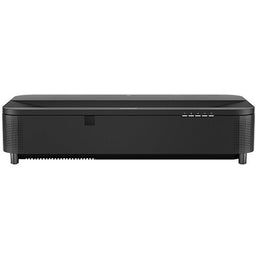
$3,662.00
- Resolution: 4K
- Status: In Stock
- Refresh Rates: 60 Hz
- Lumens: 5000
- Light Source: Laser
- Projector Type: Ultra Short Throw
- Dynamic Contrast Ratio: 2,500,000:1
- $50 Cash back
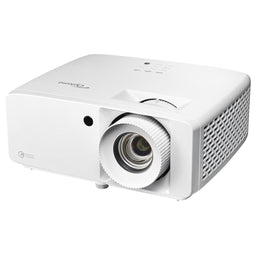
$1,999.00
- Resolution: 4K
- Status: Discontinued
- Lumens: 4000
- Light Source: Laser
- Projector Type: Standard Throw
- Dynamic Contrast Ratio: 500,000:1
For Churches And Houses Of Worship
When it comes to choosing a church projector it depends on what it will be used for. Will it be for church services? Will it be a Sunday school projector? Will it be for outdoor movie nights? You need to figure out what you’ll be using it for.
Congregation screens are often very large to accommodate a large number of viewers. You can learn more about church projectors and screens from our extensive guide to help you decide what projector you need.
- Build a Bundle
- $100 Cash back
- $100 Cart Discount
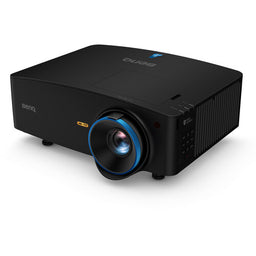
$4,899.00
- Resolution: 4K
- Status: In Stock
- Refresh Rates: 60 Hz
- Lumens: 5100
- Light Source: Laser
- Projector Type: Short Throw
- Dynamic Contrast Ratio: 3,000,000:1
- Build a Bundle
- Free $100 Gift
$3,662.00
- Resolution: 4K
- Status: In Stock
- Refresh Rates: 60 Hz
- Lumens: 5000
- Light Source: Laser
- Projector Type: Ultra Short Throw
- Dynamic Contrast Ratio: 2,500,000:1
- Build a Bundle
$13,999.00
- Resolution: WUXGA
- Status: Discontinued
- Lumens: 10000
- Light Source: Laser
- Projector Type: Optional Lens
- Dynamic Contrast Ratio: 3,000,000:1
For Gaming
When you’re looking to buy a gaming projector, there are few different specs that you should look for.
The three most important features are the resolution, lag time and refresh rate of the projector.
If you are using a gaming console that supports 4K resolution, we would certainly suggest you get a 4K projector so that you can get the maximum enjoyment from the graphics capabilities from your console or computer.
The lag time is the time it takes for your press of the button on your controller or input device to have the action show on the screen. For competitive gaming, such as first person shooters, you would ideally want an input lag time of 30 milliseconds or less, with a goal of under 16ms. Projectors traditionally haven’t been the best at producing such low lag times but now there are several video projectors that beat the 30ms lag time mark.
The refresh rate is the number of times the monitor updates with new images each second.
When it comes to gaming monitors, increasingly, 120Hz, 144Hz, and even 240Hz refresh rates (or framerates) are becoming more and more popular. Ideally for a gaming projector you want one that has a refresh rate of at least 120Hz.
Because it’s more fun to game in a well-lit room it’s important to buy a video game projector that spits out enough lumens to give you an amazing and immersive gaming experience. Even in well-lit rooms.
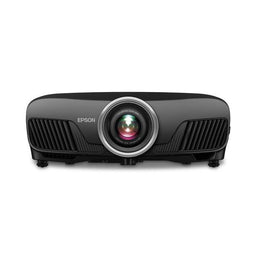
$2,399.00
- Resolution: 4K
- Status: Contact Us to Place Order
- Refresh Rates: 60 Hz
- Lumens: 2400
- Light Source: Bulb
- Projector Type: Standard Throw
- Dynamic Contrast Ratio: 200,000:1
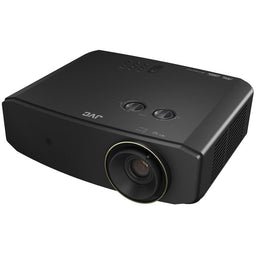
$4,299.95
- Resolution: 4K
- Status: Leaves Warehouse within 2-3 Weeks
- Refresh Rates: 240 Hz
- Lumens: 3300
- Light Source: Laser
- Projector Type: Standard Throw
- Dynamic Contrast Ratio: Infinite:1
- $50 Cash back
- $50 Cart Discount
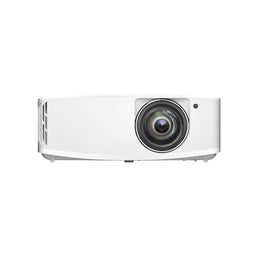
$2,289.00
- Resolution: 4K
- Status: Leaves Warehouse within 1-2 Business Days
- Refresh Rates: 240 Hz
- Lumens: 4000
- Light Source: Bulb
- Projector Type: Short Throw
- Dynamic Contrast Ratio: 1,000,000:1
Types of Projectors
There are many different types of multimedia projectors that each serve a different use case. However you can divide projectors into there three main classifications based on throw distance:
- Regular Throw (A.K.A. Long or Standard Throw)
- Short Throw
- Ultra Short Throw

Throw Distance
The first step when it comes to buying a new digital projector is figuring out the throw distance you need. This determines what type of projector you should get. Once you have this figured out, your choices narrow considerably.
If you have a required placement of the device, you measure the distance between where you need to position the projector to where the screen will go. This is referred to as the “throw distance”. You can then find a cinema projector that can make the desired image size based on where the projector needs to be placed.
Alternatively, if you do not have a required placement of the beamer and know what image size you want to project, you can use its throw ratio to determine where the projector needs to be placed in order to make that image size. A projector’s “throw ratio” = the throw distance / the image width. As an example, a throw ratio of 1.5 means that for every 1 foot of image width, the throw distance needs to be 1.5 feet.
You can use the throw ratio formula and its variations to help select the ideal projector and/or screen size based on your requirements. With the throw ratio formula, you can determine:
-
The ideal throw ratio based on your required throw distance and image size
TR = TD / IW
(Throw Ratio = Throw Distance / Image Width) -
Where to place a projector given its throw ratio & your required image size
TD = TR x IW
(Throw Distance = Throw Ratio x Image Width) -
The width of the image a projector will produce given its throw ratio & throw distance
IW = TD / TR
(Image Width = Throw Distance / Throw Ratio)

Many Projectors have an adjustable zoom which will give you a "throw range." You can place your projector anywhere within that throw range and utilize the zoom to achieve the required image size from the specified throw distance.
Standard Throw
Standard throw or regular throw projectors are the most common type, and what you would typically think about when you hear someone refer to a projector. Typically these devices have a throw ratio of about between 1.5:1 to 2:1 so for every foot of image width the projector needs to be placed 1.5 to 2 feet away.
Standard throw projectors generally come with a fixed lens that it built into the housing and cannot be changed. Some projectors come without a lens which allows you to select an optional lens that has the proper throw ratio for your particular application.
Short throw
Short throw projectors typically have a throw ratio of 0.38:1 - 1.4:1. They’re a great option for making presentations in classrooms or boardrooms as they can be positioned closer to the screen and often prevent someone from casting a shadow or blocking the image by getting between the movie projector and screen.
Ultra Short Throw
While ultra short throw (UST) projectors have been around for quite some time in educational settings, for home theater they are the latest craze in the world of projection. These devices sit directly under the screen allowing them to produce a large image with a very small throw distance. USTs have a throw ratio under 0.37:1.
There are a tremendous amount of benefits to using a UST projector over other throw types. You can learn all about ultra short throws from our extensive guide.
Long Throw
As you can probably guess from the name long throw projectors are any that have a throw ratio greater than 2:1. Most residential situations don’t call for a device with this extreme of a throw distance. You are much more likely to find these in a commercial movie theater, drive-in theater or large venue where the projector needs to be significantly far away from the screen.
Optional Lens
Optional lens units are projectors that have the ability to use different lenses depending on what the situation calls for so they can be used to achieve the throw ratios of the other types of projection devices.
Mini Projector
Mini or sometimes called pico projectors are cheap projectors that are similar to the other types but as the name implies much smaller. These are more portable battery powered options that work great on a camping trip or bringing with you for a business presentation but an awful option to be used in a home theater.
What To Look For In A Projector
There are a number of attributes to look for in a projector that will help you choose the best one for you. This includes the light source, the brightness, the chipset, the resolution, the aspect ratio, the contrast ratio, the color gamut and a few other features. Each of these factors can guide you on how to choose a projector that's right for you.
Light Source

Possibly the most crucial component of any projector is the source where the light is generated. Projectors mainly use one of three light sources: Bulbs, Lasers and LEDs. Each light source has its advantages and disadvantages.
| Bulb Projectors | Laser Projectors | LED Projectors | |
|---|---|---|---|
| As far as light sources go bulbs are the classics because bulbs were what was used in the very first projectors. Of course bulb technology has advanced considerably. The bulbs you find nowadays are typically made with metal halide (a form of tungsten lamp). | Laser projectors are rapidly becoming the most desired light source. The solid state lasers used in laser projectors today are very bright, have wider color spaces, deep black levels and never require lamp replacement | Most LED-driven projectors don’t provide impressive numbers. They have low lumen output, low quality imaging chips producing less desirable imagery. You’ll typically find them in cheap projectors and small pico projectors. There are some quality LED projectors on the market but these don’t usually provide a 4K resolution. | |
| Pros |
|
|
|
| Cons |
|
|
|
We would almost always recomend choosing either a bulb based unit or a laser projector, as they are typically far superior to the LED models.
Brightness And Lumens
Brightness, also called light intensity, is one of the most important aspects of a projector and is measured in lumens. The higher the lumens, the brighter the projector will be. There are two measurements of brightness that can help you choose the right projector for your given lighting conditions: white brightness and color brightness White brightness (white light output) indicates the total amount of white light emitted by the projector, without measuring color. Color brightness (color light output) measures how bright the projected colors of red, blue and yellow will be; the higher the number, the more detailed and vibrant the colors will appear. If the color brightness of a projector is lower than its white brightness, the images and details it displays may be dark or dull. Almost all 4K projectors have a color brightness equal to or greater than the white brightness. Most projectors however do not state a difference in white vs color and only provided a 'blended' brightness. So typically you need to compare units by their overall lumens output. Whatever lumens a projector is advertised as is the max output, and while this gives you the brightest opticals, it will not be the “best” the projector is capable of. That’s why there’s a measurement called “ANSI Lumens.”
ANSI Lumens
An ANSI Lumen is a unit of measurement devised by the American National Standards Institute to measure true brightness. The ANSI Lumen rating should be your chief comparison figure when it comes to light intensity of a projector.

Some lesser-known manufacturers may try to confuse a customer by rating their projector’s brightness in other units of measurements such as Lux, Nits or “non-ansi” lumens. If you see a projector advertising it’s brightness in any other unit other than ANSI Lumens, you should take that as a red flag that it will not be suitable for any real application.
Brightness In Different Projection Modes
As you cycle through the projection modes you will change the light output. The “best” quality picture mode will often be the least bright. You can expect to lose as much as 50% from the brightest mode to a movie/cinema mode with many home theater projectors.
Using 3D will also shine much less than the max stated brightness, oftentimes reducing the brightness as much as 50%.
When choosing a digital projector make sure to factor in the fact that you won’t typically be watching it in the brightest mode.
How Much Brightness Do I Need?
How many lumens are good for a projector? Is 3000 lumens good? Is 5000 lumens good?
These are questions we get asked daily. The answer is, it depends on what you need it for, the size of the image you want, where you’ll be using it and the brightness of the room.
The amount of brightness you need from a multimedia projector depends on the size of the image you are making, reflective properties of the screen surface (known as screen gain) and the ambient lighting condition of the room.
To determine the projector brightness you’ll need, we want to calculate the appropriate number of system foot-lamberts that will be needed based on your room's ambient lighting condition.
Foot-lamberts (ftL) are the unit of measurement used by the cinema industry to determine how much light should be reflected off the movie screen in a 1-foot x 1-foot area.
To calculate the foot-lamberts you divide the projector lumens by the surface area and multiply it by the screen gain. (projector lumens ÷ screen area) x screen gain = foot-lamberts.
Once you have your foot-lamberts calculated you can use this chart to determine if your projector is bright enough for your screen.
| ftL | Viewing |
|---|---|
| 0-15 | Not bright enough |
| 16-26 | Good for dark room |
| 27-39 | Good for low ambient light |
| 40-59 | Good for medium ambient light |
| 60+ | Good for high ambient light |
Below are a few examples of the typical required lumen output for different types of rooms for a screen up to 120” with a neutral surface gain of 1.0.

| Lumens | Room | Picture |
|---|---|---|
| 1000 | Home theater (no light) |  |
| 2000 | Man cave |  |
| 2500 | Living room |  |
| 3000 | Outdoor movie night (small) |  |
| 3500 | Classroom |  |
| 4500 | Meeting room (well lit) |  |
| 5000 | Lecture hall |  |
| 6000 | Church Sanctuary |  |
| 7000 | Auditorium |  |
What happens if my projector doesn’t have enough lumens?
If your projector doesn’t have enough lumens (if you don’t have enough system foot-lamberts) the image on the screen will look dull and washed out. This of course creates a terrible viewing experience, so make sure you select a projector that is bright enough for your image size and ambient lighting.

What Happens If My Projector Has Too Many Lumens?
It’s always better to have too many lumens than too few. Having more lumens than you need likely won’t negatively impact your viewing experience, especially since you can always dial back the brightness of a projector by running it in eco mode or a dimmer output image mode.
However, there is a possibility of too much of a good thing. If your screen is much too bright and close you may get some hotspotting where too much light hits one part of the screen. Watching a video that’s too bright could also cause eye strain. You would have to go way overboard with the lumens to have this as a problem.
Chipset
The chipset is the technology that makes a digital projector work. These are computer chips that produce the video you see on the screen. In the world of digital projection technology, there are three main types of chipsets; DLP, LCD and LCoS. We often get asked which chipset is best. All three produce fantastic images but each one has attributes it does better than the others.
DLP (Digital Light Processing)

DLP chipsets use tiny mirrors and a spinning color wheel to create the picture you see on the screen. You can learn more about how DLP projectors work here.
LCD (Liquid Crystal Display)

LCD chipsets use three liquid crystal panels each creating an image with the primary colors (red, green, and blue). Putting the images together gives you the picture on the screen.You can learn more about how LCD projectors work here.
LCoS (Liquid Crystal on Silicon)

LCoS chipsets use liquid crystal chips with a mirrored backing. So they're reflective, like DLP, but block light using liquid crystal, like LCDs. You can learn more about how LCoS projectors work here.
| DLP | LCD | LCoS | |
|---|---|---|---|
| Who uses it? | Optoma, BenQ, Mitsubishi, Samsung, LG, Vava, Hisense | Epson, Panasonic | JVC, Sony |
| Best Contrast Ratio | Good | Better | Best |
| Best Black Levels | Good | Better | Best |
| Light Output | Best | Best | Good |
| Color | Best | Best | More Best |
| Motion Blur | Best | Best | Good |
| Rainbow Effect | Good | Best | Best |
| Convergence | Best | Good | Good |
Resolution
The resolution of a video projector is an important feature when choosing the right device for your needs. Resolution describes how clear a projected image will be based on how many pixels can be displayed on a given space.
Resolution, also referred to as native resolution, is defined as the number of pixels that are used to make up a projected video. It is shown as the number of pixels on the horizontal axis by the number of pixels on the vertical axis.
The higher the projector resolution, the more pixels in the image, the more pixels in the image, the more detailed the image is.
The two most common resolutions nowadays are 1080p (also known as Full HD or FHD) which has a resolution of 1920×1080 pixels and 4K (also known as Ultra High Definition or UHD) which has a standard resolution of 3840 x 2160.
You may also come across 720p HD projectors, but with these it’s very easy to see the pixels that make up the picture which can take you out of the immersive experience.
Should I Buy A 1080p Or 4K Projector?
A 4K projector has pixels that are 4x smaller than a 1080p projector; that means the resolution is 4x better. And with that improved resolution you get an image that’s 4x better.

Going from 1080p to 4K you don’t just get a better resolution, you also access the HDR spectrum available which has a much wider color space and the ability to produce darker blacks.
Most media content these days is produced in stunning 4K. To fully capture the vibrancy and detail of the true picture you need an UHD projector.
The only advantage a 1080p projector has over a 4K unit is the price. 4K projectors are more expensive than 1080p, but when you experience a 4K device in person, you quickly realize the extra value. If you have the budget for it, treat yourself to the glorious and vibrant video of a 4K projector.
That said, for office and classroom projectors where the brightness needs to be prioritized over resolution, it’s often a better choice to go with a less expensive 1080p projector.
At the end of the day, whether you should get a 4K or a 1080p projector comes down to personal preference and budget. If you want the absolute best picture possible you need to get a 4K projector.
8K Projectors
As technology advances, you may start seeing 8K and even 16K projectors more and more. These full ultra high definition units will be the successor to 4K. There isn’t much content produced yet in 8K so unless you’re the type of person who wants to always have the latest and greatest technology, we’d currently recommend getting a 4K projector.
That said, if you have the money for it an 8K projector provides an absolutely mind-blowing cinematic experience and a great way to futureproof your investment.
Aspect Ratio
A projector’s aspect ratio is the ratio between the width and height of the projected image. When it comes to video projectors there are three common aspect ratios: 16:9 (HDTV, 1080p, 4K UHD), 16:10(WXGA & WUXGA), and 4:3(XGA & SXGA).

By far the most common projectors are 16:9. Most television and streaming services are broadcast in this format. 16:9 is also the best ratio for displaying 2.35:1 and 2.4:1 Cinemascope movies. That’s why it’s the number one choice for home theaters.
You’ll most often want to consider getting a 16:10 WUXGA projector for office and presentation settings. More and more computer displays use this aspect ratio so naturally you’d want to have a multimedia projector to match it. Because of its taller format than 16:9, you’re able to display more data on the screen at a time making it ideal for presentations, your image will have the same number of horizontal pixels as 1080p (width) but be slightly taller.
Television used to be broadcast in a 4:3 (standard definition) format but has mostly moved to a 16:9 (high definition) format. That’s why 4:3 projectors are becoming less and less common. Most classic slide projectors also use this format. Unless you plan to mostly use older media, we’d recommend not getting a 4:3 beamer as there just isn’t as much content being produced in this aspect ratio.
Contrast Ratio

Contrast ratio is one of the best ways to determine the quality of a projector.
In its simplest form, the contrast ratio is the ratio between the light reflected from an all white image and an all black image.
So if a cinema projector has a contrast ratio of 3000:1, a white image is 3000 times brighter than the black image. The higher the contrast ratio, the more detail you can see on the projected video. The more detail you can see in the video the better the projector.
With that said, take manufacturer’s listed contrast ratios with a grain of salt. There are two common methods of measuring contrast -- Full On/Off and ANSI Contrast. Full On/Off is somewhat easy to manipulate, it can produce misleading numbers, and is commonly used by the marketing teams in the industry to inflate the numbers. These listed measurements are also typically taken in a more dynamic picture mode and not the mode you’re likely to actually watch media in.
As an example, the JVC NZ8 has an incredible contrast ratio of 80,000:1 that beats just about any other home theater projector on the market. However it’s not uncommon to see a manufacturer claiming their device has a contrast ratio of 2,000,000:1 These manufacturers are using the Full On/Off measurement while JVC uses the more accurate ANSI Contrast.
This is why you should read independent projector reviews and product reviews to get a better understanding of the actual contrast ratios before purchasing your device.
Color Gamut And Color Accuracy
Simply stated, color gamut is the range of colors a display device can show - the wider the color gamut, the more colors it can reproduce. Typically projectors will claim to cover a percentage of one of three RGB color gamut ranges, DCI-P3, Rec. 709 and BT. 2020.

Good projectors can deliver 95 percent or more of the advanced DCI-P3 color gamut, and some higher end models can even hit up to 75 percent of the demanding BT. 2020 color space. There are even some projectors, such as the Samsung LSP9T ultra short throw that covers OVER 100% of the BT. 2020 color space. These figures are generally well above what most 4K TVs can do which is a major advantage over flatscreens.
The color gamut is a crucial component to color accuracy. When you look at the image on your screen and the colors aren’t accurate, you immediately get a sense that something is off.
Movie makers put a lot of effort into how the colors should look in the content that they produce. Inaccurate colors can take the focus away from what’s happening on screen and ruin your movie watching experience. This is why it’s crucial to get a projector with the most accurate colors possible.
Most projectors out of the box are not fully calibrated. So while you may see some reviews suggest a projector might be tinted slightly red for example it’s because it hasn’t been calibrated yet.
The end result of calibration is that your device is accurate within the color gamut. However, if your content exceeds one of the color spaces but your movie projector does not then you will be missing out on some of the color accuracy regardless of the calibration.
HDR
Related to color gamut, the capability of a home theater projector to accurately display HDR content is what separates the champions from the pretenders.
HDR stands for High-Dynamic-Range. This is an imaging technique to reproduce a greater range of luminosity than what is possible with standard imaging. This means you get the most vibrant, true to life colors possible.
More and more content is being released in HDR, so if you want to get the absolute best picture quality, you need to get a projector that can handle HDR content.
Look for a projector with as high of a coverage percentage of the BT.2020 color space as possible. The higher the percentage of coverage the more colors the projector is able to display.

While some 1080p projectors claim they support HDR content, you won’t get true HDR without a UHD 4K projector.
Lamp Life
Lamp life is the measurement of how long the light source lasts. It’s often an overlooked attribute in choosing a home cinema beamer.
A lamp will have an average lifespan of 3,000-5,000 hours depending on the projector and the picture mode being used. Replacement lamps/bulbs can be installed to reset the hour count.
A lamp will also start to dim and continually decline in brightness the more it is used through that lifespan. Since lamps generate substantial amounts of heat, it is important to always allow your lamp based projector to cool down after turning it off and let the fans expel that heat. DO NOT unplug a lamp based projector while it is in use or the fans cannot do their job and you risk damaging your lamp and/or projector.
Laser based projectors have a light engine that will generally provide 20,000+ hours of maintenance free and dimming-free usage. They are ideal for those who want to run their projectors for extended periods at a time and often provide a lower lifetime cost than lamp based units with the number of bulbs needed to hit the 20,000 hour mark.
Typically you’ll find longer lamp life in laser projectors than bulb projectors. Most laser projectors have a lamp life of 20,000+ hours.
Connectivity
Before you can throw a movie or PowerPoint presentation up on a big screen, you'll need to connect the video source to the projector. Each type of projector has its own set of inputs and outputs. Which connections you need will vary based on the usage.

The most important connection is the HDMI port. If you come across a modern projector that doesn’t have an HDMI port just walk the other way.
HDMI cables transmit digital video and digital audio signals between devices. They support standard-definition, high-definition and Ultra HD video signals, along with stereo and surround sound audio formats.
The bandwidth capabilities of an HDMI are very important when it comes to signal strength, resolution and HDR handling. You only need 10.2gb of bandwidth to transmit 4k resolution, but you need 18gb to pass HDR. Most cables can handle the 18gb requirement at shorter lengths, but for longer runs a more premium cable will be required.
Your home theater projector may also include other ports like component video, VGA, an SD card slot and USB port. Audio outputs allow you to connect to your sound system.
Make sure you have the right type and number of connectivity ports that you'll need. If you want to connect a Blu-ray player, gaming console and HD cable box to your unit, you'll need to get a home theater projector with at least three HDMI inputs.
Smart-Enabled Technology
Many modern projectors come equipped with built in smart-enabled technology. This allows you to stream movies, music and entertainment by connecting directly to the Internet from Netflix, Hulu, Disney+ and more. You can also stream or cast content by connecting a streaming media player to your beamer like an amazon firestick.
Can A Smartphone Be Connected To A Projector?
Most smartphones can connect to projectors with either microUSB or USB-C options. Another supported standard is MHL, which also connects via HDMI ports. Most modern projectors also have Bluetooth connectivity allowing you to connect your smartphone through that.
Built-In Speakers
There are a good number of consumer projectors with built-speakers. But if you’re deciding which projector to get based on built in speakers, don’t.
Most built-in speaker projectors have awful sound quality. They’re often added to the projector as an afterthought and increase the price. On top of that because of where the projector is positioned the sound won’t be immersive because it won’t feel like the sound is coming from what’s happening on screen. You should buy a projector based on the visuals and not the audio.
You’ll be much better off using external speakers.
HOWEVER, the exception to this is with lifestyle projectors and Ultra Short Throw projectors that come with built in sound bars. These projectors are designed specifically to replace your television and offer fantastic audio experiences.
That said, nothing beats a high quality surround sound system.
3D Projectors
A 3D projector works just like a regular media room projector in that it uses a light source in order to project an image on a screen. The difference being that it’s capable of creating a 3D effect by playing separate images of the same video on each of your eyes.
Can I play 3D movies on my projector? The answer is not on a standard projector. You need to have one with the hardware to interpret the 3D signals from the source media.
To see 3D you also need special stereoscopic 3D glasses. Different types of video beamers need their own 3D glasses. Different projector technologies use different 3D glasses technology so make sure that you purchase glasses that are compatible with your specific projector. Some projectors also require a 3d Emitter in order to transmit the 3d signal to the glasses.
Getting a projector with 3D capability comes down to a matter of personal preference.
Projector Size and Weight
Common sense should reign when deciding on what size projector to buy. The smallest Pico projectors can be readily slipped into a pocket or briefcase, while larger, but still portable projectors can be brought along with little effort. Consider whether you will be travelling with your projector and choose accordingly.
Many projectors weigh six pounds or less and come with a carrying case or backpack, making them easy to carry along. For a heavier projector, a hard-sided case with wheels will ease transport. Pico projectors, meanwhile, weigh in at less than half a pound and fit into a pocket, purse or briefcase easily. On the other end of the spectrum, mountable projectors can be much heavier. With the appropriate mounting hardware, these projectors can be safely mounted on the ceiling in a way that accommodates the projector weight.
On the high end, installation projectors which are mounted in large auditoriums can weigh 50 pounds or more. These projectors should be installed by a professional installer to ensure safety and best performance. Meanwhile, ultra short throw projectors designed for classrooms and home theater projectors weigh around 15 to 20 pounds and are designed to be easily set up or mounted.
Environmentally Friendly Projectors
Every projector manufacturer has its own Green policy that covers the types of materials used in manufacturing and how products are handled at end of life. Normally a European standard, many projectors sold in the United States comply with RoHS (also known as Lead-Free) and WEEE (which sets collection, recycling and recovery targets for electrical goods). LED-based projectors, which typically use less power, are attractively green choices.
There are even some eco friendly projectors made out of recycled parts.
Do I Need A Projector Screen?
If you want to get the most out of your projector you need to use a projector screen.
Dedicated screens are made with optical coatings that enhance their reflective properties. This gives you the absolute best visuals possible. Screens offer a number of significant advantages including, higher image resolution, color accuracy, more brightness and a smooth undistorted picture.
A plain wall just doesn’t reflect light as well as a cinema screen can. This will negatively affect the clarity of the picture being projected and even distort or blur the movie.
Even the most well painted wall will have blemishes, bubbles, paint drips and texture. Each of these imperfections is going to be highlighted when the light from a projector hits them. These blemishes will ruin your viewing experience. You can learn more about projector screens here.
Where Do I Put My Projector?

Wherever possible you want to position your projector directly perpendicular to the screen.
If your projector is mounted to the ceiling, the ideal position is generally aligned with the top of the viewing surface.
If you want to place your projector on a dedicated shelf in the back of the room, you’ll almost certainly need a projector with adjustable vertical lens shift to properly align it with the screen.
Ideally you want to place your beamer out of the way where people walking through the beam of light won’t disrupt the picture for anyone else in the room. This is why you so often find projectors mounted to the ceiling.
What Is The Best Distance For A Projector?
The best distance for your projector comes down to the throw ratio of the projector. For example if you’ve got a regular throw projector, with a throw ratio of 1.5-2:1, you want to have it placed about 1.5 to 2 feet away for every 1 foot of screen width.
Where Should I Mount The Projector?
If you’re only going to be using the projector in one location, mounting the projector on the wall or ceiling is the way to go. By using a projector mount your beamer is kept stable, secure and ready to use without needing to set it up or adjust the angle each time you use it.
You likely want to mount your projector above the audience’s head. This way no one will block the path of the light hitting the home theater screen.
Projector Alignment
It can be quite a challenge to perfectly align your projector screen and video projector. Ideally, you should have the right placement, throw distance, and center so that when you turn your projector on the image is right in the middle of the screen.
To properly align your projector with the display surface you’ll likely need to account for three things: the pitch, the roll and the yaw of the projector.
The pitch is where the front of the projection chassis is angled up or down compared to the back. The roll is where one side is tilted higher or lower than the other. And the yaw is the rotation around the vertical axis.

By fiddling with the pitch, roll and yaw you’re able to straighten and align the image shown on the screen.
Unfortunately it's not always possible to perfectly align the device and the screen. That’s where keystone correction and lens shift comes in.
Both keystone correction and lens shift allow you to alter the location and shape of the projected picture without physically moving your device or altering the angle of your screen to better accommodate the projector’s placement.

Lens Shift
Lens shift, also known as vertical shift and horizontal shift, allows a projector to be off-center from the screen without having to tilt the projector to move the picture onto the screen.
It works by mechanically shifting the lens inside of the projector housing. Some projectors offer only a vertical lens shift and others offer both vertical and horizontal lens shift. The greater the amount of lens shift a projector offers, the more versatile it is in terms of positioning to your screen.
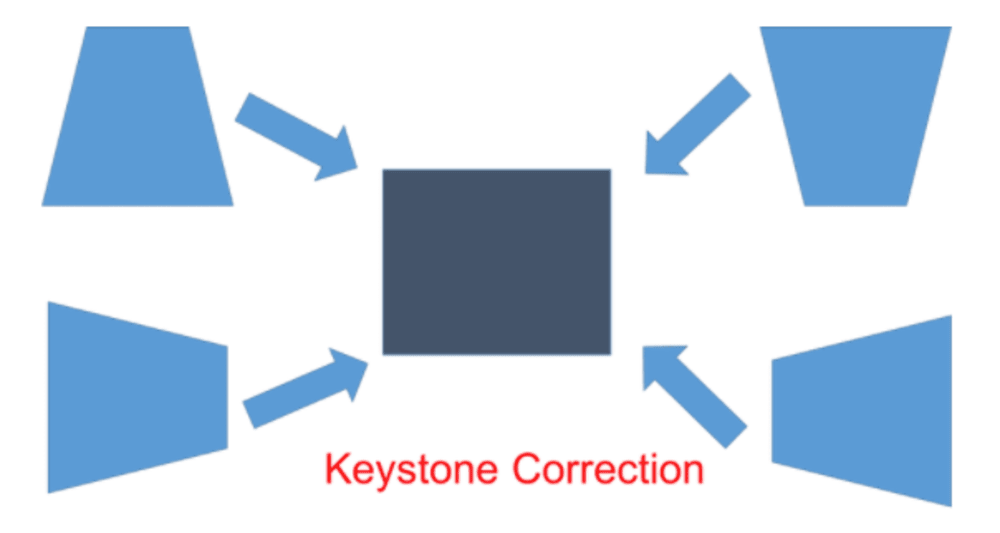
Keystone Correction
Keystone correction or digital keystone correction, digitally alters the picture to rectify the keystoning or trapezoidal distortion due to the angular placement of the screen or the wall.
The downside to keystone correction is that it will degrade the quality of the image. You should always try to align the projector physically or by using lens shift whenever possible.
How Much Do Projectors Cost?

The price of a quality projector can range from a few hundred to tens of thousands of dollars, Some can even cost over $100,000.
This large price range is the result of the wide variety of technologies, power and features that go into a given projector. The more lumens it has, the higher the resolution, the light source, the chipset can all increase the cost of a projector.
How Much Does A 4K Projector Cost?
Naturally because of the state of the art technology that goes into it, a 4K projector is going to be more expensive than a 1080p projector. An entry level 4k projector will start at around $1,300. For a mid range home theater 4K projector you should look for one between $2,500 to $5,000. If you want the absolute best picture quality you’re likely looking to spend between $6,000 to $25,000 on your projector.
Is It Worth Getting A Projector?
If you want to have the cinematic big screen experience in your home then it is 100% worth getting a video projector. Commercially available flatscreen TVs top out at about 80 inches. Beyond that size TV’s lose any price advantage they may have over a comparable projection system. In order to achieve a display that’s 100+ inches you would definitely want to get a projector.
Are Cheap Projectors Worth It?
Cheap projectors you might find on Amazon are almost never worth it. They don’t have the capability to project a quality image in any kind of usable way. Many of these low priced projector makers advertise misleading or straight up untrue specs. If you care at all about how your film and videos look, save your money and invest in a better projector.
What Is The Best Projector?
The best projector depends on your needs and desires. Here are our picks for the best projectors for a few different categories.
Best 4K Projectors
- Sale
- Build a Bundle
- $50 Cash back
![Epson LS12000 4K Home Theater Laser Projector with 2700 Lumens - Black - [Manufacturer Refurbished]](http://www.projectorscreen.com/cdn/shop/files/ls12000b_280d9fb2-b8d4-4438-83ec-c6525c476c81.png?v=1753816626&width=256)
$4,799.00
- Resolution: 4K
- Status: Leaves Warehouse within 4-6 Weeks
- Refresh Rates: 120 Hz
- Lumens: 2700
- Light Source: Laser
- Projector Type: Standard Throw
- Dynamic Contrast Ratio: 2,500,000:1
- Sale
- Build a Bundle
- Free $50 Gift
- $50 Cash back

$2,997.97
- Resolution: 4K
- Status: In Stock
- Refresh Rates: 60 Hz
- Lumens: 3000
- Light Source: Laser
- Projector Type: Ultra Short Throw
- Native Contrast Ratio: 3,000:1
- Sale
- Build a Bundle
![Epson LS11000 4K Laser Projector with 2500 Lumens - White - [Manufacturer Refurbished]](http://www.projectorscreen.com/cdn/shop/files/ls11000w_6b660d7f-990d-48a4-98e0-81ae755ee4b8.png?v=1753817144&width=256)
$3,199.99
- Resolution: 4K
- Status: Leaves Warehouse within 4-6 Weeks
- Refresh Rates: 120 Hz
- Lumens: 2500
- Light Source: Laser
- Projector Type: Standard Throw
- Dynamic Contrast Ratio: 1,200,000:1
You can see our complete list of the Best 4K Projectors of 2023 here.
Best 1080p Projectors
- $50 Cash back
- $100 Cart Discount
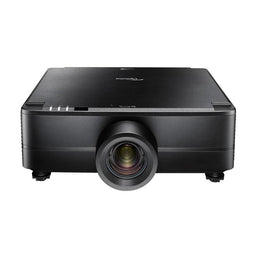
$5,699.00
- Resolution: WUXGA
- Status: Leaves Warehouse within 1-2 Business Days
- Lumens: 7400
- Light Source: Laser
- Projector Type: Standard Throw
- Native Contrast Ratio: 1,100:1
- Dynamic Contrast Ratio: 3,000,000:1
- Free $200 Gift

$4,661.00
- Resolution: WUXGA
- Status: Leaves Warehouse within 3-5 Business Days
- Refresh Rates: 60 Hz
- Lumens: 6200
- Light Source: Laser
- Projector Type: Standard Throw
- Dynamic Contrast Ratio: 5,000,000:1
- $50 Cash back
- $50 Cart Discount

$1,599.00
- Resolution: 1080P
- Status: Limited Quantity In Stock
- Lumens: 5500
- Light Source: Laser
- Projector Type: Standard Throw
- Dynamic Contrast Ratio: 3,000,000:1
Best Ultra Short Throw Projectors
- Sale
- Build a Bundle
- Free $50 Gift
- $50 Cash back
$2,997.97
- Resolution: 4K
- Status: In Stock
- Refresh Rates: 60 Hz
- Lumens: 3000
- Light Source: Laser
- Projector Type: Ultra Short Throw
- Native Contrast Ratio: 3,000:1
- Sale
- Build a Bundle
- $100 Cash back
- $200 Cart Discount

$4,997.97
- Resolution: 4K
- Status: In Stock
- Refresh Rates: 60 Hz
- Lumens: 5000
- Light Source: Laser
- Projector Type: Ultra Short Throw
- Native Contrast Ratio: 5,000:1
- Sale
- Build a Bundle
- $100 Cash back

$3,997.97
- Resolution: 4K
- Status: In Stock
- Refresh Rates: 1080p@48Hz-240Hz
- Lumens: 3500
- Light Source: Laser
- Projector Type: Ultra Short Throw
- Native Contrast Ratio: 6,500:1
What Company Makes The Best Projectors?
It’s hard to determine who makes the best projector because each company has aspects, features and price points that make them better than all the rest. Some focus on home theater projectors, some on office settings and some manfucaturers specialize in large venue projectors.
At ProjectorScreen.com we only carry the best projector manufacturers, so we can guarantee to our customers that they’ll be thrilled with their choice. Here are the top projector brands.
Epson Projectors
- Sale
- Build a Bundle
- $50 Cash back
$4,799.00
- Resolution: 4K
- Status: Leaves Warehouse within 4-6 Weeks
- Refresh Rates: 120 Hz
- Lumens: 2700
- Light Source: Laser
- Projector Type: Standard Throw
- Dynamic Contrast Ratio: 2,500,000:1
- Sale
- Build a Bundle
$3,199.99
- Resolution: 4K
- Status: Leaves Warehouse within 4-6 Weeks
- Refresh Rates: 120 Hz
- Lumens: 2500
- Light Source: Laser
- Projector Type: Standard Throw
- Dynamic Contrast Ratio: 1,200,000:1
- Free $200 Gift
- $100 Cash back

$5,999.00
- Resolution: 4K
- Status: In Stock
- Refresh Rates: 120 Hz
- Lumens: 2700
- Light Source: Laser
- Projector Type: Standard Throw
- Dynamic Contrast Ratio: 2,500,000:1
BenQ Projectors
- Build a Bundle
- $25 Cart Discount
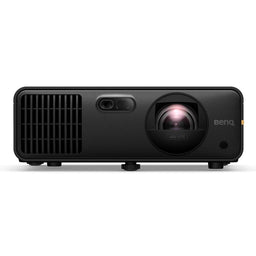
$2,899.00
- Resolution: 4K
- Status: In Stock
- Lumens: 4000
- Light Source: Laser
- Projector Type: Short Throw
- Dynamic Contrast Ratio: 600,000:1
- Build a Bundle
- $100 Cash back
- $100 Cart Discount
$4,899.00
- Resolution: 4K
- Status: In Stock
- Refresh Rates: 60 Hz
- Lumens: 5100
- Light Source: Laser
- Projector Type: Short Throw
- Dynamic Contrast Ratio: 3,000,000:1
- Sale
- $25 Cart Discount
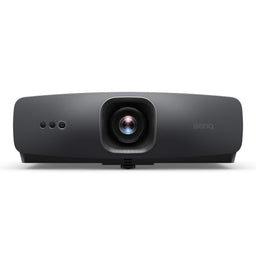
$1,799.00
- Resolution: 4K
- Status: In Stock
- Refresh Rates: 120 Hz
- Lumens: 2500
- Light Source: LED
- Projector Type: Standard Throw
- Dynamic Contrast Ratio: 2,000,000:1
JVC Projectors
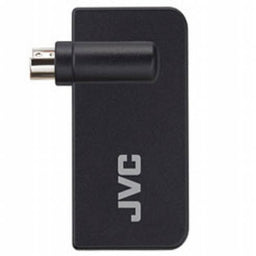
$109.95
- Status: In Stock
- Sale
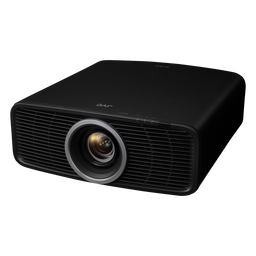
$5,999.95
- Resolution: 4K
- Status: In Stock
- Lumens: 2000
- Light Source: Laser
- Projector Type: Standard Throw
- Native Contrast Ratio: 40,000:1
- Dynamic Contrast Ratio: Infinite:1

$699.95
- Status: In Stock
Optoma Projectors
- Sale
- $50 Cash back
- $50 Cart Discount
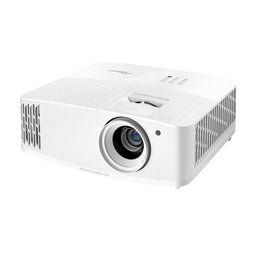
$999.00
- Resolution: 4K
- Status: Leaves Warehouse within 1-2 Business Days
- Lumens: 4000
- Light Source: Bulb
- Projector Type: Standard Throw
- Dynamic Contrast Ratio: 1,000,000:1
- $50 Cash back
- $50 Cart Discount
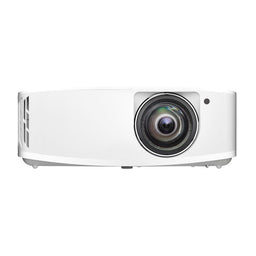
$1,549.00
- Resolution: 4K
- Status: Leaves Warehouse within 2-3 Weeks
- Refresh Rates: 240 Hz
- Lumens: 3600
- Light Source: Bulb
- Projector Type: Short Throw
- Dynamic Contrast Ratio: 1,000,000:1
- $50 Cash back
$1,999.00
- Resolution: 4K
- Status: Discontinued
- Lumens: 4000
- Light Source: Laser
- Projector Type: Standard Throw
- Dynamic Contrast Ratio: 500,000:1
Sony Projectors
- Build a Bundle
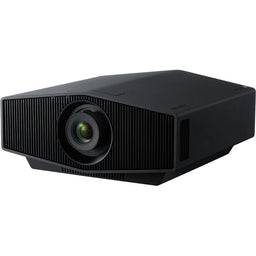
$9,999.00
- Resolution: 4K
- Status: Leaves Warehouse within 5-10 Business Days
- Refresh Rates: 120 Hz
- Lumens: 2200
- Light Source: Laser
- Projector Type: Standard Throw
- Dynamic Contrast Ratio: Infinite:1
- Sale
- Build a Bundle

$15,998.00
- Resolution: 4K
- Status: In Stock
- Refresh Rates: 120 Hz
- Lumens: 2700
- Light Source: Laser
- Projector Type: Standard Throw
- Dynamic Contrast Ratio: Infinite:1
- Build a Bundle

$2,199.99
- Status: Leaves Warehouse within 5-10 Business Days
LG Projectors
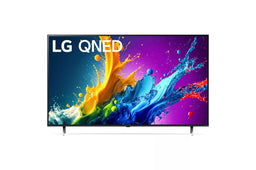
$2,299.00
- Status: Contact Us to Place Order
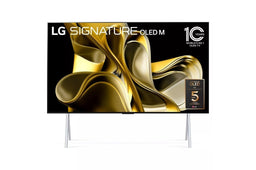
$29,999.00
- Status: Contact Us to Place Order
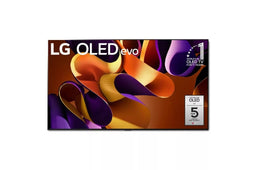
$24,999.00
- Status: Contact Us to Place Order
Hisense Projectors
- Sale
- Build a Bundle
- Free $50 Gift
- $50 Cash back
$2,997.97
- Resolution: 4K
- Status: In Stock
- Refresh Rates: 60 Hz
- Lumens: 3000
- Light Source: Laser
- Projector Type: Ultra Short Throw
- Native Contrast Ratio: 3,000:1
- Sale
- Build a Bundle
- $100 Cash back
- $200 Cart Discount
$4,997.97
- Resolution: 4K
- Status: In Stock
- Refresh Rates: 60 Hz
- Lumens: 5000
- Light Source: Laser
- Projector Type: Ultra Short Throw
- Native Contrast Ratio: 5,000:1
- Sale
- Build a Bundle
- $100 Cash back
$3,997.97
- Resolution: 4K
- Status: In Stock
- Refresh Rates: 1080p@48Hz-240Hz
- Lumens: 3500
- Light Source: Laser
- Projector Type: Ultra Short Throw
- Native Contrast Ratio: 6,500:1
Samsung Projectors

$149,999.99
- Status: Contact Us to Place Order

$39,999.00
- Status: Contact Us to Place Order

$7,999.99
- Status: Contact Us to Place Order
XGIMI Projectors
- Sale
- $50 Cash back
- $25 Cart Discount
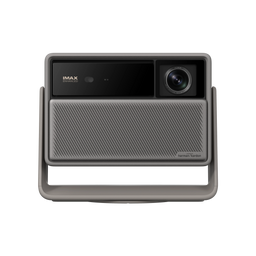
$1,559.00
- Resolution: 4K
- Status: Leaves Warehouse within 2-3 Weeks
- Lumens: 3200
- Light Source: Laser
- Projector Type: Lifestyle
- Dynamic Contrast Ratio: 20,000:1
- Sale
- Build a Bundle
- $100 Cash back

$4,999.00
- Resolution: 4K
- Status: Leaves Warehouse within 2-3 Weeks
- Lumens: 7000
- Light Source: Laser
- Projector Type: Standard Throw
- Native Contrast Ratio: 10,000:1
- Dynamic Contrast Ratio: 100,000:1
- Sale
- $50 Cash back
- $25 Cart Discount
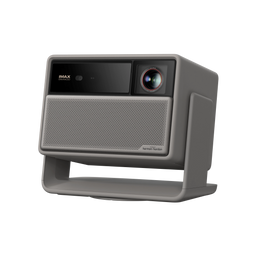
$2,599.00
- Resolution: 4K
- Status: Leaves Warehouse within 2-3 Weeks
- Lumens: 5700
- Light Source: Laser
- Projector Type: Lifestyle
- Dynamic Contrast Ratio: 20,000:1
Formovie Projectors
- Sale
- Build a Bundle
$2,199.00
- Resolution: 4K
- Status: In Stock
- Refresh Rates: 60 Hz
- Lumens: 1800
- Light Source: Laser
- Projector Type: Ultra Short Throw
- Native Contrast Ratio: 3,000:1
- Sale
- Build a Bundle

$2,199.00
- Resolution: 4K
- Status: While Supplies Last
- Refresh Rates: 60 Hz
- Lumens: 2200
- Light Source: Laser
- Projector Type: Ultra Short Throw
- Native Contrast Ratio: 3,000:1
- Sale
- Build a Bundle

$1,699.00
- Resolution: 4K
- Status: While Supplies Last
- Refresh Rates: 60 Hz
- Lumens: 1800
- Light Source: Laser
- Projector Type: Ultra Short Throw
- Native Contrast Ratio: 3,000:1


