


The Ultimate Projector Buyers Guide

This Guide Contains Everything You Need To Know About Buying The Best Projector To Meet Your Needs. Ready To Check It Out? Let's Do It!
Video projectors have long been used for home theaters, businesses, schools, churches and anywhere else there's a need for a big screen experience. They delight, they dazzle, they inform, they entertain. And when the lights go down and a great movie fills the wall, it's easy to understand the appeal.
Choosing one has become more interesting, too. Today's projectors can bring triple-laser color, sophisticated HDR processing, high-refresh-rate gaming and capable built-in sound into your home. Some sit just below the screen. Others combine optical zoom, lens shift and an adjustable stand to make a big picture fit where you actually have room for it.
One of the most meaningful developments is the arrival of adjustable irises in more DLP projectors. Models such as the Hisense PX4-Pro, Hisense XR10 and XGIMI TITAN Noir Max bring mechanical control of light into the buying conversation, giving you another way to balance screen brightness and black levels.
Of course, researching the best projectors can be overwhelming. Lumens, nits, contrast ratios, native resolution, pixel shifting: there's a lot to sort through. That's why we've put the essentials, the finer points and current models from ProjectorScreen.com together in one guide. We'll help you understand what matters, what the specifications actually mean and where your money makes the biggest difference.
What Is A Projector?

A projector is an optical device that projects, or “throws,” an image onto a surface, usually a projection screen. A digital projector takes a video signal, uses an imaging system to form the picture and sends that picture through a lens. The light can come from a replaceable lamp, LEDs, lasers or a combination of solid-state light sources.
The light source and the imaging technology are different parts of the system. “Laser” tells you how the projector makes light; DLP, LCD and LCoS tell you how it forms the image. That distinction matters because two laser projectors can have very different black levels, color performance, motion handling and installation requirements.
This guide covers digital projection for entertainment and presentations, using sources such as streaming players, game consoles, computers, disc players and built-in apps.
What Else Are Projectors Known As?
You'll hear projectors called beamers, home projectors, movie projectors, cinema projectors and digital projectors. “Laser TV” usually describes an ultra short throw home entertainment system, sometimes sold with a matching screen. Check the package: the screen is not automatically included, and the projector may not have a broadcast TV tuner.
A film projector, strictly speaking, runs physical film; a digital home cinema projector does not.
How Do I Know What Projector To Get?
Start with the room and the job. A projector for a dark theater has different priorities from one used to show spreadsheets with the lights on. Before comparing models, work out your screen size, viewing distance, likely projector location, lighting conditions and total system budget. Those answers will narrow the field much faster than sorting by the biggest lumen number.
For Home Theater
If movies are the main event, put contrast, accurate color, good optics and HDR handling near the top of your list. You want convincing shadows, faces that look natural and bright highlights that retain detail. A commercial projector can be excellent at its intended job without delivering the dark-scene performance you want for movie night.
Light control pays off twice. It keeps outside light off the screen, and darker room surfaces reduce the projected light that bounces back onto it. A bright white ceiling can wash out a dark scene even with the curtains closed. The more carefully you control the room, the more you'll see the benefit of a projector with a low black floor.
For a new theater, 4K is an attractive starting point, especially with a large image and close seating. Pair that detail with good contrast and HDR handling.
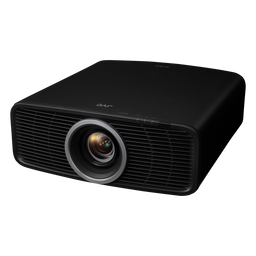
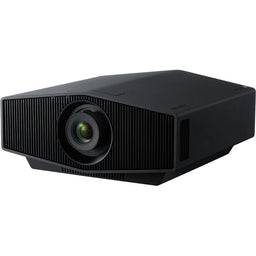
Current choices show how different approaches can serve the same goal. The JVC DLA-NZ700 combines native 4K D-ILA imaging with Frame Adapt HDR. The Sony BRAVIA Projector 7 brings native 4K SXRD panels and Sony's XR processing. The Epson Pro Cinema LS9000 offers 3LCD imaging, 4K pixel shifting, powered lens adjustments and 4K/120Hz support.
The newer DLP alternatives deserve serious attention as well. The TITAN Noir Max uses a dual-iris system, while the XR10 combines an adjustable iris with optical zoom and lens shift. The iris section below explains how those controls affect the picture.
If you're planning a wide CinemaScope screen, check lens memory, zoom range and any anamorphic-lens support before buying. A projector that accepts a widescreen movie does not necessarily switch conveniently between a scope screen and 16:9 television.
$5,999.00 $4,497.97 $4,499.00 $9,999.95 $6,998.00


For Living Room
A living room asks a projector to do several jobs: make sports look lively, keep movies engaging after sunset and fit into a space that still feels like a living room. Screen brightness matters, but so do the direction of the room lighting, where the screen goes and how much equipment you want on display.
Ultra short throw projectors are a natural fit. They sit close to the screen, usually on a low cabinet, which can simplify cabling and keep people from walking through a long beam. Pair one with an ambient light rejecting screen designed specifically for UST projection. That screen can improve the image under suitable room lighting, but it cannot turn direct sunlight into a nonissue.
The PX4-Pro combines RGB triple-laser illumination, a seven-level adjustable iris and Dolby Vision. The Epson Lifestudio Grand Plus LS970 takes a different route: 3LCD, a rated 4,000 lumens of white and color light output, Google TV and Sound by Bose. Its 4K Display Technology puts a full 8.29 million pixels on screen.
For another new UST option, the Hisense L9Q Pro adds a seven-level iris and a specified ±5% vertical lens shift. That optical adjustment is particularly notable in a category where careful cabinet and screen placement usually does most of the alignment work.
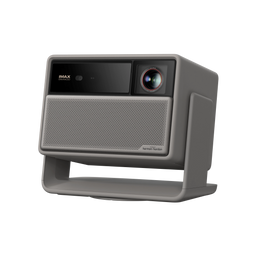
For more flexible placement, the XGIMI HORIZON 20 Max offers optical zoom, lens shift and Google TV. The Hisense C3 Ultra Max pairs a gimbal stand with optical zoom, lens shift and a manually set seven-level iris.
Measure before choosing the furniture. “Only inches from the wall” doesn't tell you the cabinet depth, distance from the cabinet top to the image, or screen height. A UST installation that works beautifully at 100 inches may need a different arrangement at 120 or 150 inches.
$3,997.97 $3,799.99 $5,997.97 $3,797.97 $2,099.00


For The Office
A good business projector makes information easy to read from the back of the room. Brightness is important, but it works together with text size, screen size, contrast and resolution. A tiny spreadsheet doesn't become a good presentation simply because the projector is powerful.
For ordinary presentations, 1080p or WUXGA can be sensible. WUXGA's 1920 × 1200, 16:10 image provides more vertical workspace than 1080p. Detailed drawings, multiple windows or small text may justify higher resolution; keep text readable from the farthest seats either way.
Current installation models such as the Epson PowerLite L690E and Optoma ZH551 address different priorities. Epson specifies 6,500 lumens and 4K Enhancement for the L690E; the ZH551 is a 1080p laser model rated at 5,600 lumens. “4K Enhancement” should be read with the underlying panel and output specifications, rather than assumed to mean native 4K panels.
Short throw placement can keep a presenter out of the beam. Also check guest content sharing, network control and security requirements. The connectivity section explains why a network or USB port doesn't necessarily accept video.
Assess screen brightness and contrast with the room's normal lighting; use the nits calculation below to plan usable output.
$4,169.00 $1,799.00


For Classrooms
Classroom projection needs to be readable, dependable and easy for different teachers to use. The best choice depends on room size, daylight, seating, lesson content and whether the projector will be fixed in place or moved between rooms.
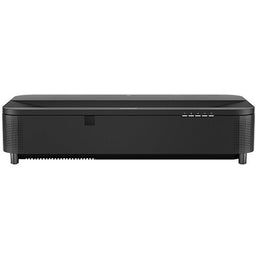
Short throw and UST designs can reduce shadows when someone stands near the screen. The Epson PowerLite 815E, for example, is a laser UST installation model rated at 5,000 lumens of white and color light output. Its business and education role is different from that of a living-room UST with a streaming interface.
Plan for sound as carefully as the image. A small built-in speaker may be enough for a quiet classroom, but clear speech at the back of a larger room may require an external audio system. Check captions, source switching and accessibility needs with the people who will use the equipment every day.
Also consider maintenance access, dust, ventilation and whether the projector can be managed remotely. A modest saving on the projector can disappear quickly if a difficult installation takes a classroom out of service whenever a filter needs attention.
$3,662.00 $4,169.00
For Churches And Houses Of Worship
First decide what the system needs to do. Song lyrics, live camera feeds, teaching material and outdoor movie nights place different demands on a projector. Sanctuary lighting and a large congregation often make screen contrast and readable text more important than the same specifications would be in a small home theater.
Size the image for the farthest viewers, then calculate the light output needed for that surface and the real room lighting. Keep stage lights aimed away from the screen where possible. A brighter projector helps the white level, but light falling on the screen also raises the black level.
Large spaces may need an interchangeable-lens model rather than a home entertainment projector. The Optoma ProScene ZK1000 is one current example, with a rated 10,000 ISO lumens and a choice of lenses. The listing is for the projector without a lens, so that essential part must be included in the system plan.
For a sanctuary or auditorium, have the installer check the lens, mounting structure, sightlines, control system and any live-video delay together. Our church projector and screen guide can help you start that conversation.

For Gaming

A big screen can make racing, sports and adventure games feel spectacular. For a responsive experience, compare the resolution, refresh rate and input lag in the same operating mode. Those three numbers belong together.
Input lag measures the delay through the display. It is only one part of the time between pressing a button and seeing the result; the controller, game engine and source system add their own delays. As a practical shopping preference, under about 16 milliseconds is appealing for fast games, while a more relaxed player may be comfortable with more. Compare measurements made with the same timing method.
Refresh rate tells you how often the display can update. It is not a promise that a game will render that many frames. A projector advertised with “4K,” “240Hz” and “1ms” may deliver 4K at 60Hz and achieve its fastest mode only at 1080p. Don't combine the best number from three separate modes into one imaginary specification.
The BenQ X3100i illustrates this distinction: its rated low-lag modes include 4K/60Hz and faster 1080p operation. If 4K/120Hz from a console or PC is the priority, the LS9000 and BRAVIA Projector 7 are examples to consider. Confirm that your chosen input, cable and receiver all pass the required signal.
Newer DLP controllers also bring features such as variable refresh rate, automatic low-latency mode and FreeSync to selected models. Hisense's C3 Ultra Max specification sheet, for example, identifies a 1080p VRR range of 48–240Hz. That does not establish 4K/120Hz support. Always read the resolution attached to the claim.
Use the projector's game mode and check what it disables. Frame interpolation, some image processing and digital geometry correction can add delay or limit the available gaming modes. If both movie quality and fast gaming matter, make sure you like the picture in both configurations.
$2,499.00 $4,499.00 $6,998.00

Types of Projectors
Projectors can be grouped by throw distance, imaging technology, light source and intended use. These categories overlap: a lifestyle projector might be a standard throw, RGB triple-laser DLP model.
- Standard or regular throw projectors work from farther back in the room.
- Short throw projectors make a large image from a closer position.
- Ultra short throw projectors sit very close to the screen.

Throw Distance
Throw distance is the distance from the projector's specified optical reference point to the screen. For a conventional projector, that's generally measured from the lens, not the rear of the cabinet. For UST models, use the manufacturer's installation diagram: the physical gap behind the chassis and the optical throw distance are different measurements.
Throw ratio equals throw distance divided by image width. Use width, not screen diagonal. A 1.5:1 lens needs 1.5 feet of throw for every foot of image width.
- Required throw ratio: throw distance ÷ image width.
- Required throw distance: image width × throw ratio.
- Possible image width: throw distance ÷ throw ratio.

For example, a 120-inch 16:9 image is approximately 104.6 inches wide. A 1.5:1 throw ratio puts the lens about 156.9 inches, or 13.1 feet, from the screen. Leave additional space for the projector's body, cables and ventilation.
Optical zoom lets you adjust image size within the lens's throw-ratio range. Digital zoom scales the image electronically, reducing use of the imaging area; it doesn't provide the same optical placement flexibility.
Standard Throw
Standard throw projectors are the familiar models placed on a table, shelf or ceiling mount farther from the screen. There isn't one universally enforced boundary for this category, so compare the actual throw-ratio range instead of relying on the label.
Newer models can offer considerable placement flexibility. XGIMI specifies a 0.98–2.0:1 throw range for the TITAN Noir Max; the LS9000 spans 1.35–2.84:1. That difference matters when the mount or shelf location is fixed.
Short throw
A short throw lens produces a large image from closer to the screen. That can be useful for classrooms, small rooms, interactive installations and golf simulators, where a person standing in front of the screen should not block the image.
The BenQ AK700ST is a current 4K laser example designed around short throw placement and golf simulation. Its 1080p counterpart, the AH700ST, offers another route when resolution and budget priorities differ. Check the lens range, image offset and impact-screen layout before choosing either.
Ultra Short Throw
A UST projector uses specialized optics to send the picture steeply upward from a position close to the screen. The result can be a huge image without a projector hanging over the seating area.
Recent models continue to improve the practical side of that arrangement. The JMGO O2S Ultra has a specified 0.16:1 throw ratio in a compact chassis. The L9Q Pro adds limited vertical optical lens shift. Neither feature eliminates the need for a flat screen and accurate positioning.
UST light hits the screen at a steep angle, making ripples and uneven surfaces especially visible. Choose a compatible fixed-frame or properly tensioned UST screen, check the required mounting height and read our ultra short throw projector guide for the installation details.
Long Throw
Long throw describes a lens intended to project from farther away. It can solve a rear-of-room installation, a large venue or a booth location that an ordinary lens cannot reach. Some home theater zoom lenses also extend into longer throw ratios.
Optional Lens
Interchangeable-lens projectors let an installer choose optics for the job. One chassis may accept short, standard and long throw lenses, with different brightness and shift limits for each. This is especially useful when a venue's screen and projector positions cannot move.
Confirm the exact compatible lens, its price and whether it is included. Large-venue listings such as the ZK1000 and Vivitek DK10000Z may be sold without one. A projector-only price is not a complete projection system price.
Mini Projector
Mini and pico projectors trade some brightness and installation flexibility for easier transport. They can be useful for travel, casual bedroom viewing or a small picture after dark. A battery is convenient, but “portable” does not automatically mean battery powered.
Check measured output, native resolution, battery runtime at your intended brightness and app support. Don't expect a pocket projector to light a huge outdoor screen before sunset.
Lifestyle Projectors
Lifestyle projectors combine entertainment features with easier setup. Autofocus, a tilting stand, streaming apps and built-in speakers can turn a spare room into a movie space quickly. The latest models increasingly add optical controls that used to be associated mainly with installed theaters.
The JMGO N3 Ultimate combines a motorized gimbal with optical zoom and lens shift. The C3 Ultra Max adds a manually adjustable iris to a similarly flexible placement concept.
The Soundcore Nebula X1 Pro takes a different approach: a mobile theater station combining a 4K triple-laser projector and 7.1.4-channel Dolby Atmos audio. Consider the complete package's size and transport requirements alongside its sound.
What To Look For In A Projector
Light Source

Lamps, lasers and LEDs provide the light; some projectors use a hybrid system. The table compares their practical strengths and ownership considerations.
| What to compare | Lamp | Laser | LED |
|---|---|---|---|
| How it works | A replaceable high-intensity lamp provides light, commonly through a high-pressure discharge arc. | Laser diodes provide light directly or excite a phosphor. RGB systems use separate red, green and blue lasers. | Light-emitting diodes provide the illumination. Capable 4LED systems are used in full-size 4K entertainment projectors. |
| Advantages | Replacement lamps can restore lost light output; purchase prices may be attractive. | Long rated light-source life, fast startup and no routine lamp changes. RGB designs can offer very wide color gamuts. | Fast startup, long rated life and no routine lamp changes. Direct LED illumination avoids laser speckle. |
| Tradeoffs | Brightness declines with use. Replacement cost, availability, heat and cooldown procedures matter. | Output still declines with age. RGB laser systems may show speckle; light-source service is usually a repair-center job. | Brightness varies greatly by model. A good LED engine is not interchangeable with a low-output pocket projector. |
| What to check | Genuine lamp availability, rated hours in your mode and total ownership cost. | Measured picture-mode brightness, color, cooling noise, warranty and the definition of rated lifetime. | Measured output and image quality. Don't dismiss a model just because its light source is LED. |
LED doesn't have to mean small or low-powered. The BenQ W2720i is a 4K 4LED home cinema projector rated at 2,500 ANSI lumens; the gaming-focused X3100i also uses 4LED illumination.
Laser-phosphor and RGB triple-laser designs differ in color capability. RGB can offer a wider gamut, but gamut and color accuracy are separate considerations.
Brightness And Lumens
Lumens describe the projector's light output. Nits describe the luminance of the image you see on the screen. One nit equals one candela per square meter. You need both ideas to choose a projector properly: lumens help compare light output, while nits connect that output to your screen size and screen material.

White light output and color light output are also different measurements. Color light output measures the red, green and blue components. A high white-output rating doesn't guarantee equally strong color output. Epson publishes both for many 3LCD models; with other projectors, look for measurements that show how bright the accurate colors are in the mode you'll use.
ANSI Lumens And ISO Lumens
ANSI and ISO brightness specifications refer to standardized measurement methods. An ISO-lumen rating is not a warning sign, and an ANSI-lumen rating does not mean the projector was measured in its most accurate movie mode.

Compare like with like and keep the maker's stated unit attached to the number. Don't apply a universal conversion between ANSI, ISO, CVIA or advertising terms such as “LED lumens.” If a listing gives only a huge unspecified lumen number, seek a recognized method and a credible measurement before trusting it.
Also read the footnotes. XGIMI's 7,000-ISO-lumen TITAN Noir Max rating is for its peak Performance Mode; the company recommends other modes for regular viewing. That peak output is not a calibrated movie-brightness measurement.
Brightness In Different Projection Modes
Picture mode, laser or LED power, color-temperature settings, gamut filters, zoom position and iris opening can all change the available light. An accurate mode may be substantially dimmer than the maximum rating, but there is no fixed percentage loss that applies to every projector.
Closing an iris or engaging a wide-gamut filter can cost light. Balance those benefits against the nits available for your screen.
For 3D viewing, allow for the light lost through alternating images and glasses; evaluate the complete setup rather than assuming a fixed penalty.
How Much Brightness Do I Need?
Think in screen nits first. For a conventional matte screen, a useful planning estimate is:
Screen luminance in nits ≈ usable projector lumens × screen gain ÷ (π × screen area in square meters).
If you're measuring the screen in feet, use nits ≈ 3.426 × usable lumens × gain ÷ screen area in square feet. These are estimates, not a substitute for measuring the finished system. Directional ALR materials, real-world gain, lens losses, viewing position and brightness uniformity can change the result.
A 120-inch 16:9 screen has an image area of about 42.7 square feet, or 3.97 square meters. With 2,000 usable lumens and a 1.0-gain surface, the estimate is about 160 nits. At 0.6 gain it falls to about 96 nits. Increase the diagonal to 150 inches at 1.0 gain and the same 2,000 lumens produce about 103 nits. Those examples use actual usable output, not an unverified maximum rating.
For a cinematic reference point, conventional 2D digital cinema uses approximately 48 nits (14 foot-lamberts) at screen center. One foot-lambert equals about 3.426 nits. A home theater can be set brighter according to the content, room and viewer preference; the cinema reference is not a universal target for home HDR.
| Screen luminance | How to use it when planning |
|---|---|
| About 48 nits (14 fL) | A conventional 2D digital-cinema reference for a dark auditorium, not a general bright-room recommendation. |
| About 55–85 nits | An editorial starting range for comfortable SDR home viewing in a well-controlled room. Adjust to preference and content. |
| About 100–150 nits | A useful home-HDR planning range when the projector can preserve good color and black levels. This is not a universal HDR standard. |
| More than 150 nits | Additional brightness may suit brighter presentation preferences or some mixed-use rooms. Check dark-scene contrast and comfort; more nits alone cannot defeat room light. |
These examples assume a 120-inch 16:9 screen, 1.0 gain and the listed usable output. The room images illustrate applications, not minimum brightness requirements.
| Usable lumens | Estimated nits | Example application | Picture |
|---|---|---|---|
| 1,000 | 80 | Dark home theater |  |
| 2,000 | 160 | Media or game room |  |
| 2,500 | 200 | Living room |  |
| 3,000 | 241 | Outdoor movie night after dark |  |
| 3,500 | 281 | Classroom |  |
| 4,500 | 361 | Meeting room |  |
| 5,000 | 401 | Lecture room |  |
| 6,000 | 481 | House of worship |  |
| 7,000 | 561 | Auditorium |  |
Actual lecture halls and auditoriums often use screens much larger than 120 inches, so their nits will be lower at the same output. If you double both image width and height, you quadruple the area and need four times the light output to maintain the same luminance.
What Happens If My Projector Doesn't Have Enough Lumens?
If you can't reach the screen brightness you want, the picture can look dull and HDR may lose its sparkle. With room light present, shadows can also look gray because the screen reflects that light along with the projected image.

Reduce the image size, improve light control, choose an appropriate screen or move to a projector with more usable output. Don't expect the picture menu's “Brightness” control to manufacture more light: on many projectors that control sets the video black level.
What Happens If My Projector Has Too Many Lumens?
Extra light output gives you flexibility, but it isn't automatically better. A small screen in a dark room can be uncomfortably bright, and higher power can mean more fan noise and more room reflections. A projector should offer a usable adjustment range for the screen you have.
Laser or LED power controls and an adjustable iris can help bring the output into balance. Hotspotting, however, is primarily a screen-and-projection-geometry issue, not simply a symptom of “too many lumens.” Check gain, viewing angle and throw compatibility before blaming the projector's brightness.
Chipset
The imaging system controls light to form the picture. DLP, LCD and LCoS can all produce excellent results, with different strengths and potential artifacts.
DLP (Digital Light Processing)

DLP uses a digital micromirror device, or DMD, with tiny mirrors that direct light toward or away from the screen. Most consumer DLP projectors use one imaging chip. That avoids the panel-convergence adjustments associated with a three-panel design.
Single-chip DLP presents colors sequentially. Some designs use a spinning color wheel, but RGB laser and LED illumination can switch colors without one. A triple-laser light source does not mean the projector has three imaging chips.
Some viewers notice brief rainbow-like color separation with sequential-color projection, particularly around bright objects on dark backgrounds. Faster color sequencing and newer controllers can reduce it. If you're sensitive, evaluate the actual model and picture mode with demanding material; the absence of a color wheel alone doesn't settle the question.
DLP black levels depend on the optics, iris and light-source control. The newer iris-equipped designs deserve evaluation on their own merits.
LCD (Liquid Crystal Display)

In a 3LCD projector, light is separated into red, green and blue paths. Three liquid-crystal panels control those colors, which are recombined before the lens. Because the primary colors are displayed together, 3LCD avoids the sequential-color rainbow effect.
Epson uses this architecture across home entertainment and installation products. The LS970 and LS9000 are current examples with different lenses and intended uses. A low-cost projector described simply as “LCD” may use a single-panel design, so don't assume that label means the same architecture or performance as 3LCD.
LCoS (Liquid Crystal on Silicon)

LCoS combines liquid-crystal modulation with a reflective backplane. JVC's D-ILA and Sony's SXRD are implementations of this general technology. Their home theater models use separate imaging panels for the primary colors.
JVC's D-ILA models are particularly relevant when native contrast is a priority. Sony combines native 4K SXRD panels with its own image-processing approach. The table below summarizes what to evaluate across all three technologies.
| What matters | Single-chip DLP | 3LCD | Three-panel LCoS |
|---|---|---|---|
| How the image is formed | Reflective micromirrors; colors displayed in sequence. | Three transmissive liquid-crystal panels; simultaneous RGB. | Three reflective liquid-crystal panels; simultaneous RGB. |
| What to appreciate | No multi-panel convergence; compact optical designs; wide-gamut RGB laser and fast gaming options. | Simultaneous color, strong color-light-output options and models across many installation categories. | Native 4K options, fine image structure and strong native contrast in selected home theater models. |
| What to evaluate | Rainbow sensitivity, black floor, speckle with RGB lasers and any pixel-shifting artifacts. | Panel convergence, optics, black floor and the exact pixel-shifting implementation. | Panel convergence, optical quality, price, size and the supported video modes. |
| How to compare contrast | Use the same measurement method and operating conditions. No technology label guarantees a particular black level. | Use the same measurement method and operating conditions. No technology label guarantees a particular black level. | Use the same measurement method and operating conditions. No technology label guarantees a particular black level. |
Resolution
Resolution describes the number of picture elements used to represent the image. Full HD, or 1080p, is 1920 × 1080. UHD 4K is 3840 × 2160. WUXGA, common in installation projectors, is 1920 × 1200. Some native 4K cinema-oriented panels use 4096 × 2160.

It helps to separate three claims: the signal a projector accepts, the physical resolution of its imaging device and the image it displays on the screen. “Supports 4K” can mean only that a lower-resolution projector accepts and scales down a 4K input.
Pixel-shifting projectors move the projected pixel positions rapidly to build a higher-resolution image. A properly implemented 4K pixel-shifting model can display the UHD pixel count without having 3840 × 2160 physical pixels on a single imaging chip. That's different from merely accepting 4K and displaying 1080p.
For example, the LS9000 specification sheet identifies 1920 × 1080 panels with dual-axis shifting to produce 3840 × 2160 output. The BRAVIA Projector 7 uses native 3840 × 2160 SXRD panels, while the NZ700 uses native 4096 × 2160 D-ILA panels. Each approach should be described accurately.
Should I Buy A 1080p Or 4K Projector?
At the same aspect ratio and image size, UHD 4K contains four times as many pixels as 1080p. It doesn't follow that every 4K picture is “four times better.” Lens quality, source detail, processing, contrast, viewing distance and screen texture all affect what you can see.
For an entertainment system built around a large screen, 4K is usually a worthwhile priority. It helps reveal fine textures and keeps the pixel structure less conspicuous at closer seating distances. Good 1080p material can also look excellent through a capable 4K projector, although upscaling can't recover detail that never existed in the source.
1080p remains useful when price, portability, brightness or installation needs take priority. The AH700ST suits short throw applications, while the ZH551 serves brighter business and installation roles.
HDR is a separate capability. A 1080p projector can accept and tone-map HDR if its electronics support it, and a 4K projector can handle HDR poorly. Resolution does not automatically create wider color, deeper blacks or better tone mapping.
8K Projectors
Read 8K labels carefully. The JVC DLA-NZ900 uses native 4K D-ILA panels with 8K e-shiftX. It is not a projector with native 7680 × 4320 imaging panels. That distinction also applies when comparing signal support with displayed pixel positions.
Aspect Ratio
Aspect ratio is the relationship between image width and height. A 16:9 image is wider than it is tall in the same proportions as most televisions. A 16:10 image provides more height at the same width. Many widescreen movies are around 2.39:1, considerably wider again.

A 16:9 screen is a practical choice for mixed movies, television, sports and games. Scope movies appear with unused bands above and below when shown at full width. A 2.39:1 screen can make those movies more immersive, but 16:9 material then needs a different image size or another presentation strategy.
Lens memory can store zoom, focus and shift positions for switching formats. An anamorphic lens is another option on compatible systems, with its own cost and setup requirements. Check whether the projector can actually reach both image sizes from your mounting position.
In an office, a WUXGA 16:10 system may fit the workflow well, but match the display to the content and room rather than assuming all modern computers use one shape. Also distinguish scaling a signal from filling the screen without cropping or distortion.
Contrast Ratio

Contrast describes the relationship between brighter and darker parts of the image. A low black floor can make a dark movie scene look deeper and more convincing, while good contrast within a mixed scene helps preserve separation between bright objects and their surroundings.
Unfortunately, contrast specifications are often compared as though they all measure the same thing. They don't. A huge dynamic number should not be put beside a native measurement and treated as proof of superiority.
- Native on/off contrast compares white and black under fixed operating conditions, with dynamic light modulation disabled. The chosen iris position and optical setup still matter.
- Dynamic on/off contrast allows the projector to change laser output, iris position or other settings between bright and dark images. Full fade-to-black behavior can produce enormous numbers.
- ANSI or other intra-image contrast measurements examine bright and dark areas present together. The test pattern and room reflections affect the result.
JVC specifies 80,000:1 native contrast for the NZ700. That is a native on/off claim, not an ANSI checkerboard result. XGIMI specifies up to 10,000:1 native contrast for the TITAN Noir Max with its iris at f/7.0 and a 0.98:1 throw ratio. Those conditions help explain why neither number should be compared casually with a million-to-one dynamic claim.
Read reviews for measured results and look at real scenes. Does the projector retain shadow detail, or crush it into black? Does a bright subtitle lift the background? Do dark-to-bright transitions look natural? Those observations often tell you more than the largest ratio on the page.
Why An Iris Matters In The Latest DLP Projectors

An iris is an adjustable opening in the optical path. Closing it restricts light, usually lowering peak screen brightness and potentially improving the black floor and native contrast. Opening it makes more light available. It's a way to tune the projector to your screen and viewing conditions.
A manual or user-adjustable iris stays at the setting you choose. A dynamic iris changes during playback according to the image and the manufacturer's control system. Laser dimming changes the light source itself. These methods can work together, but they are not interchangeable descriptions.
The TITAN Noir Max's dual-iris system offers user-selectable aperture settings and dynamic optical control. The PX4-Pro and XR10 bring seven-level iris adjustment to Hisense's UST and conventional-throw categories. The C3 Ultra Max's manufacturer sheet explicitly describes its iris as manually set, with seven levels and two presets, giving you direct control over the brightness-and-contrast balance.
The NexiGo Aurora Pro MKII explicitly combines a dynamic iris with laser dimming in its Scene Adapt Engine. The L9Q Pro also offers seven iris levels, but that alone is not evidence of automatic scene-by-scene aperture movement. Look for the exact control behavior in the product documentation.
Why does this matter? In a dark room, you may prefer a more closed aperture for richer blacks on a modest screen. For a larger screen, brighter HDR presentation or some room light, a wider setting may be more useful. The best setting is the one that balances usable nits, black level, color and the content you're watching.
Dynamic systems also need evaluation for visible brightness pumping, delayed transitions, color shifts or loss of highlight detail. An iris is a valuable tool, not a guarantee that every scene improves. And the maximum brightness and maximum native-contrast claims may describe different settings that cannot be achieved at the same time.
Color Gamut And Color Accuracy

Color gamut is the range of colors a display can reproduce. Rec.709 is associated with HDTV and SDR production. DCI-P3 and BT.2020 describe wider color gamuts relevant to cinema and modern HDR workflows. BT.2020 is a larger target, but a large percentage on a box needs context.
Coverage, gamut area and color volume are different measurements. A claim above 100% BT.2020 does not mean a projector reproduces “more than all” of that gamut accurately. Its gamut may extend outside the reference in some directions while missing parts elsewhere. Check what is actually being measured.
For example, XGIMI's TITAN Noir Max documentation identifies its 110% figure as a BT.2020 gamut-area ratio. Hisense uses color-volume language in the C3 Ultra Max and L9Q Pro material. Those percentages shouldn't be ranked as though they were identical coverage measurements.
Accuracy is about showing the intended colors, not simply the most saturated colors. Skin tones, neutral grays and subtle gradients can tell you a great deal. A wide-gamut projector needs appropriate color management so ordinary Rec.709 material doesn't look exaggerated.
A good factory mode may already be accurate, while calibration can improve the result for a particular screen and system. Calibration should address grayscale, white point, gamma or HDR response and color reproduction. It cannot fix every limitation of the lens, contrast or light engine.
Laser Speckle And Screen Choice
RGB laser projection can reveal a fine grain-like pattern called speckle. Its visibility depends on the projector, screen material, viewing position and observer. It is different from DLP rainbow artifacts, film grain and digital noise.
If possible, evaluate the projector on the screen you plan to use. An ALR surface that controls room light well may interact differently with a laser light source than a matte-white surface. A screen sample and a real viewing test can be more useful than choosing by gain alone.
HDR

HDR stands for high dynamic range. In practical terms, the source can describe a wider range of luminance than SDR, often alongside wide color and higher bit depth. Those are related capabilities, but HDR is not simply another word for saturated color.
A projector usually has much less peak screen luminance than the brightest highlights encoded in an HDR master. It therefore needs to tone-map the source into the brightness range the projection system can actually produce. Good tone mapping preserves the intended appearance while making sensible compromises in highlights, midtones and shadows.
That is why a dim HDR image is not automatically a sign that you need more advertised lumens. The projector may need a different HDR setting, an accurate screen-brightness input, a different iris position or better tone mapping. Equally, no processing can produce light that the system doesn't have.
HDR10 and HLG are widely supported formats. HDR10+ and Dolby Vision can supply dynamic metadata, but compatibility depends on the exact projector and source path. JVC's Frame Adapt HDR and Sony's XR Dynamic Tone Mapping take their own approaches to analyzing and mapping HDR content. A projector doesn't need a Dolby Vision logo to deliver a compelling HDR10 picture.
Check the formats you use, the behavior with difficult scenes and whether the settings suit your screen. “HDR compatible” is a starting point, not a picture-quality verdict. IMAX Enhanced and Filmmaker Mode also describe specific support or presentation features, not a replacement for measured image quality.
Lamp Life And Light-Source Life
Rated life describes performance under specified conditions, not constant brightness followed by sudden failure. Cooling, environment and operating mode affect how a light source ages.
For lamp models, check genuine replacement availability and follow shutdown and cooldown instructions. Don't cut power during a required cooling cycle.
Solid-state models typically avoid routine lamp replacement and often carry ratings of 20,000 hours or more. Read what that rating means. Epson, for example, defines the LS9000's 20,000-hour light-source figure as an approximate time to a 50% reduction in brightness under its stated test conditions. It is not “20,000 hours of dimming-free use.”
Other parts can need service before the light source reaches its rated life. Fans, filters and electronics still matter. A laser module that isn't user replaceable doesn't automatically make the entire projector disposable; ask about repair support, parts and warranty coverage.
Connectivity

Map the signal path before buying: source, receiver or switcher, cable, projector and audio system. Every device along that path must support the resolution, refresh rate, HDR format and copy protection you want to use.
HDMI is the main video connection for modern home projection. But “HDMI 2.1” alone doesn't establish every optional feature or supported bandwidth. Look for the actual modes, such as 3840 × 2160 at 120Hz, and check bit depth and chroma requirements where they matter.
Certified Premium High Speed HDMI cables cover suitable applications up to 18Gbps, including common 4K/60Hz HDR formats. Certified Ultra High Speed HDMI cables support up to 48Gbps and are appropriate for compatible higher-bandwidth systems, including 4K/120Hz. The required bandwidth depends on the complete signal format, so there isn't one simple “HDR needs this many gigabits” rule.
For a long run, an active optical cable may be practical. Check direction, power requirements, bend radius and installation rating. Test the exact cable at the required signal format before routing it through a finished wall or ceiling.
You don't need one projector input for every source if an AV receiver or compatible switcher handles source selection. Conversely, if the projector's built-in apps supply the content, ARC or eARC can send audio to a compatible soundbar or receiver. Check the supported audio formats and which HDMI port provides the return channel.
For business use, verify what USB-C, network and HDBaseT connections actually do on the selected model. A USB port might support media playback, power or service rather than video input. A wired connection is often the most predictable choice for presentations and gaming.
Smart-Enabled Technology
A built-in streaming platform can make a projector easier to use, especially in a living room. Google TV and VIDAA are examples found in the current range. Confirm that your services are available on the specific model and region, with the resolution, HDR and audio formats you expect.
Don't assume every smart projector has licensed Netflix support, and don't assume every new projector has streaming apps. XGIMI's TITAN Noir Max, for example, is specified without a built-in streaming operating system. An external streaming player is a straightforward part of that setup.
Consider update support, too. An external player can be replaced independently; an integrated platform can simplify everyday control.
Can A Smartphone Be Connected To A Projector?
Often, yes, but the connection depends on the phone, projector, app and content. Wireless options may include Google Cast, AirPlay or Miracast where supported. Protected streaming services may restrict mirroring or require their own casting method.
A USB-C-to-HDMI connection requires a phone that supports video output and a compatible adapter. The connector shape alone doesn't guarantee that capability. Some phones use a different adapter arrangement, so check the phone manufacturer's compatibility information.
Bluetooth is generally for audio, remotes and accessories; it is not the normal way to send a movie's video picture to a projector. For dependable playback, a supported built-in app or dedicated streaming player may be simpler than mirroring a phone.
Built-In Speakers
Projector audio has improved considerably. A small speaker in an installation projector is still different from a purpose-built sound system in a UST or lifestyle model. Judge intelligibility, bass, volume and where the sound appears to come from.
The LS970's Sound by Bose 2.1 system, L9Q Pro's Devialet-tuned audio and Nebula X1 Pro's mobile-theater package offer different levels of integrated sound.
For an immersive dedicated theater, separate speakers still give you more control over placement, bass and surround coverage. A Dolby Atmos label doesn't make every integrated speaker system equivalent to discrete speakers around and above the audience.
Check audio return connections, supported formats and lip sync. Bluetooth audio can introduce delay, so it may be less suitable for gaming or critical viewing than a well-configured wired system.
3D Projectors
A 3D projector presents different images to the left and right eyes. You need a projector that supports the relevant 3D format, compatible glasses and a suitable source. Some systems also need a separate emitter.
3D support is model specific. The PX4-Pro and Aurora Pro MKII list 3D capability, while Epson's LS970 does not. JVC's NZ900 offers 3D support, but you should not carry that assumption across the entire JVC range; the NZ700 does not support 3D.
Check whether your collection uses Blu-ray frame packing, side-by-side or another format. Make sure the source and any receiver pass it correctly. Allow for the reduction in light through the glasses, and evaluate crosstalk and viewing comfort before choosing a system primarily for 3D.
Projector Size and Weight
Allow for the chassis, stand, cables and ventilation—not just the projected image. A lifestyle model's articulated stand and a UST's screen offset can take more space than a product photo suggests.
If you plan to move it, consider the total carrying weight, case, power supply and any speakers or screen that travel with it. A wheeled mobile-theater station and a battery-powered mini projector can both be portable in very different ways.
For fixed installations, check mount weight ratings, mounting points and permitted orientation. Keep maintenance accessible; heavy installations and structural mounting deserve a qualified installer.
Environmentally Friendly Projectors
Compare actual power consumption in the mode you'll use, along with standby behavior, useful service life and repair support. LED or laser illumination can reduce routine lamp changes, but the light-source label alone doesn't establish the lowest energy use.
Features such as automatic power-off, scheduled operation and reduced-output modes can help avoid unnecessary running time. For a frequently used classroom or office, those practical controls may matter more than a broad “eco” label.
Look for model-specific information on materials, packaging and end-of-life recycling. RoHS compliance concerns restrictions on certain hazardous substances; it is not a general energy-efficiency score or proof that a product has no environmental impact.
Do I Need A Projector Screen?
If you want the most consistent picture from your projector, a properly chosen screen is worth planning from the beginning. Its surface, color, gain, texture and flatness all affect what reaches your eyes.
A plain wall can work for a temporary test, but paint texture, unevenness and color can reduce sharpness or introduce a tint. A screen doesn't add pixels to the projector; it helps preserve the detail, geometry and color the projector can deliver.
For a dark theater, a neutral matte-white surface can be a good starting point. For a room with light, an appropriate ambient light rejecting surface can improve contrast by directing some unwanted light away from the viewer. ALR performance depends on where that light comes from, the projector position and the seating angles.
UST screens and standard throw ALR screens use different optical arrangements. Match the material to the throw geometry and install it in the correct orientation. A screen marketed as ALR is not automatically suitable for every projector.
Gain is also a tradeoff. A higher-gain surface may deliver more brightness toward particular seats, but viewing angles, hotspotting and uniformity can become more important. A lower-gain UST surface may improve the room-light situation while reducing the luminance produced by a given projector output.
If speakers will sit behind the picture, choose an acoustically transparent material and consider its effects on light output, texture and seating distance. If the screen retracts, check tensioning and flatness, particularly for UST use. Our projector screen buying guide goes deeper into the choices.
Where Do I Put My Projector?

Ideally, position the projector square to a flat screen, with the image placed through its intended optical offset and lens-shift range. “Level with the top of the screen” is not a universal installation rule. Different models have different lens positions and offsets.
Choose screen size and height, confirm throw range and lens-shift limits, then allow for body depth, cables and ventilation before fixing the projector's position.
A ceiling mount clears the traffic path; a shelf simplifies access. A lifestyle stand offers flexible aiming, while UST placement depends on precise cabinet and screen geometry.
What Is The Best Distance For A Projector?
Use the throw-ratio calculation as a starting point, then confirm the position with the manufacturer's calculator or installation chart.
Check brightness and available lens shift at the chosen zoom setting, plus beam obstructions such as ceiling fans. More throw distance doesn't automatically mean a better picture.
Also check seating independently. Projector throw distance and viewer distance are different decisions. Test the intended viewing angle with a temporary outline on the wall if you're unsure how large the screen will feel.
Where Should I Mount The Projector?
A permanent mount should keep the picture stable while allowing alignment and maintenance. Position it so that viewers do not block the light and the projector's noise is acceptable at the seats.
Follow the manufacturer's mounting orientation and clearance requirements. A projector approved for ceiling installation may need a specific menu setting to invert the image. An arbitrary tilt or enclosure can affect cooling or fall outside the supported installation conditions.
Plan power and signal cables before the room is finished. Test them at the maximum format you intend to use, and allow a practical way to replace a cable later. Good installation planning is much less expensive than reopening a ceiling.
Projector Alignment
Three rotations affect a projector's orientation: pitch tilts the front up or down, roll tilts one side relative to the other, and yaw turns the projector left or right. A small error in any of them can change the picture's shape or position.

Start square to a flat screen, set throw distance and use the optical adjustments before applying digital correction.
Autofocus and automatic screen fitting are useful conveniences. Still check the result with a test pattern: center and corner focus, borders, geometry and the visibility of fine text all matter. Automatic setup isn't a substitute for reviewing the picture.

Lens Shift
Lens shift moves the projected image optically without tilting the projector. Depending on the model, adjustment may be vertical only or both vertical and horizontal, and the controls may be manual or motorized.
It generally preserves the available image detail better than digital keystone correction, although extreme shift can expose optical limitations. Maximum horizontal and vertical shift often cannot be used simultaneously. Manufacturers also express percentages differently, so compare the installation diagrams rather than just the biggest percentage.
Optical lens shift now extends to lifestyle models such as the N3 Ultimate and C3 Ultra Max, plus a limited vertical range on the L9Q Pro UST. It performs a different job from an adjustable stand.

Keystone Correction
Digital keystone correction reshapes the image to compensate for projecting at an angle. It is convenient for temporary setups and awkward rooms, but the corrected picture uses only part of the available imaging area and must be resampled.
The result can lose detail and usable brightness, and some projectors add processing delay or restrict their lowest-lag modes when correction is active. You may also see unused light around the corrected image.
For permanent installations, align physically and optically first. For casual portable use, some digital correction may be a reasonable tradeoff for convenience.
How Much Do Projectors Cost?

The range is broad because a pocket projector, a living-room UST and a large-venue installation system are very different products. Price reflects the light engine, optics, imaging hardware, processing, build, support and intended application.
Budget for the complete system: projector, screen, mount or cabinet, cables, audio and installation. A lower projector price isn't a saving if the lens doesn't fit your room or the screen choice leaves the picture too dim.
How Much Does A 4K Projector Cost?
Use the live product listings for exact prices and promotions. As a planning framework, the lower-thousands category now includes capable 4K lifestyle and home entertainment options. The middle of the market offers a wide choice of laser UST, advanced lifestyle and dedicated theater models. Premium native 4K and custom-installation systems can cost substantially more.
The important change is how much capability has moved into the more accessible categories. Optical zoom, lens shift, wide-gamut laser engines and adjustable irises can make a newer projector especially interesting even when an older model has a higher original list price.
Is It Worth Getting A Projector?
If you want a truly large image and can make the room work for projection, absolutely. A movie filling a 120-inch or larger screen has an impact that's hard to describe with a specification sheet.
Large televisions now extend well beyond the old 80-inch boundary, so the choice is no longer “projector or nothing” at 100 inches. Compare the full installed cost, brightness in your room, preferred screen size, viewing angles and how the display fits the space.
A television may make more sense where strong daylight is unavoidable. Projection can be especially rewarding for cinematic scale, a retractable screen, acoustically transparent theater layouts or image sizes that are difficult to accommodate with a panel. Choose the experience you want, then build the room around it sensibly.
Are Cheap Projectors Worth It?
An inexpensive projector can be enjoyable when expectations match its capabilities. A small image in a dark bedroom asks far less of a projector than a large living-room image with the lights on.
Be cautious about ambiguous resolution claims, enormous unqualified brightness numbers, unsupported streaming apps and unclear return or warranty terms. Look for the actual displayed resolution, a recognized light-output measurement and credible evidence of performance.
What Is The Best Projector?
Use these current models as a shortlist, organized by the reason you might choose them. Match those strengths to your room and priorities.
Best 4K Projectors
For exploring the latest DLP optical contrast controls: XGIMI TITAN Noir Max and TITAN Noir Pro. Their iris-equipped designs bring new options for balancing the picture with your screen. Evaluate the usable output at your preferred aperture.
For a bright, flexible RGB-laser setup: Hisense XR10. The combination of adjustable iris, optical zoom and lens shift is the attraction; plan from the actual installation range.
For an advanced lifestyle system: Hisense C3 Ultra Max, XGIMI HORIZON 20 Max and JMGO N3 Ultimate. Compare their optical controls, streaming platforms, gaming modes and physical designs. They don't all offer the same iris or HDR features.
For a dedicated theater with native 4K panels: JVC DLA-NZ700 and Sony BRAVIA Projector 7. Consider the JVC for native contrast and Frame Adapt HDR, and the Sony for its XR processing and 4K/120Hz capability.
For installed 3LCD home theater: Epson Pro Cinema LS9000 and Epson QB1000. Compare their brightness, HDR processing and lens capabilities against the needs of the room.
For LED home cinema or gaming: BenQ W2720i and BenQ X3100i. These show why a modern 4LED projector belongs in the conversation.
$5,999.00 $3,999.00 $4,497.97 $3,797.97 $2,199.00 $2,099.00

Best 1080p Projectors
For 1080p applications, compare the BenQ AH700ST for short throw simulation and the Optoma ZH551 for brighter business and installation use. Check detail at the audience's actual viewing distance.
$2,299.00 $1,799.00

Best Ultra Short Throw Projectors
For the newest Hisense optical controls: PX4-Pro and L9Q Pro. Both offer iris adjustment; the L9Q Pro also adds limited vertical lens shift.
For 3LCD, integrated streaming and sound: Epson Lifestudio Grand Plus LS970, with Google TV and Sound by Bose.
For dynamic iris and laser-dimming control: NexiGo Aurora Pro MKII. Evaluate its Scene Adapt Engine with the dark and mixed scenes you watch most.
For a compact RGB-laser installation: JMGO O2S Ultra, with its 0.16:1 throw ratio and Google TV.
Pair these models with a compatible screen and cabinet; see screen selection and placement.
$3,997.97 $5,997.97 $3,799.99 $3,499.00 $1,984.00
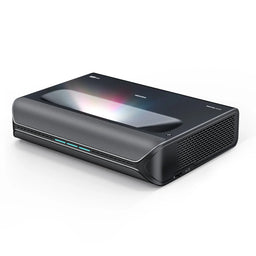
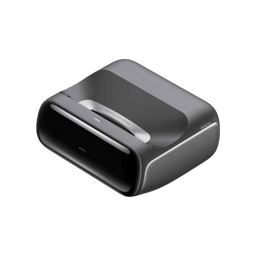
What Company Makes The Best Projectors?
Manufacturers have different specialties. Use these profiles to navigate the range, then compare the individual models that fit your application.
Epson Projectors
Epson's 3LCD range spans living-room UST with the LS970, installed home theater with the LS9000 and QB1000, and business and education with PowerLite. Compare each model's lens and 4K implementation.
$4,799.00 $3,199.99 $5,999.00
![Epson LS12000 4K Home Theater Laser Projector with 2700 Lumens - Black - [Manufacturer Refurbished]](http://www.projectorscreen.com/cdn/shop/files/ls12000b_280d9fb2-b8d4-4438-83ec-c6525c476c81.png?v=1753816626&width=256)
![Epson LS11000 4K Laser Projector with 2500 Lumens - White - [Manufacturer Refurbished]](http://www.projectorscreen.com/cdn/shop/files/ls11000w_6b660d7f-990d-48a4-98e0-81ae755ee4b8.png?v=1753817144&width=256)

BenQ Projectors
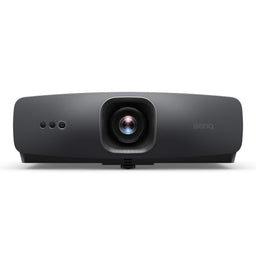
BenQ separates cinema, gaming and simulation into distinct ranges: W2720i and X3100i 4LED models, AK700ST and AH700ST short throw options, and the W5850 laser cinema projector with optical zoom and horizontal and vertical lens shift.
$2,899.00 $4,899.00 $1,799.00
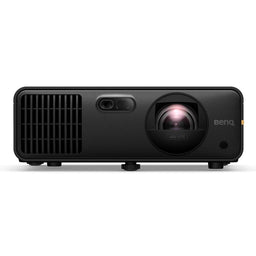
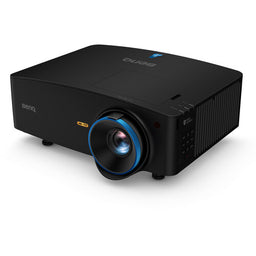
JVC Projectors
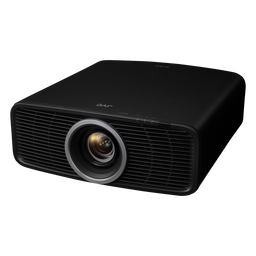
JVC's D-ILA range emphasizes dedicated home theater. The NZ700 pairs native 4K panels with Frame Adapt HDR; the NZ900 adds premium optics and 8K e-shiftX. Check model-specific input formats and 3D support.
$109.95 $6,999.95 $699.95

Optoma Projectors
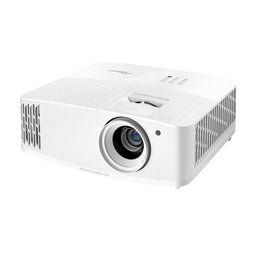
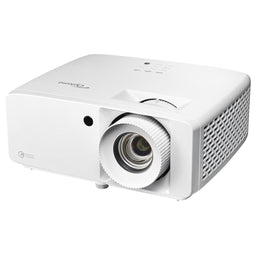
Optoma covers home entertainment and commercial installation. The ZH551 serves brighter 1080p applications, while the interchangeable-lens ProScene ZK1000 addresses larger venues.
$1,199.00 $1,549.00 $1,999.00
Sony Projectors
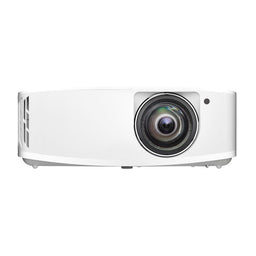
Sony's BRAVIA range combines native 4K SXRD imaging with XR processing. The BRAVIA Projector 7 offers dynamic tone mapping and 4K/120Hz support for movies and gaming.
$6,998.00 $11,998.00 $1,998.00


Hisense Projectors
Hisense offers iris-equipped UST models—the PX4-Pro and L9Q Pro—and conventional-throw alternatives such as the XR10 and C3 Ultra Max. Smart platforms differ: the C3 Ultra Max uses VIDAA, while the L9Q Pro uses Google TV.
$2,497.97 $4,497.97 $3,997.97


XGIMI Projectors
XGIMI's HORIZON 20 family emphasizes lifestyle convenience and optical placement controls. The TITAN Noir family adds home-cinema iris control; unlike the Google TV-equipped HORIZON 20 Max, the TITAN Noir Max requires an external streaming source.
$1,399.00 $5,999.00 $2,099.00
JMGO Projectors
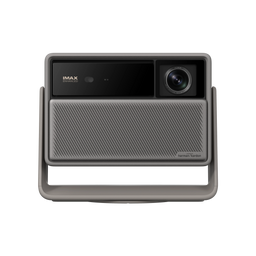
JMGO offers two distinct placement approaches: the N3 Ultimate's motorized gimbal and optical adjustments, and the O2S Ultra's compact UST design.
$1,984.00 $2,199.00 $1,299.00

NexiGo Projectors
NexiGo's Aurora Pro MKII centers on UST picture control, combining a dynamic iris and laser dimming in its Scene Adapt Engine. See the iris section for what to evaluate.
$3,499.00 $1,899.00
Bundle Price
$4,499.99 $0 in Savings

Soundcore Nebula Projectors
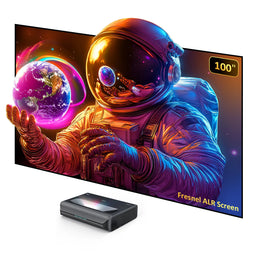
Soundcore Nebula's X1 Pro combines projection and substantial audio in a mobile entertainment system. Its appeal depends on how often you'll move the complete setup between spaces.
Formovie Projectors
The Formovie Theater offers RGB-laser UST projection with Dolby Vision. Compare its current offer with newer iris-equipped alternatives, including their screen and smart-platform requirements.
$2,199.00 $999.00 $2,199.00


Vivitek Projectors
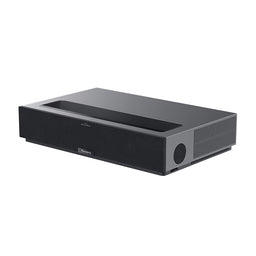
Vivitek's DK10000Z targets large venues with a rated 10,000-lumen laser system and interchangeable lenses. Budget for the correct lens and professional installation.

Ready to bring the big screen home, or make your next presentation easier to see? Tell us about your room, screen size, content and budget. We'll help you bring those pieces together.


