


The Ultimate Projector Screen Buying Guide

Projector Screen Buying Guide: Everything You Need to Know
So, you're interested in learning about projector screens? Maybe it's your first time buying one, or perhaps you are looking to upgrade your current screen.
Nothing is more frustrating to a consumer than buyer's remorse and shopping for movie screens can be challenging due to all of the choices you need to make and technical jargon.
What size should I get? What's screen gain? Why do I need a 4K projection screen? Screens come in different colors?!?
Bringing a big-screen experience into your home or backyard should be exciting. The same goes for offices and classrooms. But the sheer number of projection options can feel overwhelming.
Maybe you are a movie lover building a dedicated theater. You could be into backyard movie marathons. Or a teacher trying to make lessons easier to see. You might be a business presenter who needs clearer slides. There are many applications for projection and one golden rule to follow to have the best experience: Different setups call for different screens.
This guide breaks it all down so you can match the right screen to your room, your projector, and the way you watch. The goal is to help you buy with confidence and end up with a screen that is the right fit for your needs. And once you see your first movie on a properly matched screen, you'll wonder how you ever watched without one.
Projector Screen Quick Tips
The first step in choosing a screen is to decide what sort of setup you are optimizing for. Is it a home theater? Living room? A backyard setup? Or is it a boardroom, a classroom, or a church? Each example calls for a customized projector and screen pairing for the best experience.
Need the short version? Start here. These are the most important things to know before you buy:
-
Size and Scale:
- As long as your projector has enough lumens to fill the screen with a vibrant image, a bigger picture is almost always preferred. Most people never regret sizing up. Nobody has ever sat down in front of a 120-inch picture and said "I wish I got a smaller screen." Just be sure to balance that ambition with your projector's capabilities, viewing distance, and room layout.
- For home theaters, aim for a roughly 36-degree viewing angle from the farthest seat. In classrooms or offices you can skip the calculations as long as text is perfectly legible from the back of the room.
-
Aspect Ratios:
- It's a good idea to match your screen's shape to what you watch most. The 16:9 format is the universal standard for TV, sports, streaming, and gaming — the same aspect ratio as a TV. If you are building a dedicated home theater focused entirely on widescreen theatrical films, opt for Cinemascope. For digital presentations and office work, the slightly taller 16:10 ratio is nice, but 16:9 also works.
-
Surface Quality:
- A premium 4K projector needs a smooth, 4K-ready surface to preserve sharpness and fine detail. Bare walls and textured materials will soften your image. Skip the makeshift bedsheet too; wrinkles, seams, moire patterns, and uneven light reflection will instantly ruin your picture quality.
-
Specialty Screens:
- Standard white screens aren't always the right choice for tricky environments. If your room has ambient light, ALR and CLR screens will actively help keep your image from washing out. In a dedicated theater, acoustically transparent screens let you hide speakers directly behind the picture.
- In a commercial setting, rear-projection screens keep the projector completely out of sight. Finally, if you use an ultra-short-throw projector, a specialized UST screen is the best choice in bright rooms — it handles the steep projection angle while rejecting ambient light from above.
-
Bundle Pricing:
- Building a complete setup is a significant investment. If you need both a projector and a screen, always seek out bundle pricing first to easily reduce your total cost.
What Is A Projector Screen?
It is a specially designed surface for displaying the image from a projector. It's a critical part of the image chain, shaping how bright, sharp, uniform, and accurate the final picture looks.
A great projector can only look as good as the surface it is projecting onto. Even an excellent performer will struggle to deliver its full potential if the screen material is flawed. A dedicated screen is a key part of getting the performance you paid for.
Projector screens are designed to provide a flat, consistent viewing surface with materials engineered to reflect light in a controlled manner. Depending on the type of screen, that includes preserving image detail, improving perceived contrast, helping the picture hold up in ambient light, or supporting specialized setups such as ultra short throw projection.
Home theater and media-room screens come in many sizes, aspect ratios, materials and types including fixed-frame, retractable, motorized, portable, ambient-light-rejecting, acoustically transparent, and rear-projection. Choosing the right screen depends on your projector, your room, and how you plan to use the system.
Do You Really Need a Projector Screen?

If you just bought a new projector, you might be looking at a blank wall in your living room and wondering if you actually need to buy a screen. After all, projectors just throw light. Can't you point it at the drywall and call it a day?
Technically, yes. You can project a movie onto a wall, a garage door, or a suspended bedsheet. But if you want to actually see the image quality you paid for, skipping the screen is a bad idea. A good screen reflects light more evenly, keeps color more neutral, and avoids many of the flaws that walls and improvised materials introduce. The difference is not subtle. The first time you see the same projector on a wall and then on a proper screen, you won't need anyone to explain it to you.
-
Why a Wall Ruins Your Picture
A painted wall might look completely flat from the couch, but up close, it's a different story. Drywall is covered in microscopic texture. Every pass of a paint roller leaves stipple. You'll also find tiny dents, spackle patches, and taped seams. When you hit that surface with a concentrated, angled beam of light, every single one of those tiny bumps casts a micro-shadow. This visual noise softens the image and ruins the sharpness of your projector.
Color is another major problem. Standard house paint is almost never perfectly neutral. Even a shade sold as "pure white" usually has warm or cool undertones. When you project onto it, those undertones will tint your picture, permanently throwing off the color balance. A dedicated screen is manufactured to be optically flat and strictly color-neutral, ensuring you get the full resolution, contrast, and color your projector offers.
-
What a Real Screen Improves
Compared with a wall or sheet, a proper projector screen improves four things at once. It preserves more detail by giving the projector a flatter, finer surface. It stays more color-neutral, so whites and skin tones are less likely to skew warm or cool. It manages brightness more predictably through gain and optical design. And it keeps the image smoother and more uniform by avoiding wrinkles, seams, and wall texture.
-
How Screens Actively Manage Light
Beyond just being flat and color-accurate, real screens are designed to handle light in specific ways that complement the installation. They are rated by a metric called "gain," which measures how much they reflect light back at the audience.
If you are setting up in a dark basement, a lower-gain screen will usually spread light more evenly and preserve wider viewing angles. Black levels usually depend more on screen type and room-light control than on gain alone.
For living rooms with windows and overhead lights, you can use an ambient light rejecting (ALR) screen. These surfaces have microscopic ridges that bounce the projector's beam directly at the viewers while actively deflecting glare coming from other light sources in the room.
Is There A Downside To Using A Projector Screen?
There are really only two downsides to buying a screen: the cost and installation hassle. A good screen eats into your AV budget. But if you don't make the most of your projector, you are leaving performance on the table. A screen helps you get the most from your hardware investment.
You also have to install a screen. The difficulty varies depending on screen type. Fixed-frame models require you to stretch the material and mount the frame to your wall studs, while motorized drop-down screens have to be hung from the ceiling and wired for power. But a floor rising screen is practically plug-and-play.
Treating a bare wall like a projection surface is like putting cheap tires on a sports car. You are instantly bottlenecking your hardware. A proper screen is the canvas that lets your projector do what it was built to do.
Who Should Buy A Projector Screen?
Projector screens are not just for dedicated home theaters. They also make a major difference in classrooms, boardrooms, houses of worship, backyard movie setups, and large event spaces.
The reason changes by use case: home theater viewers care most about immersion and image quality, classrooms and conference rooms need text and charts to stay readable from the back row, and larger venues need scale and visibility. The common thread is simple: the right screen helps the projector do its job.
The people who need large projection surfaces typically fall under a few categories:
- Home theater - A home theater projection screen is perfect for individuals who want a dedicated cinema room, backyard movie nights and those who want a movie theater experience right in their living room.
- Large venues - Large venues such as convention halls are the ideal setting for a large movie screen.
- Business conference rooms - When it comes to presenting multimedia data nothing conveys the point better than a large projection screen.
- Classrooms - From elementary to college, schools can benefit from large screen projectors to help students learn.
- Churches and houses of worship - Whether it's a projector for church services or a fundraising movie night, church projector screens are the way to go.
Can I Use A Bedsheet As A Projector Screen?

We often get asked "Can I use a sheet as a projector screen?" or "Can I project on a plain white wall?" Technically you can project on anything, but should you? No.
Using a white bedsheet is a classic backyard movie night trick, but it's arguably the worst possible projection surface — and it also means more laundry. Fabric stretches and sags. Even a slight draft will blow wrinkles into the material, constantly warping the image. More importantly, ordinary cloth is highly translucent. Some of the projector's light will pass right through the sheet rather than bouncing back to your eyes, leaving you with a dim, washed-out picture.
Using A Wall
A painted wall might look completely flat from the couch, but up close it's covered in microscopic texture from every paint roller pass, plus dents, spackle patches, and seams. When a concentrated beam of light hits those tiny bumps, each one casts a micro-shadow. This visual noise softens the image. Color is another problem: standard house paint is almost never perfectly neutral. Even "pure white" usually has warm or cool undertones that will tint your picture.
Using A White Bed Sheet
A bed sheet is even worse than projecting on a wall because you'll see every ripple and wrinkle. Much of the light will go right through the fabric, giving you a dull washed-out image.
If you want to do justice for your projector you need to get a cinema quality screen!
How Do Projector Screens Work?
A projector screen is a controlled reflective surface. Its job is to send the projector's light back toward the audience in a consistent way. That affects brightness, apparent sharpness, color balance, viewing angle, and how well the picture holds up when there is ambient light in the room. Some screens use simple matte material. Others use woven acoustically transparent fabric or layered optical surfaces built for more demanding setups.
Screen gain is part of that equation. In plain terms, gain describes how strongly a screen reflects light back toward viewers. A matte white screen spreads light evenly and works well with broad seating areas. Higher-gain materials can make the image look brighter from the center seats, but they often narrow the viewing angle. Gray, ALR, and other specialty materials are used to improve perceived contrast or reduce washout. Ultra short throw projectors are a special case because they hit the screen at a steep angle and usually need a UST-specific surface.
What To Know Before Buying A Projector Screen
Start with the basics: the projector, the room, the screen location, the seating distance, and the largest screen size the space can handle. Once those are clear, it becomes much easier to choose the right material, gain, and screen style.
Type Of Projector
The projector sets the limits. Brightness, throw ratio, resolution, and mounting position determine how large the image can be, where the projector has to sit, and which screen materials make sense. If you are buying the projector and screen together, treat them as a pair. A strong projector can look underwhelming on the wrong screen, and a good screen cannot fix a bad match.
The type of projector you buy certainly influences what screen you should get. If you are planning to get an ultra short throw projector you'll want to make sure you get a UST projector screen to get the best visuals possible. You can also learn everything you need to know with our projector buying guide.
Projector Screen Resolution
Resolution matters, but so does the surface the image lands on. A screen cannot add detail your projector does not have, yet the wrong surface can hide the detail you paid for. A 4K projector needs a smooth, stable screen if you want to see fine texture, clean edges, and small text clearly. Rough materials, textured walls, and cheap fabric tend to soften the image.
Marketing labels such as 4K-ready or 8K-ready matter less than the basics. What counts is a surface that is flat, consistent, and fine-grained enough not to interfere with detail. With an ultra short throw projector, compatibility matters even more. In most cases, a dedicated UST screen is the right call.
One recommendation when it comes to movie screen resolution is to get a higher supported resolution than your video projector. By getting a 16K or 8K projector screen, you'll future proof your display investment for the next generation of projectors.
If you aren't sure of the lens size or resolution, consult the user manual that came with your projector. If you order your projector from ProjectorScreen.com, you can be sure you'll buy the right projector and screen together and at the best price.
The Lighting In The Room
Light control changes the screen choice quickly. In a dark room, a standard screen material often works well. In a room with windows, lamps, or ceiling lights, the image can lose contrast and look washed out.
That is where screen material starts to matter more. If you cannot darken the room, an ambient light rejecting screen is often the better option because it is built to favor the projector's light and reduce the effect of stray light in the space. We'll cover ALR screens lower down or you can check out our in-depth article explaining how ambient light rejecting screens work.
The Size Of The Room
Room size does more than limit screen size. It also affects viewing distance and how far off-center people will be sitting. If most viewers are near the middle, a higher-gain material may work well. If seating spreads wide across the room, a broader viewing cone matters more so the image stays consistent for people on the sides.
Where Will You Be Putting The Projector Screen?
The room itself usually points you toward the right screen style. A dedicated home theater, a living room, a classroom, a church, a boardroom, and a backyard setup all place different demands on the screen.
Common screen types include fixed-frame, retractable, motorized, portable, and ceiling-mounted models. The best choice usually comes down to how permanent the setup is and whether the screen needs to stay visible between uses. Will you be using it as a home theater projector, a backyard movie projector, or will you be using a projector for business presentations?

Ceiling Projector Screens
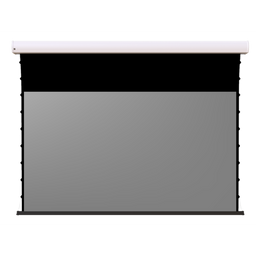
A ceiling-mounted screen hangs from the ceiling or retracts into it. This style is common in both homes and commercial spaces because it looks cleaner than a portable setup and can stay out of the way when not in use. Most ceiling projector screens are retractable, either manual pull-down or motorized. For a cleaner finish, some install into the ceiling so only the screen is visible when lowered.
Ceiling screens are a great choice for both businesses and home theaters thanks to their more elegant look compared to a freestanding tripod. The most popular type is a recessed screen that is housed in the ceiling.
- Build a Bundle
![Da-Lite Tensioned Advantage Electrol 29907LS - 123" (65x104) - [16:10] - Parallax Stratos 1.0](http://www.projectorscreen.com/cdn/shop/files/Tensioned_Advantage_Parallax_c39604d5-b85e-4073-909b-445b9731eab2.jpg?v=1753811078&width=256)
$5,290.40
- Status: Leaves Warehouse within 4-6 Weeks
- Screen Type: Electric
- Mount Type: ["Ceiling"]
- Viewable Diagonal: 123.0
- Gain: 1.0
- Viewable Height: 65.0
- Viewable Width: 104.0
![Da-Lite Advantage Electrol Tensioned 84349LS - 150" diag.(87x116) - [4:3] - Da-Mat - 1.0](http://www.projectorscreen.com/cdn/shop/files/tensionedadvantagedeluxe1_d3643371-0975-4061-80a4-553706af0bcf.png?v=1753806177&width=256)
$4,554.40
- Status: Leaves Warehouse within 4-6 Weeks
- Screen Type: Electric
- Mount Type: ["Ceiling"]
- Viewable Diagonal: 150.0
- Gain: 1.0
- Viewable Height: 87.0
- Viewable Width: 116.0
- Build a Bundle
- $100 Cart Discount
$6,343.00
- Status: Leaves Warehouse within 1-2 Business Days
- Mount Type: ["Ceiling"]
- Viewable Diagonal: 110.0
- Gain: 0.6
- Viewable Height: 54.0
- Viewable Width: 96.0
Recessed Ceiling Screens
A recessed ceiling screen rolls into a housing hidden above the ceiling line. When the screen is up, it disappears from view. That makes it a strong option for living rooms, multipurpose media rooms, boardrooms, lecture spaces, and other rooms where a permanently visible screen would feel intrusive. A ceiling recessed projection screen is the ideal solution for boardrooms, lecture halls and home theaters where a non-permanent display is desired.
There are two common versions: open-slot models and models with a closure panel or trapdoor. Both can work well, but enclosed designs usually look more finished. Installation is more involved than with a standard wall-mounted screen and often requires ceiling work, wiring, or both.
Wall Projector Screens
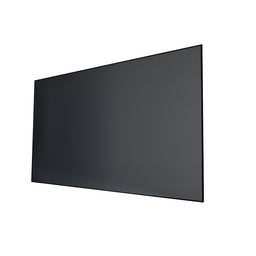
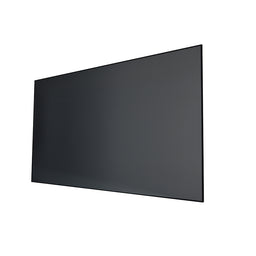
A wall mounted projector screen attaches directly to the wall and stays in place. In a dedicated viewing room, it is often the simplest and most effective solution. Most are fixed-frame screens, though some retractable models can also be wall-mounted when ceiling installation is not practical.
In home theaters, a wall-mounted screen creates a stable focal point and keeps the system ready to use. If the room is dedicated to viewing and the screen does not need to disappear between uses, wall mounting is often the straightforward choice.
- Sale
- Build a Bundle
- $25|75|100 Cash back
$1,899.00
- Status: In Stock
- Screen Type: Fixed Frame
- Mount Type: ["Wall"]
- Viewable Diagonal: 120.0
- Gain: 0.5
- Viewable Height: 58.8
- Viewable Width: 104.6
- Sale
- Build a Bundle
- $25|75|100 Cash back
$1,499.00
- Status: In Stock
- Screen Type: Fixed Frame
- Mount Type: ["Wall"]
- Viewable Diagonal: 120.0
- Viewable Height: 58.8
- Viewable Width: 104.6
- Sale
- Build a Bundle
- $15|25|50 Cash back
$1,199.00
- Status: In Stock
- Screen Type: Fixed Frame
- Mount Type: ["Wall"]
- Viewable Diagonal: 100.0
- Gain: 0.5
- Viewable Height: 49.0
- Viewable Width: 87.0
Outdoor Screens

Outdoor projector screens are built for backyard movies, sports, parties, school events, and public gatherings. Few things beat watching a movie under the stars on a warm night. If you plan to project outside more than once or twice, a screen made for outdoor use is usually worth it.
Outdoor setups are harder on both the screen and the picture than indoor rooms. Wind, humidity, moisture, temperature changes, and uneven ground all affect performance. A proper outdoor screen handles those conditions better than a bedsheet, tarp, or other improvised surface. You can learn more about the different types of outdoor movie screens.
Most outdoor screens fall into three groups: permanent or semi-permanent models for patios and covered outdoor areas; portable folding screens for easy transport and quick setup; and inflatable screens for larger gatherings where screen size matters most.
One practical issue is often overlooked: projector light attracts insects. If you use a retractable outdoor screen, clean it before rolling it back into the housing.
Inflatable Projector Screens
Inflatable screens are popular for casual outdoor use and temporary events. They are common at backyard movie nights, school functions, park programs, and community gatherings.
Their main advantage is size. They pack down for storage, set up fairly quickly, and can provide a much larger image than many portable framed screens. That makes them useful when you need something easy to move but still want a large picture.
They are best for temporary use, not permanent installation. Wind, weather, and projector brightness still matter, so results depend heavily on conditions. But for a neighborhood block party or a backyard birthday, they're hard to beat.
Tabletop Projection Screens

Tabletop projection screens are small portable screens for close-range viewing. They are usually used in meetings, trade shows, training sessions, hotel conference rooms, and other settings where a laptop screen is too small but a full-size screen would be excessive. They are easy to carry, quick to set up, and useful for small groups.
Types Of Screens
Once you know where the screen will go, the next question is whether it should stay visible all the time or disappear when not in use.
For most buyers, the decision comes down to two broad categories: fixed-frame screens and retractable screens. The right choice depends on the room, how permanent the setup is, and how much you value flexibility over pure performance.
Fixed Frame Projector Screens

If you're building a serious home theater, a fixed-frame screen is the gold standard. The material is stretched over a rigid frame and stays in place full time, which helps keep the surface flat and stable.
That flatness is the main advantage. Because the screen does not roll up, it is less likely to develop waves, edge curl, or other surface issues over time. Fixed-frame screens are also available with a wide range of specialty materials, including ALR and acoustically transparent options.
The drawback is obvious: they take up permanent wall space. If the room serves several purposes, a fixed screen may feel intrusive. In a dedicated theater room, though, it is usually the strongest choice for picture quality.
- Sale
- Build a Bundle
- $25|75|100 Cash back
$1,899.00
- Status: In Stock
- Screen Type: Fixed Frame
- Mount Type: ["Wall"]
- Viewable Diagonal: 120.0
- Gain: 0.5
- Viewable Height: 58.8
- Viewable Width: 104.6
- Sale
- Build a Bundle
- $25|75|100 Cash back
$1,499.00
- Status: In Stock
- Screen Type: Fixed Frame
- Mount Type: ["Wall"]
- Viewable Diagonal: 120.0
- Viewable Height: 58.8
- Viewable Width: 104.6
- Sale
- Build a Bundle
- $15|25|50 Cash back
$1,199.00
- Status: In Stock
- Screen Type: Fixed Frame
- Mount Type: ["Wall"]
- Viewable Diagonal: 100.0
- Gain: 0.5
- Viewable Height: 49.0
- Viewable Width: 87.0
Retractable Projector Screens
Retractable screens are made for rooms where flexibility matters. They lower into place when needed and disappear afterward. That makes them a good fit for living rooms, classrooms, conference rooms, houses of worship, and other shared spaces. The main types are manual pull-down screens, motorized screens, and floor-rising screens.
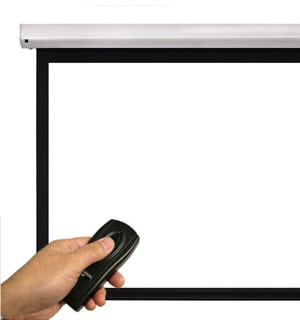
Compared with fixed-frame models, retractable screens are usually easier to integrate into a multipurpose room. The tradeoff is that some do not stay as flat over time, especially non-tensioned models.
Motorized Projector Screens
Motorized screens are among the cleanest and most convenient retractable options. They lower with a remote, wall switch, or control system and retract when the session is over. They are common in media rooms, boardrooms, classrooms, and worship spaces because they combine convenience with a tidy appearance. They can be wall-mounted, ceiling-mounted, or recessed for a more seamless look.
Some motorized screens are tab-tensioned, which helps keep the surface flatter over time. Others are non-tensioned and cost less, but they are more likely to show minor waviness. The main benefits are convenience, appearance, and flexibility. The main drawbacks are cost, installation complexity, and the need for power.
- Build a Bundle
- $15|25|50 Cash back
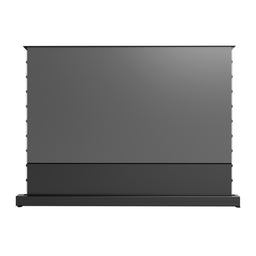
$2,049.00
- Status: Leaves Warehouse within 5-10 Business Days
- Screen Type: Electric
- Mount Type: ["Floor"]
- Viewable Diagonal: 120.0
- Gain: 0.7
- Viewable Height: 58.8
- Viewable Width: 104.6
- Sale
- Build a Bundle
- $15|25|50 Cash back
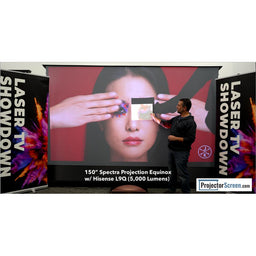
$2,399.00
- Status: In Stock
- Screen Type: Electric
- Mount Type: ["Floor"]
- Viewable Diagonal: 150.0
- Gain: 0.7
- Viewable Height: 73.5
- Viewable Width: 130.9
- Build a Bundle
- $15|25|50 Cash back
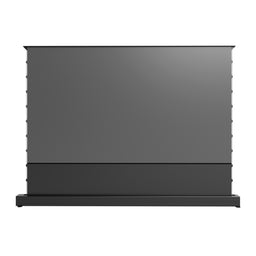
$1,649.00
- Status: In Stock
- Screen Type: Electric
- Mount Type: ["Floor"]
- Viewable Diagonal: 100.0
- Gain: 0.7
- Viewable Height: 49.1
- Viewable Width: 87.2

Manual Projector Screens
Manual screens are a simpler, less expensive alternative to motorized models. You pull them down by hand and let them retract back into the housing when finished. Because there is no motor, they are usually lighter, easier to install, and easier to maintain. Better models include a controlled return mechanism so the screen does not snap back too quickly.
They work well in classrooms, training rooms, offices, and budget-conscious home setups. Their main weakness is long-term flatness. Many manual screens are non-tensioned, so repeated use can eventually lead to edge curl or slight waves. The Da-Lite Contour Manual with CSR and Draper Acumen are two of the most popular models.
![Draper 207091 Luma 65 diag. (32x57) - HDTV [16:9] - Matt White XT1000E 1.0 Gain](http://www.projectorscreen.com/cdn/shop/files/draper-luma-straight-manual-projector-screen_e6987fe8-8feb-4831-81bf-9d4212cffa8a.jpg?v=1753804128&width=256)
$286.00
- Status: Leaves Warehouse within 5-10 Business Days
- Screen Type: Manual
- Mount Type: ["Wall and Ceiling"]
- Viewable Diagonal: 65.0
- Gain: 1.0
- Viewable Height: 32.0
- Viewable Width: 57.0
![Draper 206021 Luma 2 161 diag. (79x140) - HDTV [16:9] - Matt White XT1000E 1.0 Gain](http://www.projectorscreen.com/cdn/shop/files/draper-luma-2-15-hdtv-matt-white_a2a5d518-5a50-4b76-989c-c5b76be9e24f.jpg?v=1753804188&width=256)
$1,708.00
- Status: Leaves Warehouse within 5-10 Business Days
- Screen Type: Manual
- Mount Type: ["Wall and Ceiling"]
- Viewable Diagonal: 161.0
- Gain: 1.0
- Viewable Height: 79.0
- Viewable Width: 140.0
![Da-Lite Carpeted Floor Model C 93897 - 204" diag.(144x144) - [1:1] - Matte White - 1.0](http://www.projectorscreen.com/cdn/shop/files/FloorModelC1_bf9e4ea4-1124-41a1-abc4-ae5279c696b1.png?v=1753806683&width=256)
$1,921.00
- Status: Leaves Warehouse within 4-6 Weeks
- Screen Type: Manual
- Mount Type: ["Floor"]
- Viewable Diagonal: 204.0
- Gain: 1.0
- Viewable Height: 144.0
- Viewable Width: 144.0
Floor Rising Projector Screens
Floor-rising screens lift vertically from a base that sits on the floor. They offer a cleaner look than tripod screens and do not require wall or ceiling mounting. Most are self-contained and relatively easy to set up: you place the base, stabilize it if needed, and raise the screen. Some are manual; others are motorized.
They are useful in living rooms, conference rooms, trade show booths, and other spaces where permanent installation is not practical. They are also a common choice for ultra short throw projectors, especially when paired with UST-compatible ALR material. They usually look better than basic portable screens, but higher-end models can be expensive.
- Build a Bundle
- $15|25|50 Cash back
$2,049.00
- Status: Leaves Warehouse within 5-10 Business Days
- Screen Type: Electric
- Mount Type: ["Floor"]
- Viewable Diagonal: 120.0
- Gain: 0.7
- Viewable Height: 58.8
- Viewable Width: 104.6
- Sale
- Build a Bundle
- $15|25|50 Cash back
$2,399.00
- Status: In Stock
- Screen Type: Electric
- Mount Type: ["Floor"]
- Viewable Diagonal: 150.0
- Gain: 0.7
- Viewable Height: 73.5
- Viewable Width: 130.9
- Build a Bundle
- $15|25|50 Cash back
$1,649.00
- Status: In Stock
- Screen Type: Electric
- Mount Type: ["Floor"]
- Viewable Diagonal: 100.0
- Gain: 0.7
- Viewable Height: 49.1
- Viewable Width: 87.2

Foldable Projector Screens
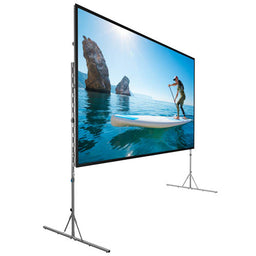
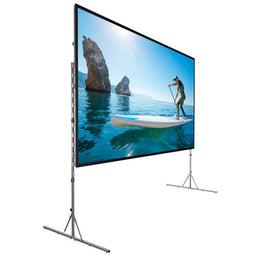
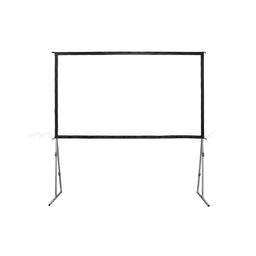
Foldable screens are a good option when you need portability without giving up too much size. They are common in temporary classrooms, corporate events, rental setups, and outdoor movie nights. Most use a lightweight folding frame that assembles on site, with the screen material stretched across it. That tension usually produces a flatter image surface than many other portable designs.
Material quality matters. Cheaper foldable screens can crease more easily, and those creases may show in the picture. Better ones resist wrinkles and hold their shape better over time.
$1,580.00
- Status: Leaves Warehouse within 4-6 Weeks
- Screen Type: Folding-Frame
- Mount Type: ["Folding Frame / Truss"]
- Viewable Diagonal: 119.0
- Gain: 1.0
- Viewable Height: 58.0
- Viewable Width: 104.0
$3,304.00
- Status: Leaves Warehouse within 4-6 Weeks
- Screen Type: Folding-Frame
- Mount Type: ["Folding Frame / Truss"]
- Viewable Diagonal: 210.0
- Gain: 1.3
- Viewable Height: 122.0
- Viewable Width: 164.0
- $50 Cart Discount
$1,299.00
- Status: In Stock
- Screen Type: Folding-Frame
- Mount Type: ["Folding Frame / Truss"]
- Viewable Diagonal: 200.0
- Gain: 1.1
- Viewable Height: 98.0
Tripod Projector Screens
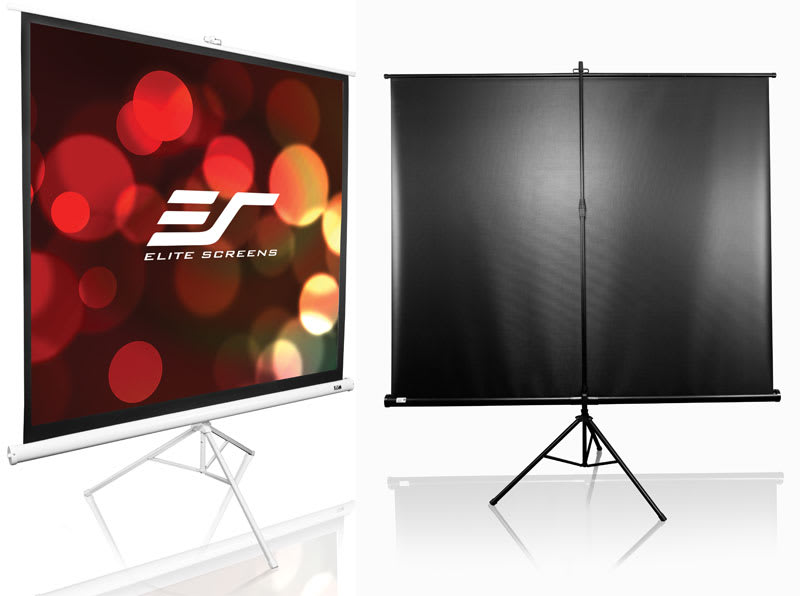
Tripod screens are one of the most common and affordable portable options. They combine a retractable screen with a folding stand, so they are easy to move, store, and set up. They are widely used in classrooms, offices, community spaces, and rental inventories.
Their strengths are price, portability, and simplicity. Their weaknesses are also easy to see: they usually do not match the flatness, stability, or overall finish of fixed-frame, tab-tensioned, or higher-end floor-rising screens. The Elite Screens Tripod Series offers excellent value. The Da-Lite Picture King is a tried-and-true workhorse frequently found in rental houses, built to last and made in the USA.

$989.00
- Status: Leaves Warehouse within 5-10 Business Days
- Mount Type: ["Tripod"]
- Viewable Diagonal: 120.0
- Gain: 1.0
- Viewable Height: 72.0
- Viewable Width: 96.0
![Draper 215016 Diplomat/R with Black Carpeted Case 136 diag. (96x96) - Square [1:1] - 1.0 Gain](http://www.projectorscreen.com/cdn/shop/files/diplomat_61616939-5314-4c6c-8baa-e2ef9304fce2.jpg?v=1753803761&width=256)
$1,042.00
- Status: Leaves Warehouse within 5-10 Business Days
- Mount Type: ["Tripod"]
- Viewable Diagonal: 136.0
- Gain: 1.0
- Viewable Height: 96.0
- Viewable Width: 96.0
![Elite T100UWH Tripod 100 diag. (49x87) - HDTV [16:9] - MaxWhite 1.1 Gain](http://www.projectorscreen.com/cdn/shop/files/Tripod_20White_20Case_48d98b67-f492-4945-9a5c-e7485c8502c2.jpg?v=1753805193&width=256)
$220.00
- Status: Currently Unavailable
- Mount Type: ["Tripod"]
- Viewable Diagonal: 100.0
- Gain: 1.1
- Viewable Height: 49.0
- Viewable Width: 87.0

Whiteboard
Projection whiteboards are made for rooms where people need both a writing surface and a projection surface. They are common in classrooms, training rooms, and meeting spaces. A standard glossy whiteboard is usually a poor projection surface because it can create glare and hot spots. A projection whiteboard is built to reduce those problems while still allowing writing and drawing. It is a practical solution when one surface has to do both jobs.
DIY Projector Screens
DIY projector screens appeal to people who want to save money or need a custom size. For casual use, a homemade screen may be good enough. Common approaches include painted panels, stretched fabric, blackout cloth, and homemade frames. The hard part is consistency. Flatness, color neutrality, reflectivity, texture, and durability are all harder to control in a DIY build, and each one affects the final image. A DIY screen can work, but it is usually a compromise, not a full substitute for a purpose-built screen.
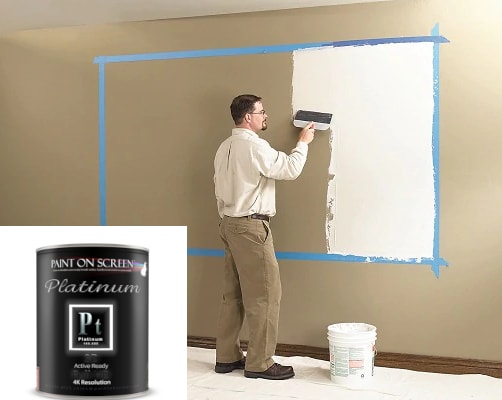
Projector Screen Paint
Projector screen paint is one of the more practical DIY options. Instead of buying a traditional screen, you apply a specialized coating to a wall, panel, or board to create a projection-friendly surface. This can be useful when you want a custom size, need to keep costs down, or want to avoid the logistics of shipping a large screen. Coverage varies widely by brand, surface type, aspect ratio, and the number of coats required, so manufacturer coverage figures should be treated as rough planning guidance rather than a guaranteed screen size.
The results depend heavily on surface preparation. If the wall or board is not extremely smooth, the projected image will reveal those imperfections. Even with careful prep, projector screen paint usually cannot match the flatness, uniformity, or advanced light-management performance of a high-quality dedicated screen. For budget-conscious setups and some custom installations it can be a reasonable option, but if the goal is the best possible accuracy, consistency, and overall image performance, a dedicated projector screen still has the advantage.
$223.99
- Status: Leaves Warehouse within 1-2 Business Days
- Screen Type: Paint
- Gain: 2.0
$268.99
- Status: Leaves Warehouse within 1-2 Business Days
- Screen Type: Paint
- Gain: 2.4

$179.99
- Status: Leaves Warehouse within 1-2 Business Days
- Screen Type: Paint
- Gain: 1.5
Projector Screen Material
Projector screen material has a major impact on how your image looks. Two screens of the same size can perform very differently depending on the surface they use. Screen material affects brightness, contrast, color accuracy, viewing angle, perceived sharpness, and how well the image holds up in ambient light.
That is why screen material is one of the most important parts of the buying decision. The right surface helps your projector perform at its best. The wrong one can limit image quality, even if you have a great projector.
What Are Projector Screens Made Of?
Most projector screens are made from engineered materials such as vinyl, PVC-based compounds, woven fabrics, polyester blends, fiberglass-backed materials, or other multilayer composites. Some acoustically transparent and DIY-oriented screens may also use stretch fabrics such as spandex. Regardless of the base material, many screens use proprietary optical coatings or layered surface treatments to control reflectivity, diffusion, color neutrality, viewing angle, and ambient-light performance.
The base material matters, but it is only part of the story. What really determines performance is the finished surface: how smooth it is, how flat it stays, how color-neutral it is, how evenly it reflects light, and how durable it is over time. That is why a purpose-built projector screen performs very differently from a painted wall, bedsheet, or ordinary fabric. The term "silver screen" comes from early projection surfaces that used reflective metallic coatings to improve brightness.

Projector Screen Colors
Most projection screens are available in one of three broad color categories: white, gray, or very dark gray to black. Each serves a different purpose, and the best choice depends on the room, the projector, and how the system will be used.
White Screen
A white screen is usually the safest and most natural-looking choice in a fully light-controlled room. White screens tend to deliver a bright, neutral image with wide viewing angles, which is why they are especially popular in dedicated home theaters. They can also work well in conference rooms and classrooms where slides, documents, and spreadsheets need to look clean and readable.
Because standard office software like Word, Excel, and PowerPoint utilize stark white backgrounds, projecting them onto a non-white or gray surface can make the "digital paper" look dingy and unnatural. In the right environment, a white screen gives you an accurate, balanced image without making the picture darker than necessary.
Gray Screen
Gray screens are often chosen to improve perceived contrast and black levels, especially in rooms with some ambient light. Because the surface is darker, the image can look richer and less washed out than it would on a standard white screen in the same room. This is why gray materials are often described as high-contrast screens. Some simply use a darker base color to improve perceived contrast, while others combine that darker surface with more advanced optical designs.
The tradeoff is that some gray screens may reduce overall brightness and may not offer the same wide viewing angles as a standard matte white screen.
Black Screen
Black or very dark gray screens are more specialized. These materials are usually designed for bright-room performance, high-contrast applications, or ultra short throw and laser TV systems. Their main advantage is that they can help preserve black levels and improve perceived contrast in rooms where light control is limited. They usually require a brighter projector and can be more sensitive to seating position and projector placement than a standard white screen.
What Is The Best Color For A Projector Screen?
There is no single best color for every setup. For a dark, dedicated theater, white is often the safest and most natural-looking option. For rooms with moderate ambient light, gray may be the better fit. For bright living rooms or ultra short throw systems, a darker specialized screen may make more sense. The best screen color usually comes down to four things: your projector's brightness, your room lighting, your seating layout, and the type of content you watch most.
Screen Texture
For most projector setups, smoother is better. A smooth, finely finished surface helps preserve detail, reduce visible noise, and keep the image looking clean and sharp. This becomes even more important with 4K and higher-resolution projectors, where coarse texture can interfere with fine detail and reduce perceived clarity.
That does not mean every good screen is perfectly texture-free. Some specialty materials have visible structure by design, especially acoustically transparent and ambient-light-rejecting screens. The goal is not zero texture in every case — the goal is a surface whose structure is fine enough that it does not distract from the image at normal viewing distances.
Screen Gain
A projector screen does not make light. It takes the light your projector throws at it and sends it back to the audience. Screen gain is simply the measure of how efficiently it does that, and how directional that reflection is.
A 1.0-gain screen is a unity-gain screen, meaning its on-axis brightness matches the standard white reference used for screen measurements. A matte-white 1.0-gain screen is usually designed to behave close to a Lambertian diffuser, so it spreads light broadly and keeps apparent brightness nearly constant across a wide viewing angle rather than favoring a narrow sweet spot.
The catch is that higher gain is not free brightness — it is targeted brightness. A screen with gain above 1.0 is more directional: a 1.3-gain screen can deliver about 30 percent more on-axis luminance than a 1.0-gain screen, all else being equal. The benefit is strongest for viewers sitting near the center. Push gain high enough and you also raise the odds of hotspotting.
Lower gain usually improves viewing angles and reduces hotspotting; deeper black levels typically come from gray/high-contrast or ALR surfaces plus effective room-light control, not from low gain by itself.
One other point worth keeping in mind: advertised projector lumens alone do not tell you how bright the picture will look. Screen size matters, screen gain matters, as do the projector's picture settings.
So no, more gain is not automatically better. Finding the right screen gain for an installation depends on the projector, the screen size, the room lighting, and where people will actually be sitting. When the gain is matched correctly to your setup, the image just pops: bright where it needs to be, even across the whole screen, with no distracting hotspot in the center.
Special Features
Some projector screens include specialized features that improve image quality or make the screen better suited to a specific type of installation. These can make a major difference, especially in more advanced home theater and multipurpose-room setups.
Ambient Light Rejecting
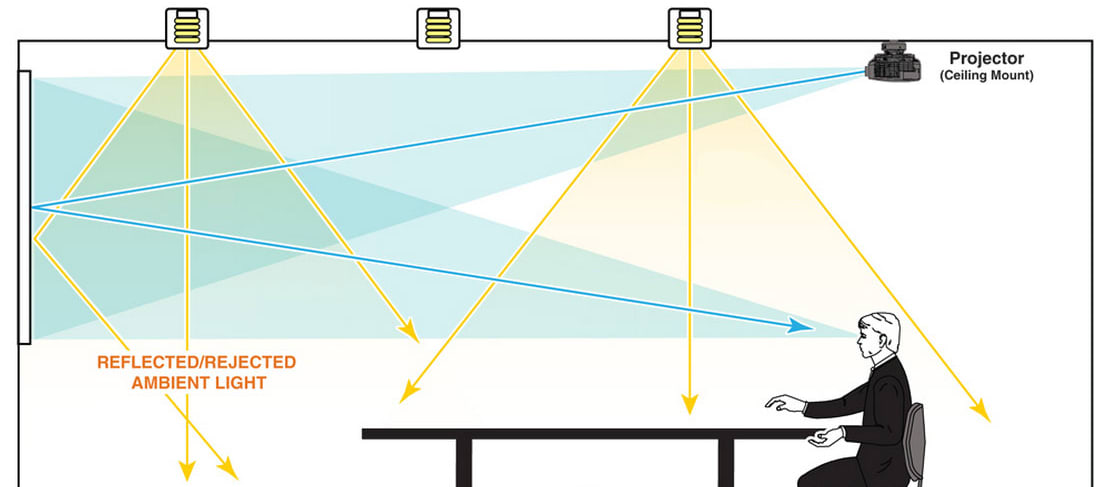
Ambient light rejecting, or ALR, screens are designed to reduce the effect of room light that would otherwise wash out the image. They do this by favoring light from the projector while rejecting or redirecting light coming from other directions, such as windows, lamps, or ceiling fixtures. Many ALR materials use layered optical structures or directional surface patterns to control how light is reflected.
ALR screens are especially useful in living rooms, media rooms, and other spaces where full light control is not possible. Not all ALR screens are the same, though. Some are for standard long-throw projectors, while others are made specifically for ultra short throw models. Matching the screen type to the projector type is critical. You can learn more about ambient light rejecting screens here.
- Sale
- Build a Bundle
- $25|75|100 Cash back
$1,899.00
- Status: In Stock
- Screen Type: Fixed Frame
- Mount Type: ["Wall"]
- Viewable Diagonal: 120.0
- Gain: 0.5
- Viewable Height: 58.8
- Viewable Width: 104.6
- Sale
- Build a Bundle
- $25|75|100 Cash back
$1,499.00
- Status: In Stock
- Screen Type: Fixed Frame
- Mount Type: ["Wall"]
- Viewable Diagonal: 120.0
- Viewable Height: 58.8
- Viewable Width: 104.6
- Build a Bundle
- $15|25|50 Cash back
$2,049.00
- Status: Leaves Warehouse within 5-10 Business Days
- Screen Type: Electric
- Mount Type: ["Floor"]
- Viewable Diagonal: 120.0
- Gain: 0.7
- Viewable Height: 58.8
- Viewable Width: 104.6
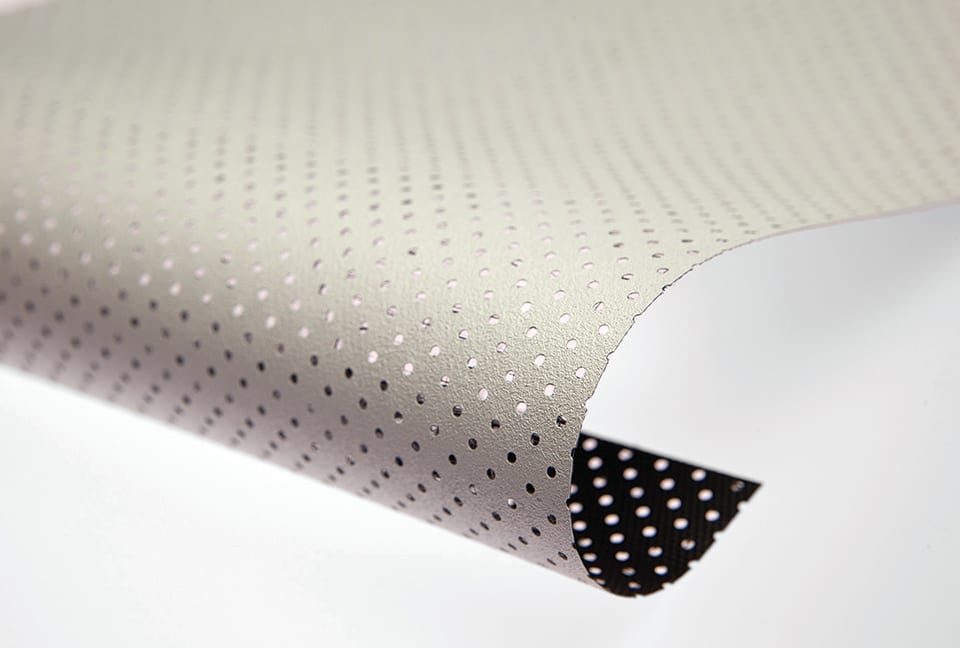
Acoustically Transparent
An acoustically transparent screen allows sound to pass through the material so speakers can be placed behind the screen. This is popular in dedicated home theaters because it allows the left, center, and right speakers to sit behind the image, similar to a commercial cinema. It can improve both room aesthetics and the sense of cinematic immersion.
There are two main types: woven screens, which use a fabric-like weave that allows sound to pass through the surface; and micro-perforated screens, which use a smoother material with tiny perforations throughout. Both can work very well when properly matched to the room, the projector, the seating distance, and the speaker layout.
Pro Tip: If you are planning to have a retractable screen drop down in front of a flat-screen TV or reflective cabinet glass, a woven screen is the better option but must be paired with a black light-blocking backing. If you use a micro-perforated screen, the projector's light will pass through the tiny holes, bounce off the TV's glass, and reflect back through the screen, affecting your image.
![Elite Screens AR135H2-AUHD Aeon Series 135 diag. (66.2x117.7) - HDTV [16:9] - AcousticPro UHD - 1 Gain](http://www.projectorscreen.com/cdn/shop/files/Aeon_ed33ef8d-71c5-4933-9519-7bc4f5e49727.jpg?v=1753809837&width=256)
$709.00
- Status: In Stock
- Screen Type: Fixed Frame
- Mount Type: ["Wall"]
- Viewable Diagonal: 135.0
- Gain: 1.0
- Viewable Height: 66.2
- Viewable Width: 117.7
![Elite Screens AR120H2-AUHD Aeon Series 120 diag. (58.3x104.1) - HDTV [16:9] - AcousticPro UHD - 1 Gain](http://www.projectorscreen.com/cdn/shop/files/Aeon_3341eddb-e3a3-4bc1-996a-7fdbbc1d678f.jpg?v=1753809818&width=256)
$629.00
- Status: In Stock
- Screen Type: Fixed Frame
- Mount Type: ["Wall"]
- Viewable Diagonal: 120.0
- Gain: 1.0
- Viewable Height: 58.3
- Viewable Width: 104.1
- $50 Cart Discount
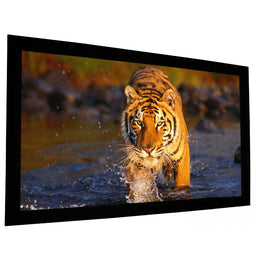
$2,760.00
- Status: Leaves Warehouse within 2-3 Weeks
- Screen Type: Fixed Frame
- Mount Type: ["Wall"]
- Viewable Diagonal: 125.0
- Gain: 1.15
- Viewable Height: 61.0
- Viewable Width: 109.0
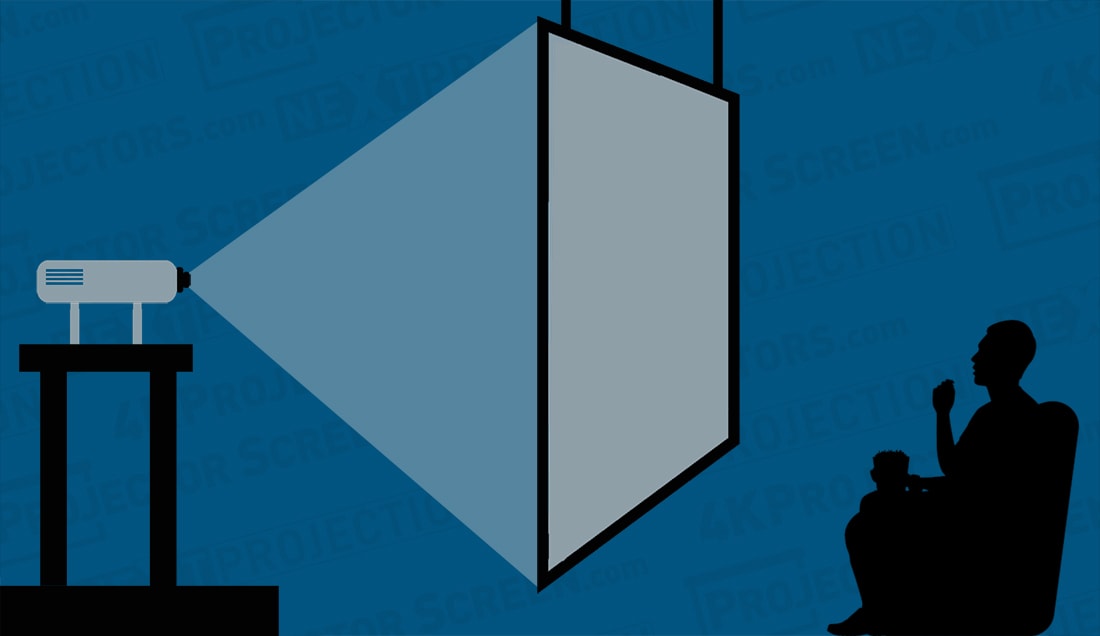
Rear Projection
Rear-projection screens use translucent materials designed to transmit light toward the viewer while keeping the projector hidden from sight. This eliminates shadows from people walking in front of the image.
Rear projection is common in trade shows, stage productions, museums, event spaces, and other professional installations. The main drawback is that it requires enough space behind the screen for the projector plus the necessary throw distance.
Because this configuration requires that the projector be placed behind the screen facing the audience, rear projection offers a distinct advantage: there's less chance of someone obstructing the projected image. However, it requires more space than front projection and is most commonly used in professional applications like trade shows and large theaters.
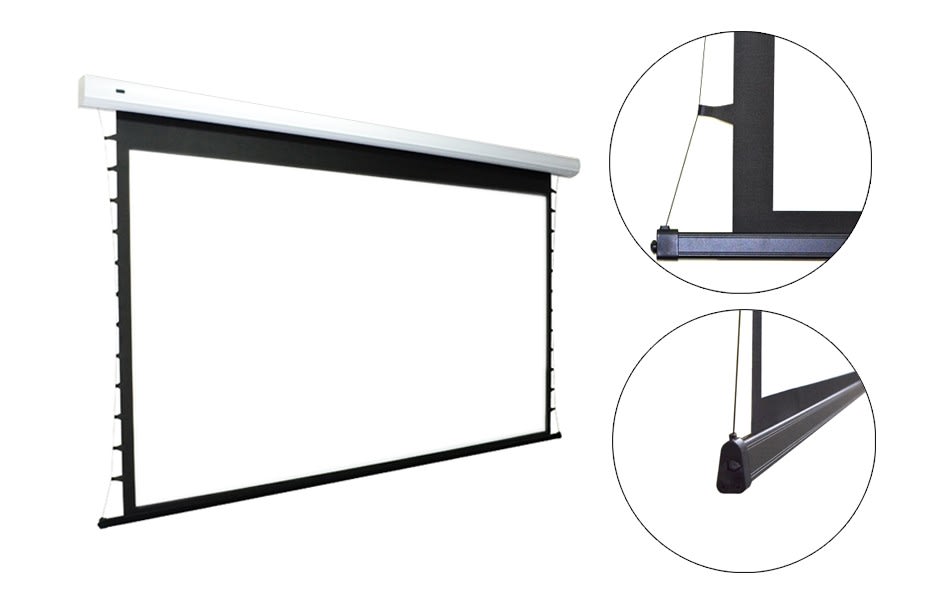
Tensioned
A tensioned projector screen uses tabs, cables, or a similar system to pull the screen material taut and keep the surface as flat as possible. This is especially important for retractable screens, which are generally more prone than fixed-frame screens to developing waves, edge curl, or other minor surface irregularities over time. By maintaining more even tension across the material, a tensioning system helps preserve a smoother, more uniform viewing surface — that matters most on larger screens and in higher-resolution setups, where surface flaws are easier to see.
Fixed-frame screens achieve this stability by stretching the material over a rigid frame. For retractable screens, tab-tensioning is one of the most effective ways to improve long-term surface quality. One of the main differences you'll find between cheap projector screens and quality ones is that premium ones will be tensioned, giving you a much better picture.
Ultra Short Throw
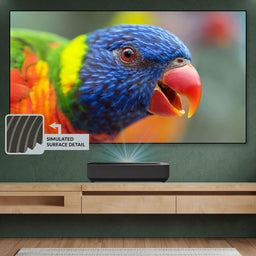
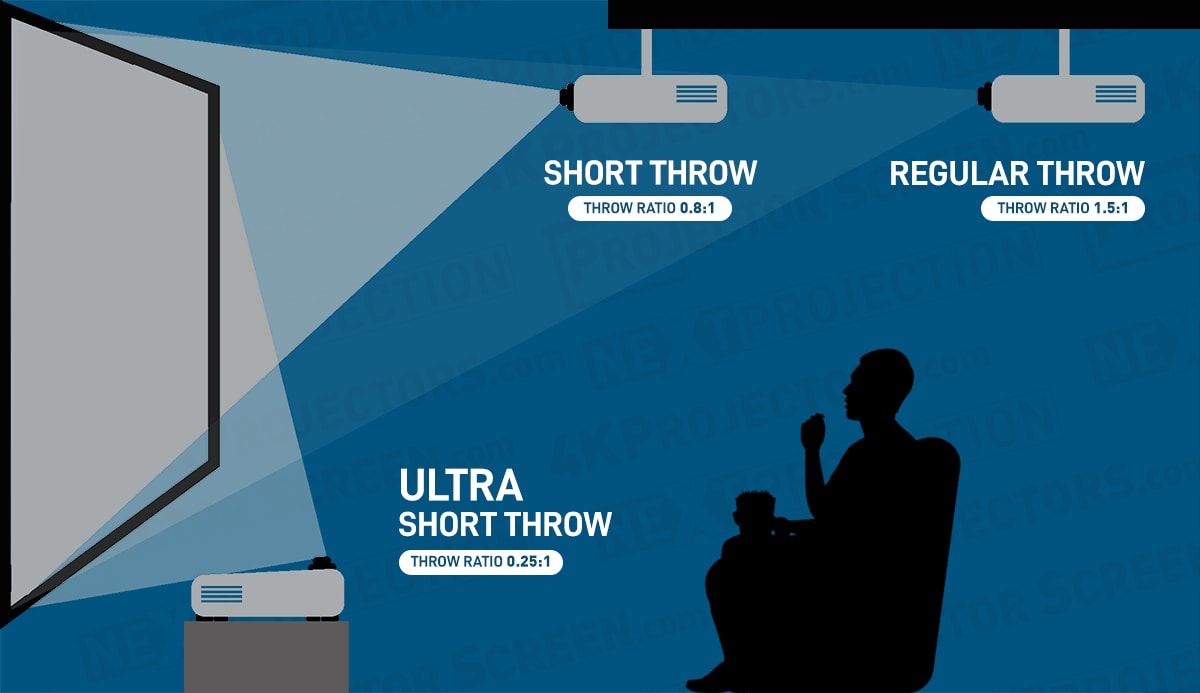
UST projector screens are made specifically for ultra short throw projectors, including those marketed as laser TVs. Because these projectors sit very close to the screen and project upward at a steep angle, the screen material has to be designed for that geometry rather than work against it.
Many UST screens use lenticular or other microstructured surface patterns to direct the projector's light toward the viewer while reducing the effect of overhead ambient light. A conventional ALR screen, especially one designed for standard-throw projection, can perform poorly with a UST projector — the result may be lower brightness, weaker contrast, and uneven image quality. A plain white screen can still work in a fully darkened room, but it offers no ambient light rejection. For most installations, the best results come from a screen designed specifically for ultra short throw use.
- Sale
- Build a Bundle
- $25|75|100 Cash back
$1,899.00
- Status: In Stock
- Screen Type: Fixed Frame
- Mount Type: ["Wall"]
- Viewable Diagonal: 120.0
- Gain: 0.5
- Viewable Height: 58.8
- Viewable Width: 104.6
- Sale
- Build a Bundle
- $25|75|100 Cash back
$1,499.00
- Status: In Stock
- Screen Type: Fixed Frame
- Mount Type: ["Wall"]
- Viewable Diagonal: 120.0
- Viewable Height: 58.8
- Viewable Width: 104.6
- Build a Bundle
- $15|25|50 Cash back
$2,049.00
- Status: Leaves Warehouse within 5-10 Business Days
- Screen Type: Electric
- Mount Type: ["Floor"]
- Viewable Diagonal: 120.0
- Gain: 0.7
- Viewable Height: 58.8
- Viewable Width: 104.6
Curved Projector Screen
A curved projector screen bends slightly toward the audience rather than remaining completely flat. Its main advantage is greater immersion. In some dedicated theaters, especially those using very wide CinemaScope-style images, a curved screen can make the picture feel more uniform across the seating area.
These screens are found in dedicated home theater systems that have been carefully designed around the projector, lens, screen, and room layout. The drawback is that curved screens are more specialized than flat screens: they can make image geometry more complex, are unnecessary for most projector installations, and are not equally suitable for every anamorphic-lens setup. In practice, a curved screen works best when the room and projection system have been planned around it from the start. You can also use curved screens with a Panamorph lens attachment for your projector.
Screen Format
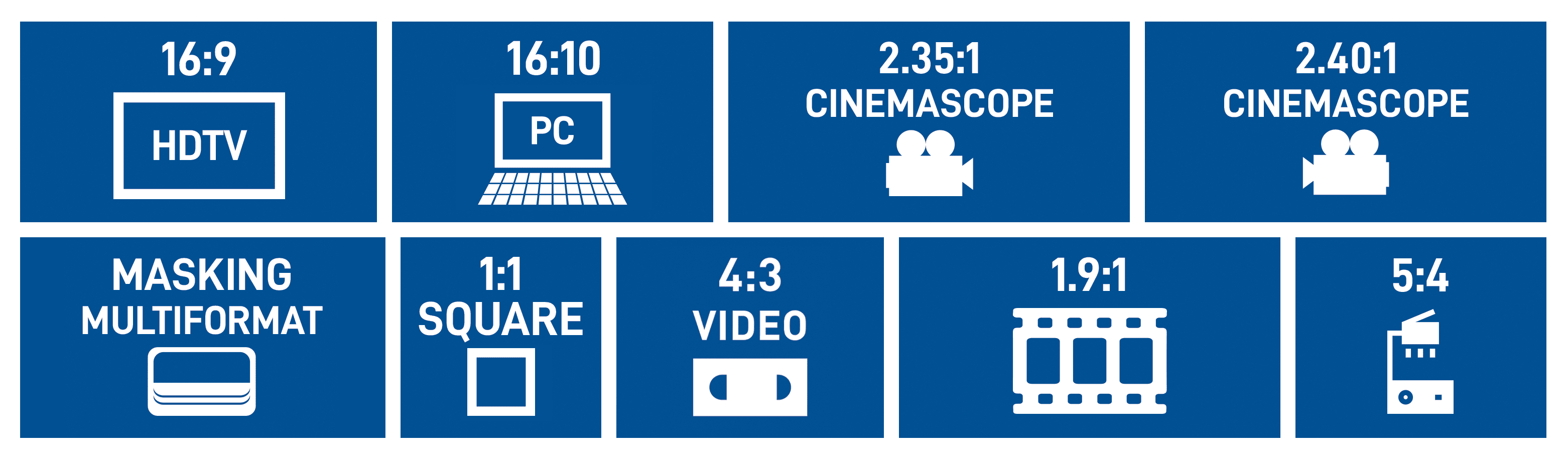
A projector screen's format, or aspect ratio, describes the relationship between its width and height. For example, 16:9 means the screen is 16 units wide for every 9 units high. In practical terms, the aspect ratio determines the shape of the image area. This matters because movies, TV shows, games, presentations, and older video sources are not all created in the same shape. When the content's aspect ratio does not match the screen, the image usually leaves unused screen area instead of filling the screen completely.
16:9 Projector Screen (HDTV Format)
For most home theater buyers, 16:9 is the standard choice. It matches HDTV and most modern video content, including streaming content, sports broadcasts, YouTube videos, and console gaming. If you plan to watch both TV and movies, a 16:9 screen is the recommended aspect ratio — it is the safest and most versatile option.
16:10 (Widescreen)
A 16:10 screen is slightly taller than a 16:9 screen of the same width. That extra vertical space makes it especially useful in business and education settings, where laptops, spreadsheets, slides, and documents are often prioritized over cinematic video. It is a common and practical format for conference rooms, classrooms, and other presentation-focused spaces. So if you're using your projector for business purposes, a 16:10 projector screen is what we'd recommend.
Cinemascope (2.35:1, 2.39:1 and 2.40:1)
If your goal is a dedicated movie experience, a scope screen may be the right choice. Older widescreen films are often associated with 2.35:1, while most modern scope films are closer to 2.39:1 or 2.40:1.
In a dedicated home theater, especially a constant-image-height setup, this format can create a more theatrical presentation and reduce unused screen area during widescreen films. The trade-off is flexibility: TV, sports, and most games are usually 16:9, so they will not fill a scope screen in the same way. So if you are a cinephile wanting the movie theater experience in your own home without the black bars, Cinemascope is the way to go.
4:3 (Video Format)
A 4:3 screen reflects the older format used by legacy televisions, VHS, some older computer sources, and certain classroom or institutional equipment. It is no longer the standard for home theater, but it still makes sense for archival playback, retro content, and installations that rely on older hardware. The reason 4:3 Video format still exists is because it is a versatile design and a lot of content still exists in its original 4:3 shape.
1:1 (Square Format)
A 1:1, or square, screen is useful mainly because of its flexibility. On many pull-down and tripod-style screens, the extra height allows the visible image area to be adjusted for different aspect ratios, including 16:9, 16:10, and 4:3. The content itself is usually not square; the square screen simply makes it easier to position and size different image shapes on the same screen surface. That is why 1:1 screens remain common in portable and presentation-oriented setups, and they remain optimal for slide projectors or overhead projectors.
Masking (Multi Format)
Many premium projector screens support multiple aspect ratios using a dynamic masking system. By deploying black, light-absorbing panels from either the top and bottom or the sides, masking physically adjusts the visible screen area to perfectly frame the projected image. This allows a single screen to seamlessly accommodate formats like 16:9, 2.40:1, or 4:3 without leaving unlit, unused portions of the screen exposed.
By eliminating these distracting "black bars" (letterboxing or pillarboxing), masking significantly improves the image's perceived contrast. Due to their mechanical complexity, these systems are typically found in high-end home theaters and specialty installations where cinematic presentation is paramount.
Projector Screen Size
Screen size matters, but the biggest screen is not always the best option. The ideal size depends on your room dimensions, seating distance, projector brightness, throw distance, and how immersive you want the image to feel. The screen must also physically fit the wall, leaving enough clearance for speakers, furniture, trim, and proper mounting hardware.
How Do You Measure The Screen Size?
Like televisions, projector screens are usually measured diagonally rather than by width or height. While this provides a standard point of reference, the actual physical width and height are what matter most during installation. Relying on the diagonal measurement to compare screens across different aspect ratios can be misleading. For example, a 120-inch 16:9 screen and a 120-inch 2.40:1 screen will have completely different widths, heights, and overall surface areas. Always check the exact dimensions before buying.
What Size Projector Screen Should I Get?
The right projector screen size depends on what it will be used for. While some people prefer the largest screen possible, others prioritize the optimal size-to-distance ratio for their space.
Size For Home Theaters

If you are planning to use the screen in your home theater, you will likely want a size between 100 and 150 inches. This of course depends on the dimensions of your media room and where you will be sitting.
Size For Large Venues

If you are outfitting a larger space such as a church projector screen or other large event venue, you will likely need a screen over 150 inches.
How Much Does A Projector Screen Cost?
Projector screen prices vary widely, and exact pricing changes over time. At the low end, very basic portable screens can still cost under $100. Many portable, tabletop, tripod, foldable, and basic manual pull-down screens fall in the roughly $100 to $400 range. Fixed-frame home-theater screens and better screen materials often start in the mid-hundreds and extend into the low thousands, while specialty options such as ALR, acoustically transparent, UST-specific, tab-tensioned, and motorized screens usually begin in the high hundreds or low thousands and rise from there. Very large custom or commercial screens can reach five figures.
In general, higher prices usually reflect larger sizes, better materials, improved construction, added tensioning, motorization, or specialized surfaces such as ALR and acoustic transparency. A projector screen is more than a sheet of material: as the surface, frame, build quality, and mechanical system improve, the price usually rises as well.
One practical reality check: the very cheapest screens are usually convenience products, not quality benchmarks. They can be fine for occasional portable use, but once flatness, color neutrality, durability, or specialty materials matter, most buyers move into the mid-hundreds and up.
Why Do Premium Projector Screens Cost So Much?
Premium projector screens cost more because the materials, construction, and quality control are typically better. Higher-end screens often use flatter, more dimensionally stable surfaces, more color-neutral materials, improved coatings, tighter manufacturing tolerances, and more durable mechanical components. They are also more likely to include features such as tab-tensioning, acoustically transparent materials, advanced optical surfaces, or precision-built frames. The result is more consistent image quality, fewer visible defects, better long-term reliability, and a more refined installation.
Is A Projector Screen Worth It?
Yes — and most people know it the moment they see the picture. There may be some initial sticker shock, but once you sit down in front of a quality screen with a good projector behind it, the upgrade speaks for itself. A proper projector screen gives the projector a surface designed for predictable, uniform performance. Compared with a wall or improvised surface, it can improve image uniformity, perceived contrast, color consistency, and overall presentation. It also makes the system feel more complete and purpose-built.
Where Should You Put Your Projector Screen?
Screen placement has a major effect on both image quality and viewing comfort. A common starting point is roughly 10 to 12 inches of screen diagonal per foot of viewing distance — only a rule of thumb, not a substitute for checking projector brightness, seating layout, and viewing angle, but it lands many home theaters in a sensible range.
Start with the wall that gives you the best overall balance of visibility, seating alignment, light control, and installation practicality. In most rooms, the best location is the wall least affected by direct sunlight, window glare, and strong reflections from room lighting. Here are some key placement guidelines:
- Central Location: Position the screen in the center of the wall for balanced viewing angles from all seating positions.
- Avoid Direct Sunlight: Choose a location where the screen won't be affected by direct sunlight or harsh artificial lighting, as this can wash out the image and reduce contrast.
- Consider Viewing Distance: Ensure there's enough distance between the screen and the seating area for comfortable viewing. Follow recommended guidelines based on screen size and resolution for optimal viewing angles.
- Minimize Obstructions: Avoid placing the screen where it may be obstructed by furniture, columns, ceiling fans, or other obstacles that could interfere with the projection or viewing experience.
- Room Acoustics: Consider the room's acoustics when positioning the screen. Avoid placing the screen too close to reflective surfaces such as windows or bare walls, which can cause audio reflections and distortions.
- Screen Height: Mount the screen at a comfortable height. A common guideline is for seated eye level to fall around the lower third of the image, though the exact position depends on screen size, seating, and room layout.
- Accessible Power Outlets: Ensure easy access to power outlets for the projector and any motorized screen mechanisms if applicable.
- Consider Screen Type: Depending on the screen type (fixed-frame, retractable, motorized), allow space for installation and operation, including clearance for wall or ceiling mounts.
- Test Projection Placement: Before finalizing screen placement, conduct a test projection to ensure optimal image quality, brightness, and alignment from the desired viewing positions.
By following these placement tips, you can choose the best location for your projection screen to create an immersive and enjoyable viewing experience for yourself and your audience.
Where Should You Put Your Projector Screen In Your Home Theater?
In a home theater, the best screen position usually starts with seating distance and viewing comfort. A practical way to size your screen is to target the viewing angle you want rather than using a fixed diagonal-per-foot formula. Many home theater enthusiasts aim for a cinematic 30- to 40-degree viewing angle from their main seats, adjusting as needed for room size, projector brightness, and personal preference.
Screen height matters just as much. Instead of relying on a fixed number from the floor, place the image so seated viewers can watch comfortably without craning their necks. In many rooms, that means keeping the lower portion of the image relatively close to seated eye level while still leaving room for speakers, furniture, and sightlines.
If the room cannot be fully darkened, work on improving light control around the screen wall to reduce reflections and choose a specialized ambient light rejecting (ALR) screen material designed for brighter rooms.
Our experts suggest the bottom of the screen be between 2 to 3 feet off of the floor. This allows you to have the optimal viewing height. Of course, this depends on the size of your screen and the wall you're placing it on. If you have multiple rows of theater seating in your cinema room, you may need to go a bit higher to keep clean lines of sight for people sitting behind the first row.
Also make sure to take into account anything that will sit underneath the display, like a center speaker or an entertainment center.

Viewing Angles
Field of view and screen viewing angle are related, but they are not the same thing. Field of view refers to how large the screen appears from your seat. For home theaters, many viewers find a field of view in the 30- to 40-degree range immersive without feeling overwhelming.
Screen viewing angle refers to how far off-center people can sit before the image starts to lose brightness or uniformity. This depends on the screen material. Matte white screens usually provide wider viewing angles, while higher-gain and some ALR materials often have narrower ones.
If your room is wide or viewers will be seated far off to the sides, choose a screen material with a generous viewing angle.
Sightlines
If you have more than one row of seats, make sure everyone can see the full screen clearly. Heads in the front row can block part of the image if the screen is mounted too low. Common solutions include using risers, staggering seating positions, or mounting the screen slightly higher on the wall. Every seat should have a clean view of the full image without forcing viewers to crane their necks.
Projector Screen Brands
At ProjectorScreen.com we only carry the highest quality film screen brands. The quickest way to compare them is to look at four things: price tier, specialty, whether custom work is available, and whether the brand is strongest in home theater, commercial AV, or UST and laser TV systems. Get to know some of the brands we have on our website.
-
Screen Innovations
- About the company: Screen Innovations is a premium, custom-oriented brand best known for design-forward screens and strong ambient light rejecting options, especially Black Diamond. It is a strong fit for high-performance living rooms, media rooms, and custom installations. Since 2003, SI have designed, engineered, and hand-built projection screens for the custom integrator from their facility in Austin, TX, USA.
- Price range: $1,000–$55,000
- Specialty: High-performance living rooms, media rooms, and custom installations; best known for their Black Diamond ambient light rejecting screens
- Custom screens available
- Made in the USA
-
Stewart Filmscreen
- About the company: Stewart Filmscreen sits at the premium, reference-grade end of the market and is known for StudioTek and other reference surfaces, along with large seamless custom screens. It is well suited to buyers chasing top-tier image quality or building a serious custom theater. All Stewart screens are made in the USA, and Stewart Filmscreen remains a family-owned company after all these decades.
- Price range: $1,300–$15,000
- Specialty: Reference-grade image quality and large seamless custom screens; best known for their StudioTek reference screen materials
- Custom screens available
- Made in the USA
-
Elite Screens
- About the company: Elite Screens occupies the value-to-midrange segment and is known for its broad catalog and aggressive pricing. It makes sense for buyers who want a wide range of options without stepping immediately into premium pricing, and it is a strong starting point for comparing fixed-frame, motorized, outdoor, ALR, UST, and acoustically transparent categories.
- Price range: $120–$9,000
- Specialty: Broad catalog across multiple screen types at value-to-midrange prices
-
Da-Lite
- About the company: Da-Lite spans the midrange to premium market and has an especially strong commercial presence. It is best known for education, corporate, worship, and institutional installations. Founded in 1909, the company has been at the cutting edge of projector screen development for over a century. It offers custom options and manufactures in the United States.
- Price range: $130–$38,000
- Specialty: Education, corporate, worship, and institutional installations
- Custom screens available
- Made in the USA
-
Draper
- About the company: Draper operates in the midrange to premium space with a strong commercial and custom-integration focus. It is known for manual, motorized, recessed, portable, and outdoor screen solutions. Draper is a family-owned U.S. manufacturer based in Spiceland, Indiana, and offers custom options.
- Price range: $120–$24,000
- Specialty: Education, boardrooms, and custom integration projects
- Custom screens available
-
Spectra Projection
- About the company: Spectra Projection is a midrange specialist focused on ALR and CLR screens for UST and laser TV setups. It is a logical choice for buyers building around an ultra short throw projector and stands out as a strong value option in the UST and laser TV categories. They were the first to manufacture 150-inch ultra short throw projection screens.
- Price range: $1,300–$5,000
- Specialty: High quality, affordable ultra short throw projector screens
-
Vividstorm
- About the company: Vividstorm is a midrange to premium specialist best known for motorized floor-rising UST screens. It is especially well suited to living rooms and other spaces where a fixed screen is not practical. Since 2004, Vividstorm has been bringing high-quality products, great customer service, and strong value to the projection screen market.
- Price range: $1,800–$2,300
- Specialty: Floor rising retractable ultra short throw screens
-
Grandview
- About the company: Grandview is a midrange value brand with a broad lineup and solid performance across multiple categories. It is a sensible option for buyers who want dependable results without moving into the highest price tier. Decades of engineering and production experience have made them a globally recognized screen manufacturer.
- Price range: $900–$1,700
- Specialty: The most economical true 4K projection surfaces
-
Elunevision
- About the company: EluneVision sits in the value-to-midrange range and is known for performance-oriented, 4K-friendly screens at approachable prices. It is a good fit for buyers looking for strong home-theater value in fixed-frame, ALR, and reference-style categories. Since they were first established in 2006, Elunevision has been a consistent source of innovative, reliable audio-visual products.
- Price range: $1,100–$6,000
- Specialty: Performance-oriented, 4K-friendly screens at approachable prices
What Is the Best Projector Screen Brand?
There's no single best brand — but there's almost certainly a best brand for your setup. If you want reference-grade performance and highly customized solutions, Stewart Filmscreen and Screen Innovations are strong contenders. For commercial and institutional use, Da-Lite and Draper are often safe bets.
If value matters most, Elite Screens, Grandview, and EluneVision are worth a close look. And if you are building around an ultra short throw projector or laser TV, Spectra Projection and Vividstorm are especially relevant.
Where Is The Screen Made?
Country of origin can matter, but it should not be used as a shortcut for quality on its own.
For some buyers, U.S.-made screens are appealing because they can mean shorter shipping paths, easier access to custom work, more straightforward service, and, in some cases, better shipping durability. Screen Innovations, Stewart Filmscreen, Da-Lite, and Draper all emphasize U.S. manufacturing or U.S.-based production. The better question is not just where a screen is made, but how well it is built and whether the brand has a proven track record in the kind of screen you need.
Warranty and Customer Support
A simple rule helps here: the more mechanical the screen, the more the warranty matters. Fixed-frame screens are comparatively simple, while motorized and retractable screens add motors, electronics, housings, and installation labor, so weak coverage is a bigger concern.
Warranty terms vary widely by brand and product type, so always check the written coverage for the exact screen you are buying. What matters most is clear warranty language, accessible support, and a brand with a good service reputation. For expensive screens, good support is part of the product.
Price and Value
Price can tell you something about a brand’s positioning, but it does not tell you everything about whether a screen is right for you.
Some brands focus on premium materials, custom sizing, and high-end fit and finish. Others focus on making solid performance accessible at lower price points. The goal is to buy the screen that best fits your projector, room, and expectations.


