


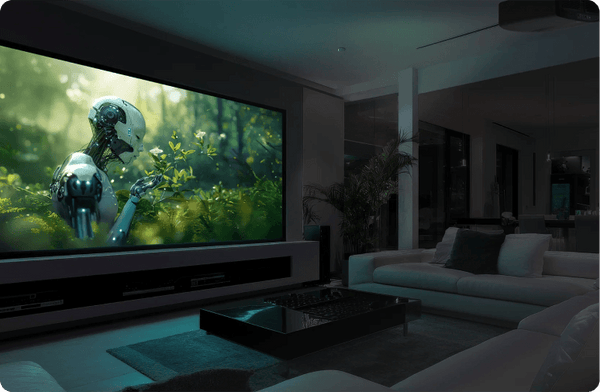
Epson LS6000 Review: Game Day, Supersized

- Bright, punchy sports on a 100-inch screen.
- Natural color; quick two-point calibration.
- Sharp image and smooth motion.
- Rainbow-free, with no visible speckle in testing.
- Useful 1.62x zoom and optical lens shift.
- Excellent backlit remote with direct controls.
- Elevated blacks: 406:1–451:1 sequential contrast.
- Largely Rec.709-sized gamut limits HDR color.
- Brightest modes sacrifice color accuracy.
- Manual focus, zoom and lens shift.
- Two-point white balance only; no 10-point control.
- External streaming device required.
Updated September 23, 2026 with the measurements, mode comparisons and viewing impressions covered in our video review.
The surprising thing about the Epson LS6000 is how TV-like its image can look. At $2,199.99, it delivers a sharp, smooth, natural picture with plenty of perceived contrast through much of the image. Natural mode earns its name, and the rainbow-artifact-free, speckle-free presentation is a pleasure to spend time with. I haven't seen banding in the material I've watched.
There is a significant catch: deep blacks. A projector can make sports, television and bright game scenes look terrific while still struggling when a movie depends on dark shadows. The LS6000 does exactly that. The video above and the measurements below explain both sides of its character.

3LCD laser projection with useful installation controls
The LS6000 uses laser-phosphor illumination and three LCD imaging chips, with pixel shifting to create its 4K image. Epson rates both color and white brightness at 3,400 lumens. That is the manufacturer's rating; my measured results follow below.
Focus, zoom and lens shift are all manual. The 1.62× optical zoom is useful, and Epson specifies lens shift up to ±59% vertically or ±21% horizontally. Each maximum assumes the other axis is centered; you cannot combine both maximum shifts at once. The controls feel basic, but they provide meaningful flexibility when positioning the projector relative to the screen.
For a permanent installation, this is largely a set-it-and-forget-it adjustment. My impression is that Epson has been selective about where it spends the money, with practical optical controls among the useful inclusions.

Connections, external streaming and an excellent remote
There is no built-in streaming operating system. I've used an Apple TV successfully, and you can choose the external streamer that suits your system. The LS6000 has two HDMI inputs, with eARC/ARC on HDMI 2, plus Ethernet for network control. I used that network control during menu exploration in the lab.

The remote deserves more attention than remotes usually receive. It is large, clearly laid out and beautifully orange-backlit. Separate buttons provide direct access to HDMI inputs, picture mode, light output, frame interpolation, geometry, memory and color adjustment. You can reach a useful picture setting with one button press instead of hunting through layers of menus.

Natural mode: convincing color and a quick calibration
Natural is where I'd start, and frankly stay. It does not produce the intense wide-gamut colors of an RGB laser projector, but the color it does produce looks extremely convincing. The picture has that familiar Epson combination of sharpness, smooth motion and comfortable viewing.
The measurements support that impression. SDR Natural covered 98.2% of Rec.709 in the Calman gamut measurement. Average grayscale error was 3.16 Delta E 2000 before adjustment. A minor two-point white-balance correction took about five minutes and brought the full-sweep average down to 2.09.


That is the difference between “looks good” and “calibrated.” Every shade was not perfect, but the result looked perceptually accurate. White-balance adjustment stops at two points; there is no 10-point control. The 11-point chart above is the verification measurement sweep, not an 11-point calibration system. Its full-sweep averages include luminance error.
I used Portrait Displays' Calman calibration software, a Colorimetry Research CR-250 meter and a SpectraCal VideoForge Pro pattern generator.
How the picture modes compare
On this sample, Cinema was a little less neutral than Natural, but still very watchable. Vivid moved further from accuracy while remaining usable. Dynamic looked noticeably cooler, with extra brightness as its main attraction. Those differences matter more than the mode names when deciding which picture to use.
| Mode | What stood out |
|---|---|
| Natural | The most convincing color and my preferred starting point for accuracy. |
| Cinema | Less neutral on this sample, but still very watchable. |
| Vivid | Less accurate; substantially brighter with an HDR signal than with SDR. |
| Dynamic | A cooler-looking picture with high output, trading accuracy for light. |
Contrast and black levels: the central compromise
Natural's measured sequential contrast was 406:1 at maximum wide angle and 451:1 at maximum telephoto. These are sequential contrast measurements, not ANSI checkerboard contrast. Epson advertises an 800,000:1 dynamic contrast ratio, but that specification does not describe the black floor visible in a dark movie scene.
In the picture modes I checked, the black floor stayed essentially the same. Brighter peak white therefore raised the sequential contrast number without producing a corresponding improvement in the darkest black. This is why Natural can have the lowest measured contrast ratio while still being my preferred picture mode.
In actual viewing, brightness and dynamic contrast processing help the LS6000 make a surprisingly strong impression through much of the image. Deep shadows expose the underlying limitation. Those blacks are elevated, and dark scenes can and do suffer. A higher-output mode does not turn it into a projector with deep cinema blacks.
Brightness: approximately 2,200 lumens in Natural
Our nine-point screen measurements at maximum wide angle suggest approximately 2,200 lumens in Natural mode at full output. Using the measured distribution and nominal screen gain, the result predicts roughly 280 nits of peak white at the center of a 100-inch, 16:9, gain-1.0 screen.
HDR: Vivid gets brighter, but Natural remains my choice
Natural and Cinema retained almost the same peak brightness in HDR as in SDR, and Natural's color gamut remained largely Rec.709-sized. HDR here is primarily about fitting the incoming signal into the projector's available brightness, contrast and color range. It does not suddenly unlock the intense wide-gamut color of an RGB laser projector.
Vivid changed much more. Its measured peak white rose from 510.77 nits in SDR to 709 nits in HDR, an increase of about 39%. Dynamic remained around 706 nits.
| Mode / signal | Peak white |
|---|---|
| Vivid / SDR | 510.77 nits |
| Vivid / HDR | 709 nits |
| Dynamic / HDR | 705.5 nits |


HDR Vivid estimates to about 3,000 lumens at maximum telephoto, using Natural mode's measured uniformity for the calculation.
HDR Vivid and Dynamic looked like close relatives in the captured measurements, with very similar brightness and tone-response traces. Both had much greater grayscale errors than Natural in the HDR comparison. I have not established that they use identical processing. Extra light is useful when you need it, but Natural remains my choice when accuracy matters.
Sports, television and sensible room lighting
I watched the Eagles–Titans game on a Sunday afternoon with the shades drawn, using my 100-inch-diagonal, 16:9 Stewart StudioTek 100 screen and the lens at maximum wide. The image was plenty bright and punchy despite that 1.0-gain screen having basically no ambient-light-rejecting qualities.
This is where the LS6000's sports-bar appeal becomes obvious. Bright, colorful action gives its clarity, motion and light output room to shine without relying as heavily on deep blacks. The game brought those strengths together in a way that the contrast number alone would not lead you to expect.
Sensible room lighting still matters. My result was with the shades drawn, not sunlight falling onto the screen. If you are planning a similar setup, screen choice and light control belong in the conversation alongside projector brightness.
PS5 Pro gaming and dark movie scenes
My gaming impressions come from casual play on a PS5 Pro with Gran Turismo, pinball and Grand Theft Auto. Bright tracks and luminous pinball tables look fantastic and give the projector plenty to work with. Darker scenes reveal the same elevated black levels seen in movies.
Epson specifies 120Hz operation and input lag below 20 milliseconds. I have not independently verified those gaming figures, so they remain manufacturer claims rather than measured results from this review.
Movie lovers can enjoy the LS6000, provided they accept its limits. If your priority is a darkened theater and films whose atmosphere depends on deep shadows, its black floor is a major compromise. The engaging picture through most of the brightness range does not make that weakness disappear. And yet I cannot stress enough how well this projector manages to defy expectations that are based on the numerical specs.
Verdict: a strong fit for bright entertainment
The LS6000 looks considerably better through much of its range than its roughly 400:1 Natural-mode sequential contrast might suggest. Natural earns its name, the image is sharp and smooth, the optical controls are useful, and the remote is excellent. For television, sports and casual gaming, the appeal is immediate.
At $2,199.99, I see it as an enjoyable big-screen entertainment projector for someone whose priorities match those strengths. I would choose it for its convincing everyday picture and practical installation controls, with a clear understanding that dark-room cinema is where the compromise becomes most obvious.
Questions about the LS6000, screen pairing or placement? Talk to the team at ProjectorScreen.com.


This projector really threw me for a loop. Sort of reminds me of a Bluetooth speaker that sounds better than its price, size, and specs would indicate.
I just had a panic attack and double-checked the video levels setting. I need not have worried, turns out regardless of whether you choose Video or Full video levels, the black floor stays exactly the same. The deep shadows change, but there is no elevation or deepening of the black floor to go with the change. I have not encountered this before and will be asking Epson about it tomorrow.
Mark H