Stewart Filmscreen

View all Stewart screens

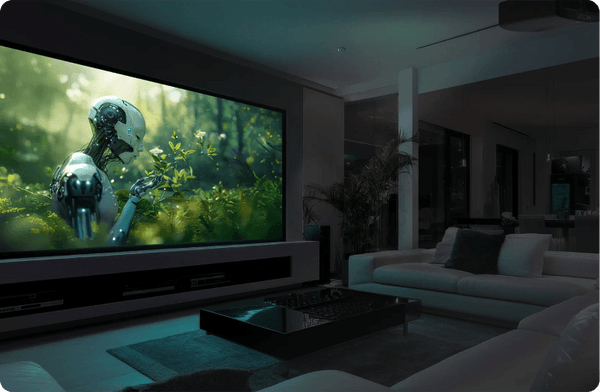
The reference standard. In your home cinema.

Bring Hollywood's reference-screen heritage home. Discover StudioTek 100 and a screen crafted for the cinema you've imagined.

The only screen manufacturer to win an Academy Award. Two awards for technical merit.

THE SURFACE MAKES THE DIFFERENCE

Reference starts with the material.

StudioTek 100 is the starting point for a carefully controlled cinema. Match the surface to your room light, projector placement and seating before choosing the frame.

THE DEDICATED CINEMA

StudioTek 100

A matte-white reference surface with exceptionally even light distribution. Its wide viewing angles suit a theater designed to control both ambient light and reflections from walls and ceilings.

1.0 gain · Controlled-light rooms

Shop StudioTek 100

WHEN YOU WANT MORE GAIN

StudioTek 130 G4

A white reference material that adds gain for more on-axis brightness. Consider it with your screen size and projector output, while checking the throw distance and seats at the edges of the room.

1.3 gain · Minimum throw 1.3 × image width

Shop StudioTek 130

WHEN THE ROOM HAS LIGHT

FireHawk G5

A gray, ambient-light-rejecting material for rooms where light is harder to control. Light direction, projector placement and seating angles matter. It is not an ultra-short-throw surface.

1.1 gain · Minimum throw 1.6 × image width

Explore FireHawk

BUILD THE SCREEN AROUND YOUR ROOM

Your surface. Your screen system.

The material shapes the picture. The frame, housing and masking shape the installation. Choose both together, with your image size and speaker layout in mind.

Fixed frame

Keep the screen ready for every movie. Explore WallScreen for a dedicated wall, with the border, size and surface selected for your theater.

Explore WallScreen

Retractable

Let the screen disappear between viewings. Plan the housing, mounting space, power and controls before choosing a motorized configuration.

Shop motorized Stewart

Custom & masking

Build around the way you watch. Discuss image formats, masking and acoustically transparent options, including speaker clearance behind the screen.

Plan a custom Stewart

Looking for a simpler specification? Cima brings Stewart into a more focused range of screen sizes and configurations. Compare the exact material and mounting options with your room requirements.

Explore Cima

Let’s specify your cinema. Bring your projector model, image size, room lighting and speaker plan. Our team can help put the right Stewart configuration together.

Talk to a screen expert

Shop Stewart Filmscreen

Compare All

Buying questions answered

Should I choose the Stewart surface or frame first?

Choose them together, beginning with room light, projector geometry and seating. The surface controls how light reaches viewers; the frame or housing controls installation and storage. Check the exact surface and configuration rather than assuming a family name establishes both. A premium material can still be a poor match for the room.

Further reading: Screen buying guide

Can I choose a Stewart screen from its surface name alone?

No. Confirm the surface, screen structure, image size and any acoustic option as a complete configuration. A material name does not tell you the outer frame dimensions or mounting requirements. Compare the configuration offered on the actual listing with your projector and room plan before requesting a quote.

Further reading: Screen buying guide

How should I compare a Stewart acoustic surface with a solid surface?

Start with speaker placement. If speakers must be behind the image, evaluate the supported acoustic configuration at the intended seating distance and follow its clearance requirements. If they can sit outside the image, compare solid surfaces for the room and projector. Acoustic transparency is a system requirement, not an automatic quality upgrade.

Further reading: Screen buying guide · Acoustic screen guidance

How should I compare the Stewart Filmscreen options?

For Stewart Filmscreen, compare the exact configurations rather than the category label alone. Current example listings include “Stewart Cima FF CIF135HNEVEWX Fixed Frame - 135" (66x118) - HDTV [16:9] - 1.1 Gain” and “Stewart Cima FF CIF150HNEVEWPX Fixed Frame - 150" (73.5x130.75) - HDTV [16:9] - 1.1 Gain”. Use their individual specifications to separate differences in size, construction, source compatibility or supplied components. Start with the configuration that solves the job in your room, then compare the relevant alternatives. Collection membership is not verification of every feature implied by the category name.

Further reading: Product specifications · Product specifications

Does the Stewart Filmscreen name identify both the screen structure and surface?

Check the full model, surface designation, viewable size, aspect ratio and mounting structure on each listing. A material name and a housing or frame family describe different parts of the screen. A listed gain or image diagonal does not identify the complete outside dimensions. Match the exact Stewart Filmscreen configuration to the room rather than transferring specifications from a similar-looking size or fabric variant.

Further reading: Product specifications · Product specifications · Screen buying guide

How do I check Stewart Filmscreen compatibility with my projector?

Record the projector model, lens position and image width, then check the selected surface’s supported throw geometry and orientation. Evaluate texture and fine-detail preservation as well as gain and viewing region. A Stewart Filmscreen configuration suited to one lens location may need a different material for UST or a wide seating area. Confirm the exact surface rather than using the brand, housing or resolution label as the only compatibility test.

Further reading: Screen buying guide · Pixel geometry and screen texture

What should I measure before ordering Stewart Filmscreen?

Use the exact product drawing for its complete frame or case, mounting points and image opening. For a retractable Stewart Filmscreen configuration, add top drop, bottom-bar travel, power/control entry and service access. For fixed frame, allow assembly and hanging space. Place the image at a comfortable height for the actual seats. The diagonal in the title describes the viewable image, not every installation dimension.

Further reading: Screen buying guide · Product specifications · Product specifications

Which Stewart Filmscreen features should I confirm separately?

For the selected Stewart Filmscreen configuration, confirm acoustic transparency, light rejection, tensioning and control accessories separately. These functions can differ between variants and do not follow automatically from a material color or frame name. If a feature is essential, match its exact designation in the written specifications and installation instructions. Compare the complete supported arrangement, including any separately sold receiver, brackets or backing.

Further reading: Screen buying guide · Product specifications · Product specifications