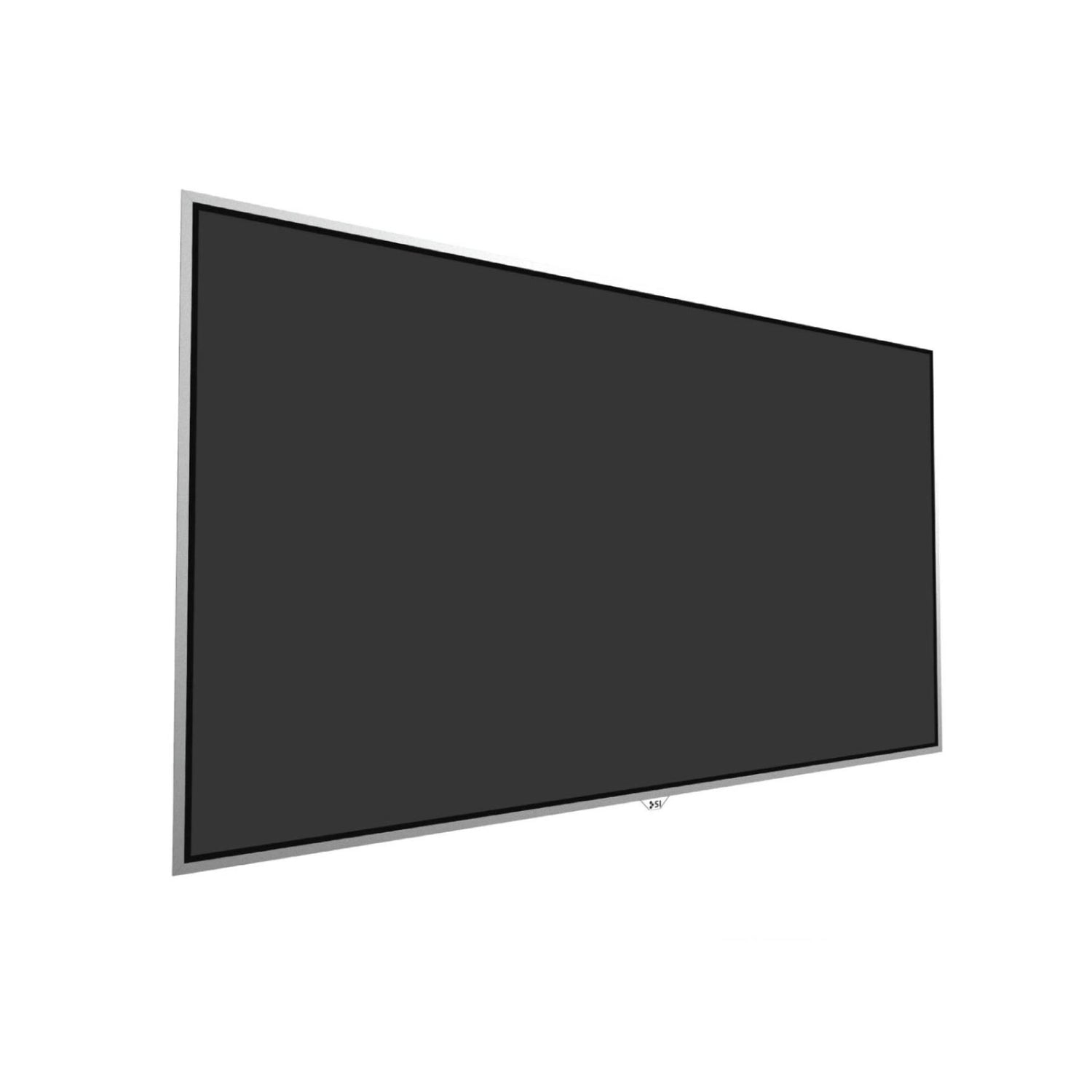
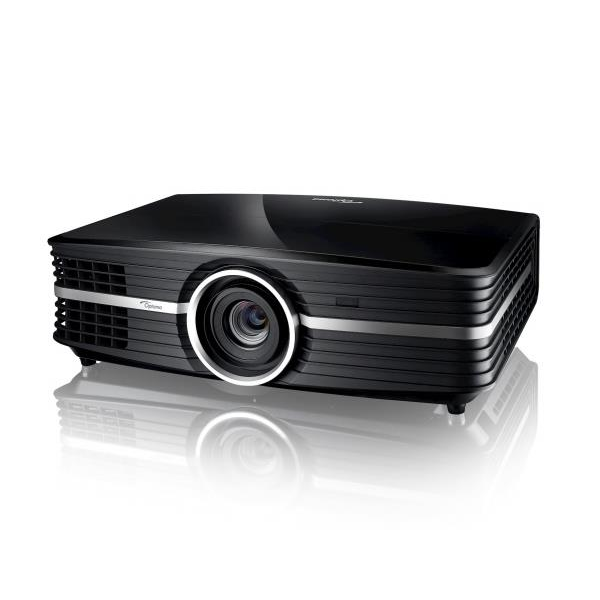
The Ultimate Ultra Short Throw UST Projector Buying Guide


The Ultimate Ultra Short Throw (UST) Projector Buying Guide
Every movie, TV, and sports fan craves the big-screen experience. There's nothing quite like a massive, cinema-quality image in your own living room.
Until recently, getting there meant either a large flat-screen TV or a traditional long-throw projector in a dedicated dark room. Ultra short throw (UST) projectors changed that equation entirely.
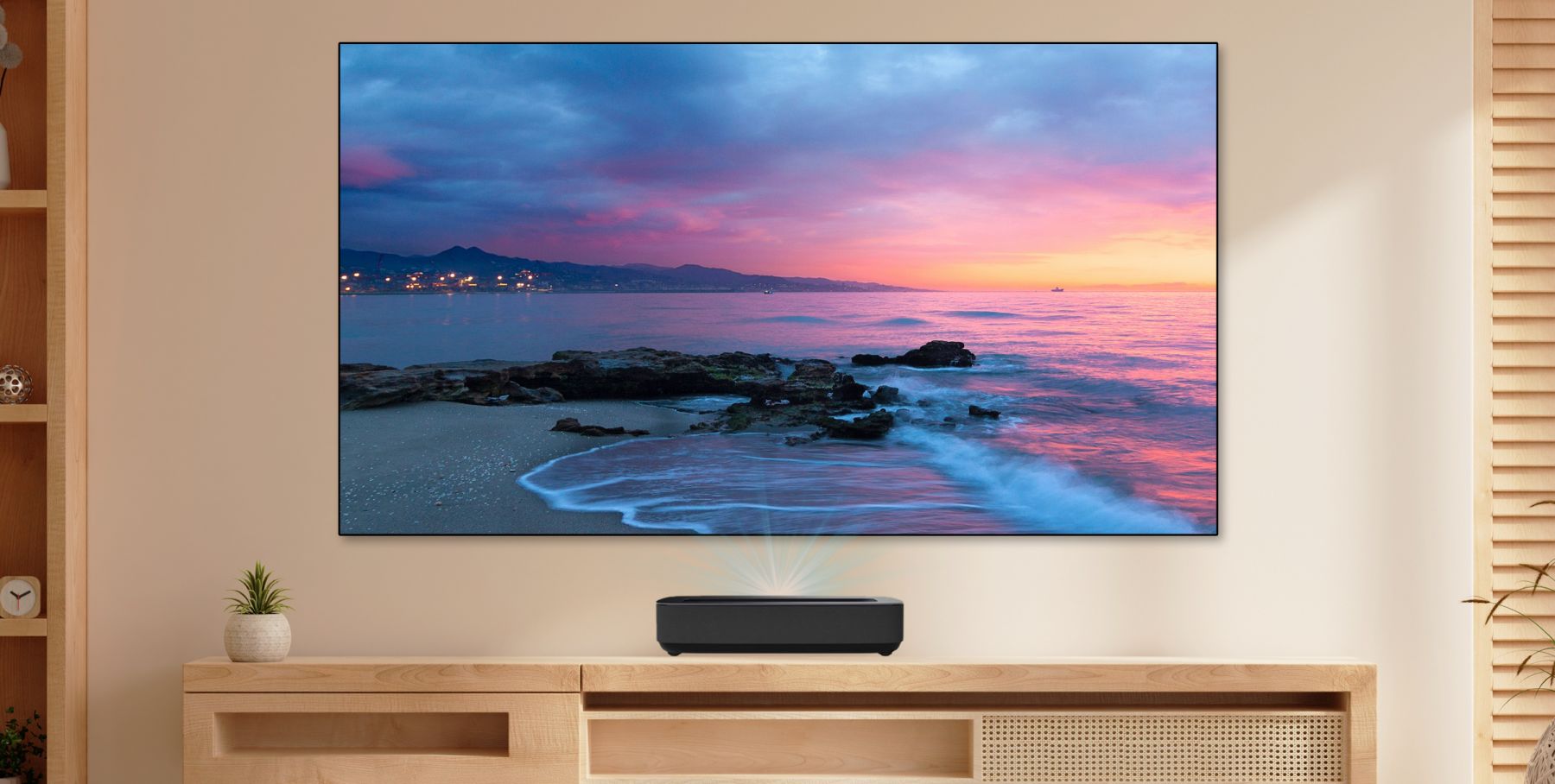
Sitting just inches from the wall in a low-profile cabinet, a UST can fill a 100" to 150" screen, or larger, without ceiling mounts or long cable runs. Even with 100" and 115" TVs now on the market, USTs deliver comparable or larger screen sizes at a lower cost and weight, especially when a 120-150 inch image is the goal.

UST projectors make genuine big-screen home theater practical in living rooms, apartments, and media rooms where a conventional projector was never an option and a 100" or larger TV won't fit.
A UST system is more than just a projector. The experience depends on matching projector brightness to your room's ambient light, choosing a compatible screen, and getting placement dialed in. This guide covers everything you need to make confident decisions on all three fronts.
Quick Start: Choose the Right UST Setup in 5 Steps
- Pick your screen size based on seating distance. Don't guess. Our Viewing Distance Calculator provides recommendations for any screen size based on THX guidelines. A practical rule of thumb: divide the screen diagonal in inches by 10 to get a starting distance in feet (10' for a 100" screen, 12' for 120", 15' for 150"). Then adjust for personal preference and seat layout.
- Decide whether you need a UST ALR screen. If you watch with lights on or have windows in the room, a UST-specific ambient-light-rejecting (ALR) screen is usually the difference between "washed out" and "wow." In a fully light-controlled theater room, a standard matte-white or neutral screen can work well. But the living room with windows is exactly the use case where UST ALR screens earn their keep.
- Match brightness to your room, and compare like with like. Brightness specs vary by measurement standard. ANSI lumens follow the American National Standards Institute method; ISO lumens follow stricter production-unit consistency requirements. Compare ANSI to ANSI or ISO to ISO, never mix them. Use our Foot-Lambert (fL) Calculator to translate projector lumens + screen size + gain into expected on-screen brightness.
- Choose the features you'll actually use. Prioritize what affects your day-to-day experience: native contrast ratio, HDR format support (Dolby Vision, HDR10, HDR10+), tone-mapping quality, gaming responsiveness (input lag, HDMI 2.1, ALLM), smart-platform features, and audio/ARC/eARC compatibility.
- Confirm placement and furniture before you buy. UST setup differs from traditional projectors: cabinet height and depth, wall and screen level, and projector-to-screen distance all matter. Use the projector's throw ratio and offset specs to plan placement before you order.
Current Short List: Best UST Projectors by Room and Priority
There's no single "best UST projector." The right choice depends on your room, your lighting, and what you're watching. A bright living room with afternoon sports demands a different projector than a blacked-out theater room optimized for movie night.
We've organized our top ultra short throw projector picks by real-world scenario so you can skip the ones that don't apply and zero in on the UST setup that fits how you actually live and watch.


Best for: A primary living-room display where you need strong performance in ambient light and excellent picture quality when the lights go down.
Why it's here: In the most recent (4th Annual) UST Projector Showdown, the L9Q earned #1 Judges' Pick for Mixed Room Use, Dedicated Theater, and Overall Picture Quality. That's the strongest across-the-board result in the event's history. At 5,000 ANSI lumens it's also the brightest UST in this guide, which translates directly into HDR highlight detail that other USTs in this class can't match.
Key specs:
- Brightness: 5,000 ANSI lumens
- Contrast: 5,000:1 (native)
- Throw ratio: 0.18:1
- Screen size: 80" to 200"
- Smart OS: Google TV with ATSC 3.0 tuner
- HDR: Dolby Vision, HDR10+, IMAX Enhanced
- Audio: 6.2.2-channel, 116W Sound by Devialet system; compatible with Hisense HT Saturn wireless theater system as center channel
- 3D: Yes
Tradeoffs: Premium-tier pricing ($5,999 MSRP). The Devialet audio system is genuinely capable on its own, but it won't replace a dedicated surround setup for serious home theater. Like all USTs, setup precision matters: cabinet height, level, and exact distance are not optional.


Best for: Viewers who want strong overall performance and modern format support without stepping up to the top pricing tier. Also a standout pick for gamers.
Why it's here: It earned the Judges' Best Value Pick in the most recent UST Projector Showdown while also placing #2 for Dedicated Theater and #2 for Overall Picture Quality. That "value plus performance" overlap is rare in any product category.
Key specs:
- Brightness: 3,000 ANSI lumens
- Contrast: 3,000:1 (native)
- Throw ratio: 0.22:1
- Screen size: 80" to 150"
- Smart OS: Google TV
- HDR: Dolby Vision, HDR10+, IMAX Enhanced
- Gaming: 7ms input lag at 1080p/240Hz; accepts 4K/120Hz input for 14ms lag (onscreen output capped at 4K/60 per DLP hardware), ALLM; VRR, world's first "Designed for Xbox" UST
- Audio: Harman Kardon 2x50W speakers
- 3D: Yes
Tradeoffs: At 3,000 ANSI lumens it's capable in mixed light but won't match the L9Q in bright-room HDR punch. Needs careful alignment like all USTs. Value depends on real-world pricing at the time you buy; street prices shift fast. ($3,499 MSRP)


Best for: Bright rooms (sports, daytime viewing), viewers sensitive to rainbow effect or laser speckle, and custom integrators who want a "blank canvas" projector without built-in smart features.
Why it's here: It placed #2 as Judges' Pick for Mixed Room Use in the most recent UST Projector Showdown. At 4,500 ISO lumens it's one of the brightest USTs available, and 3LCD technology eliminates color-wheel artifacts entirely.
Key specs:
- Brightness: 4,500 ISO lumens (ISO and ANSI are different standards; compare like with like)
- Contrast: 1,700:1 (native)
- Throw ratio: 0.16:1
- Screen size: up to 160"
- Technology: 3LCD (three native 1080p panels with 4K pixel shifting)
- Smart OS: None (designed for use with external streamers like Apple TV, Roku, or Shield)
- HDR: HDR10, HLG (no Dolby Vision or HDR10+)
- Audio: No built-in speakers (designed for external sound systems)
Tradeoffs: No Dolby Vision, no built-in speakers, no smart OS. All by design for custom integration, so buyers who want an all-in-one solution should look elsewhere. Native contrast is modest compared to DLP competitors, though 3LCD offers advantages in color accuracy and speckle-free viewing. ($4,999 MSRP)


Best for: Dedicated theater rooms or light-controlled spaces where deep blacks and shadow detail take priority over raw brightness.
Why it's here: It earned #3 Dedicated Theater Pick in the most recent Showdown, recognized specifically as a dark-room performer. The PT1 doesn't try to win on lumens. Instead, its strong black floor and 3,000:1 native contrast deliver a cinematic image in controlled lighting, the kind of film-like picture that brightness alone can't produce.
Key specs:
- Brightness: 2,500 ANSI lumens
- Contrast: 3,000:1 (native)
- Throw ratio: 0.2:1
- Screen size: 80" to 150"
- Smart OS: Google TV
- HDR: Dolby Vision, HDR10+, IMAX Enhanced
- Audio: 46W speakers
- 3D: Yes
Tradeoffs: Lower brightness means screen gain and room-light control carry more weight with the PT1 than with brighter competitors. Not the right pick for a bright living room. At its frequent sale price of $2,499 (MSRP $2,999), it becomes one of the most affordable ways into a serious dark-room UST setup.

Best for: Smaller cabinets, tighter spaces, or anyone who needs installation flexibility without giving up a genuine big-screen image.
Why it's here: It placed #2 Best Value and tied for #3 in Mixed Room Use in the most recent UST Projector Showdown. At roughly 12" x 11" x 5.5" and under 10 lbs, the O2S Ultra is in a different size class entirely from typical 20"+ UST chassis. Despite that footprint, it delivers 3,600 ISO lumens and a 0.16:1 throw ratio, specs that compete with full-size units.
Key specs:
- Brightness: 3,600 ISO lumens (note: upgraded significantly from the 2,500 ISO lumens announced at CES 2025; verify with independent measurements)
- Contrast: 4,000:1 (native)
- Throw ratio: 0.16:1 (among the shortest available)
- Smart OS: Google TV with native Netflix
- HDR: Dolby Vision, HDR10+
- Audio: Dynaudio-tuned 2x10W speakers
Tradeoffs: Firmware is still maturing, so verify current software behavior and app compatibility before buying. The substantial brightness spec revision between CES announcement and shipping is worth noting; look for independent test data. ($2,999 MSRP)


Best for: Viewers who want into the UST category at a lower price point while still getting a modern smart platform, solid audio, and one of the best-looking designs in the class.
Why it's here: It earned #3 Best Value Pick in the most recent UST Projector Showdown. The motorized dust cover protects the lens from accumulating dust over the life of the projector, a practical detail that most competitors skip. Industrial design is a genuine strength here, not just marketing.
Key specs:
- Brightness: 2,300 ISO lumens
- Contrast: 1,000,000:1 (dynamic, via laser-source modulation; native DLP contrast is substantially lower. Dynamic figures are not directly comparable to native contrast specs from other projectors)
- Throw ratio: 0.177:1
- Smart OS: Google TV with native Netflix
- HDR: Dolby Vision, IMAX Enhanced
- Audio: Harman Kardon 60W speakers
- Design: Motorized dust cover to protect the lens
Tradeoffs: At 2,300 ISO lumens it's the dimmest projector in this guide, so a quality ALR screen is close to mandatory in any room with ambient light. Black floor and HDR punch will depend heavily on screen pairing and light control. This is a projector that rewards smart screen selection. ($2,699 MSRP)

Best for: Viewers who prioritize deep blacks, Dolby Vision support, and quality built-in audio in a single package, particularly for mixed-light or dark-room use.
Why it's here: The successor to the original Formovie Theater, which won the UST Laser TV Showdown in both 2022 and 2023. The Premium tied for #3 in Overall Picture Quality in the most recent (4th Annual) Showdown. Its ALPD 4.0 light source noticeably reduces laser speckle compared to traditional DLP designs, and the projector has continued to improve with firmware updates since launch.
Key specs:
- Brightness: 2,200 ISO lumens
- Contrast: 3,000:1 (native)
- Throw ratio: 0.21:1
- Smart OS: Google TV with native Netflix
- HDR: Dolby Vision, HDR10+
- Audio: Bowers & Wilkins 2nd-generation acoustic system (2x15W, titanium tweeters)
- Light source: ALPD 4.0 RGB+ triple laser (less speckle and rainbow than standard DLP)
Tradeoffs: At 2,200 ISO lumens it's not as bright as several competitors, so it benefits from at least some ambient-light control. Some reviewers have noted calibration limitations out of the box. ($3,499 MSRP)

Best for: Enthusiasts drawn to cutting-edge contrast technology and gamers who need serious input-lag performance, particularly in light-controlled rooms.
Why it's here: The Aurora Pro MKII pairs an ALPD 5.0 hybrid triple-laser/LED light source with NexiGo's Scene Adapt Engine (SAE), a combination of a physical dynamic iris and intelligent laser dimming that pushes native contrast from an already-strong 4,000:1 up to 30,000:1 dynamic. The ALPD 5.0 engine also delivers practically zero speckle and reduced chromatic aberration compared to conventional DLP laser designs.
For gamers, the spec sheet is aggressive: three HDMI 2.1 ports, a dedicated gaming mode, and input lag as low as 4.2ms at 240Hz (8ms at 120Hz).
Key specs:
- Brightness: 2,400 ANSI lumens (manufacturer peak; independent measurements have come in somewhat lower)
- Contrast: 4,000:1 (native); up to 30,000:1 with SAE dynamic iris engaged
- Throw ratio: 0.21:1
- HDR: Dolby Vision, HDR10+
- Gaming: 4.2ms to 8ms input lag; 3x HDMI 2.1
- Smart platform: Android-based but not Google TV; no Google Play Store access. Apps require sideloading via USB.
Tradeoffs: This projector was not evaluated in the most recent Showdown, so it doesn't carry the same competitive validation as the other entries in this guide. At 2,400 ANSI lumens it's on the modest side for bright rooms. The proprietary smart OS platform is limited relative to Google TV-based competitors; many owners use an external streamer.
Let us know in the comment section at the bottom of the page if you think we're missing any projectors from this list.
What Is an Ultra Short Throw (UST) Projector?
A UST projector uses specialized wide-angle lenses and mirrors to project a large image from a very short distance, typically just inches from the screen or wall. Where a traditional projector might need 12 to 15 feet of throw distance for a 120" image, a UST sits right under the screen on a cabinet or credenza.
UST projectors are also called laser TVs, laser projector TVs, and laser televisions. If you see any of those terms, they're describing the same category.

What Makes a Projector "Ultra Short Throw"?
Traditional projectors typically have a throw ratio around 1.5:1, meaning for every 1 foot of image width, the projector needs to be about 1.5 feet away. A 120" screen would require roughly 15 feet of distance.
An ultra short throw projector has a throw ratio below 0.4:1, using an extra-wide-angle lens and advanced optics to project from just inches away. Most current USTs have throw ratios between 0.16:1 and 0.22:1, placing the projector almost flush against the wall.
Are Ultra Short Throws Worth It?
They Work in Bright Rooms
Laser TVs were designed to move out of the dedicated home theater and into the living room, where windows and overhead lights create exactly the kind of ambient light that kills a traditional projector's image.
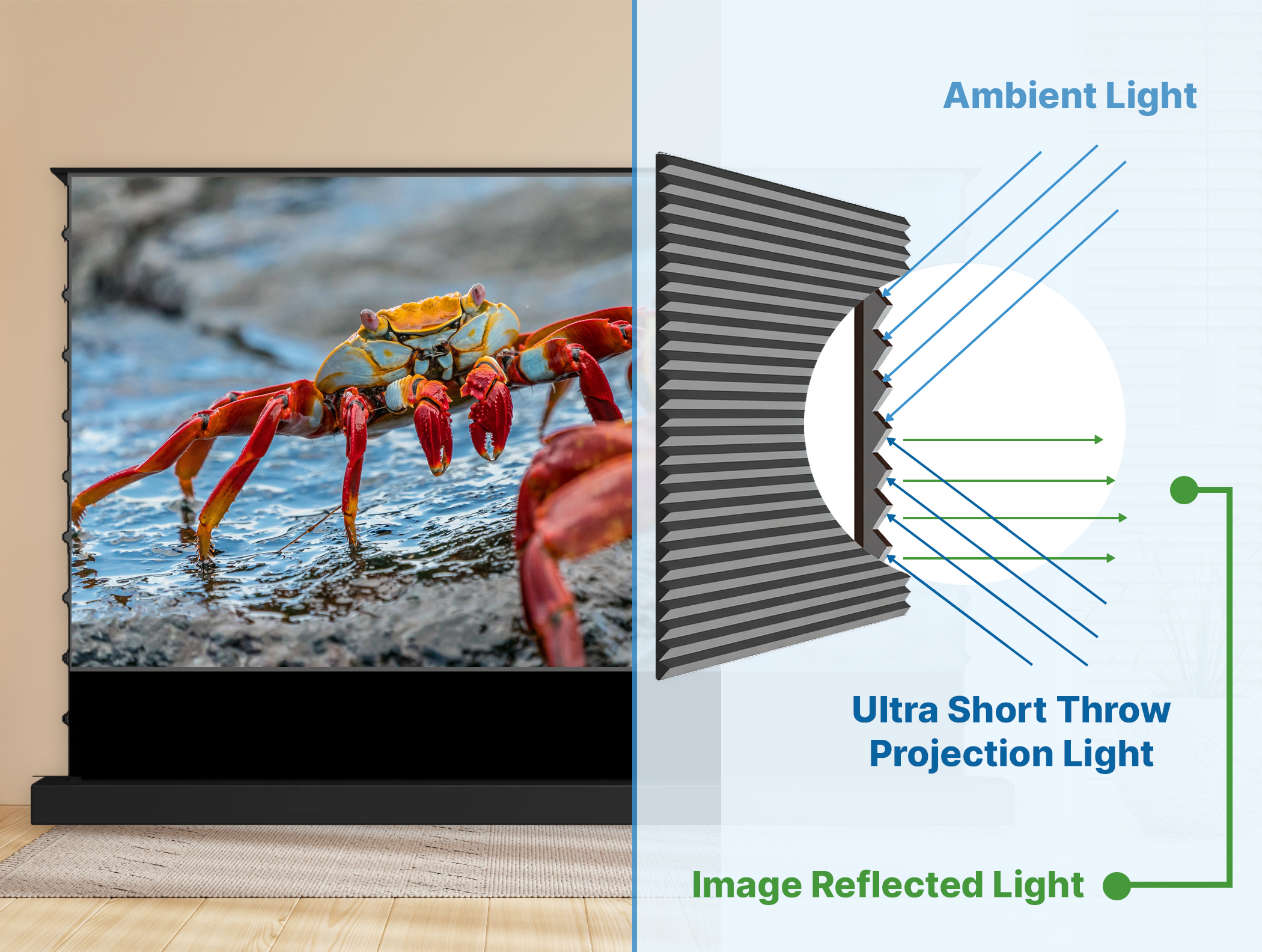
UST projectors are built with bright laser light sources, typically 2,000 to 5,000+ lumens, and are designed to pair with ambient-light-rejecting (ALR) screens. These screens reject overhead and side-angle light while reflecting the projector's steep-angle light toward the viewer.
A well-matched UST and ALR screen can deliver a compelling big-screen image even in a room with windows and overhead lighting. It's not magic, but it's a solved problem when the components are properly paired.
They Last a Long Time
Modern UST projectors use solid-state laser light engines rated for at least 20,000 hours of use. At four hours of daily viewing, that's over 13 years before the light source reaches its rated half-brightness point.
Compare that to the 3,000 to 5,000 hours typical of traditional projection lamps. Laser sources also degrade gradually rather than failing abruptly, so you won't notice the image getting significantly dimmer or colors shifting the way older lamp-based projectors did.
Laser projectors can also be powered on and off instantly. No warm-up, no cool-down, and no concern about shortening bulb life from frequent power cycles.
The Installation Is Simpler
Because the UST sits on a cabinet directly below the screen, there's no ceiling-mounted power outlet to install, no long HDMI cable runs across the room, and no cable-management headaches. Your projector, receiver, streaming devices, and game consoles can all live in the same entertainment center.
How Much Do UST Projectors Cost?
UST projectors currently range from roughly $1,500 to $6,000 for consumer models. Higher-end professional and ultra-premium options (like Samsung's 8K Premiere line or Epson's QL series) can reach $7,500 to $20,000+, but those target a different buyer.
In the mainstream consumer range, here's what to expect:
$1,500 to $2,500: Entry-level USTs. Adequate for casual viewing but typically trade off brightness, contrast, or HDR performance. Fine for bedrooms or secondary spaces.
$2,500 to $4,000: The performance sweet spot. Most of the projectors recommended in this guide fall here. Expect strong 4K performance, meaningful HDR support, modern smart platforms, and decent built-in audio.
$4,000 to $6,000+: Flagship territory. Higher brightness, better contrast, more refined tone mapping, and premium audio integration. Worth it if the projector is your primary display and you want the best available picture quality.
This price typically does not include the UST projector screen, though some retailers offer bundles.
The Definitive UST Buying Guide: What to Look For
Resolution: Get 4K
We recommend a 4K ultra short throw projector for any home cinema application. At 3840 x 2160 pixels, 4K has four times the pixel count of 1080p (1920 x 1080). On a 100" or larger screen, the difference in sharpness and detail is immediately visible.
All current premium USTs are 4K and support HDR (High Dynamic Range), which provides deeper blacks and a wider color gamut for more lifelike images. Some achieve 4K natively through pixel shifting. Epson's 3LCD approach, for example, uses three native 1080p panels with high-speed pixel shifting, while DLP models use a single 0.47" chip with XPR shifting. Both deliver a 4K-class image.
1080p USTs still exist at lower price points and are adequate for business presentations or casual use, but they're a significant step down for home theater.
8K USTs are rare, expensive, and offer no real-world benefit given the scarcity of native 8K content.

Brightness: How Many Lumens Do You Need, and Which Lumens?
Light output is one of the most important specs when choosing a UST projector. The brighter the projector, the better the image holds up in a room with ambient light.
First: compare like with like (ANSI vs. ISO)
ANSI lumens follow the American National Standards Institute measurement method. ISO lumens follow ISO 21118:2020 and use a similar 9-zone averaging approach, with additional requirements that production units meet at least 80% of rated brightness.
In practice, the two measurements often produce similar numbers, but they are not interchangeable. Some projectors show 10 to 20% differences between standards. Always compare ANSI to ANSI or ISO to ISO.
Second: think in foot-lamberts (brightness on your screen)
Our Foot-Lambert (fL) Calculator translates projector lumens + screen size + gain into expected on-screen brightness. Practical brightness bands:
- 0 to 15 fL: Not bright enough for comfortable viewing
- 16 to 26 fL: Good for dark rooms
- 27 to 39 fL: Good for low ambient light
- 40 to 59 fL: Good for medium ambient light
- 60+ fL: Good for high ambient light
Takeaway: If you watch mostly with lights off, you can prioritize contrast and color accuracy over maximum lumens. If you watch with lamps on or daylight in the room, prioritize brightness headroom and pair with a UST ALR screen.
A note on hot spotting: Because a UST sits so close to the screen, very bright projectors can produce "hot spotting," where certain areas of the image are noticeably brighter than others. A lower-gain ALR screen helps offset this effect.
Contrast and Black Levels: What Actually Improves "Pop"
Perceived contrast, the sense of depth and "pop" in the image, is influenced by several factors working together: room light control (the single biggest factor in most living rooms), screen type (UST ALR helps, but isn't magic in direct sunlight), content type (HDR vs. SDR), and the projector's tone mapping and dynamic contrast behavior.
Not all contrast ratios are measured the same way. Manufacturer specs may report native (FOFO/full-on/full-off) contrast, dynamic contrast (with laser dimming or iris), or lab-condition dynamic figures. A 3,000:1 native contrast from one projector and a 1,000,000:1 dynamic contrast from another are not comparable numbers. Always ask: is this native or dynamic?
Light Source: Why Laser Matters
Almost all home-theater UST projectors use lasers as their light source. Laser-based projectors offer longer-lasting brightness, lower maintenance, improved color saturation, and better contrast compared to traditional LED or lamp models.
Current USTs use one of several laser approaches:
Triple laser (RGB): Separate red, green, and blue lasers for wide color gamut. Used by Hisense (TriChroma), JMGO (MALC), and others.
ALPD (Advanced Laser Phosphor Display): Developed by Appotronics. ALPD 4.0 (Formovie Theater Premium) and ALPD 5.0 (NexiGo Aurora Pro MKII) combine laser and phosphor/LED elements to reduce speckle while maintaining wide color coverage.
3LCD with laser: Epson's approach uses a blue laser with phosphor to illuminate three LCD panels. No color wheel, no rainbow effect, no speckle.
Hybrid laser/LED: XGIMI's Dual Light 2.0 combines laser and LED sources.
Each approach has tradeoffs in speckle, rainbow effect, color accuracy, and brightness efficiency. If you're sensitive to rainbow effect (color breakup visible during fast eye movement), Epson's 3LCD and Formovie's ALPD approaches are worth a closer look.
Laser Safety
UST projectors include proximity sensors that dim or shut off the laser when someone gets too close to the lens, an important safety feature in homes with children or pets.
HDR Formats and Tone Mapping
On most USTs, the HDR experience depends less on which formats the box checks and more on brightness headroom for highlights, tone-mapping quality (how well the projector preserves detail while keeping the image watchable), and whether your content ecosystem leans toward Dolby Vision or HDR10/HDR10+.
If you primarily stream from services that use Dolby Vision (Netflix, Apple TV+, Disney+), confirm that the projector supports it. HDR10 is more universally supported across devices and content.
Gaming on a UST
For gaming, the specs that matter most are input lag at your target resolution and refresh rate, HDMI 2.1 features (ALLM, eARC, 4K/120Hz on select models, VRR on some newer models), and whether the projector maintains good image quality in its game mode.
If gaming is a major use case, verify the specific model's gaming measurements from reliable third-party tests and confirm current firmware. Gaming behavior can change with software updates.

Sound
Most UST projectors come with integrated speakers or soundbar-quality audio built in, but the quality varies widely.
Some manufacturers treat audio as a key differentiator. The Hisense L9Q features a Devialet-tuned 6.2.2-channel system with 10 speakers. The Formovie Theater Premium partners with Bowers & Wilkins. The XGIMI Aura 2 uses Harman Kardon drivers.
Others, like Epson with the QS100, deliberately omit built-in speakers entirely, assuming the buyer already has an external sound system.
The question to ask yourself: will you use the projector's built-in audio as your primary sound source, or will you pair it with a soundbar, AVR, or surround system? If you're going external, you can save money by choosing a projector with great video and minimal built-in audio.
Smart Platform, Apps, and Connectivity
Most current USTs include a smart platform (usually Google TV or Android TV) with built-in streaming apps. A few things worth confirming before you buy:
Do you want a built-in smart platform, or will you use an Apple TV, Roku, or Shield? If you prefer an external streamer, models like the Epson QS100 (no built-in OS) may actually be a better fit.
Does your audio plan require eARC? Make sure the projector supports it.
Are the projector's built-in streaming apps running at full 4K resolution? Some projectors' built-in apps don't output at the same resolution the projector is capable of. An external streaming device may produce a better image.
Do you need a built-in TV tuner? Some models (like the Hisense L9Q) include ATSC 3.0 tuners.
Inputs and Outputs
Don't overlook connectivity. Confirm the projector has at least 2 HDMI ports (ideally HDMI 2.1 for 4K/120Hz and eARC), an Ethernet port for more reliable streaming than Wi-Fi, USB ports for media playback, and audio output (optical or 3.5mm) for external sound systems.
Noise Level
Projecting all that light generates heat, and cooling fans generate noise. Look for a projector rated under 30 decibels, ideally under 25 dB. Since USTs sit close to you rather than on a distant ceiling, fan noise is more noticeable than with traditional projectors.
Dimensions and Fit
USTs range from compact models like the JMGO O2S Ultra (about 12" x 11" x 5.5") to larger units that are 20"+ wide and deep. If you have an existing TV stand or credenza, confirm it's wide enough, deep enough, and positioned to allow the proper throw distance to your screen before you order.
Warranty and Authorized Dealers
UST projectors are precision devices. Buy from an authorized dealer to ensure your manufacturer warranty is honored. Purchasing from an unauthorized seller can mean the manufacturer declines warranty service, leaving you with an expensive repair bill on a $1,500 to $6,000+ investment.

UST Projector Screens: The Other Half of the System
The projector is only half of the equation. The screen it's projected on has just as much impact on your final image quality. If you want the best picture from your UST, you need a screen designed for it.
Check out our selection of Ultra Short Throw Projector Screens.
Do USTs Need a Special Screen?
A UST projector can technically work on any flat surface, including a white wall. But picture quality degrades significantly without a proper screen. UST-specific screens use lenticular or angular-reflective optical layers that reject light coming from above and the sides while accepting light from the steeply angled projector below.
UST screens preserve contrast in ambient light, in fact they actively increase the contrast compared to what you'd see on a flat matte screen, even in a darkened room. If you want the best 4K UHD experience with a UST projector, a screen designed specifically for ultra short throw projection is not optional.

What Makes a UST Screen Different?
UST projection screens are engineered to work with the steep projection angle of a laser TV. Three properties matter most:
Ambient Light Rejection (ALR): The most important feature for UST screens. An ALR screen uses an angular reflective surface to reject ambient light coming from above and the sides (overhead fixtures, windows) while reflecting the projector's light, which arrives from below at a steep angle, toward the viewer. The improvement in perceived contrast and image quality in a lit room is dramatic.
Screen Gain: Gain measures how much light a screen reflects back to the viewer. Counter-intuitively, a lower-gain screen is often better for USTs. A low-gain surface reflects both the projector's light and ambient light at a diminished ratio, but because UST projectors are bright enough to overcome that lower reflectivity, the net effect is a better image: ambient light gets suppressed while the projected image stays strong. Low gain also helps eliminate hot spotting. The most recent UST Projector Showdown standardized on a 0.5-gain lenticular ALR screen for exactly this reason.
Screen Size: Because of their fixed focal length, USTs are designed for specific screen-size ranges. Most current models support 80" to 150", with some flagships (like the Hisense L9Q) supporting up to 200". Match your screen size to your projector's supported range.
Lenticular vs. Fresnel UST ALR Screens
UST ALR screens come in two main types:
Lenticular UST ALR (most common for living rooms): Typically offers a wider viewing angle. Available in both fixed-frame and retractable/motorized designs. A good all-around choice for most installations.
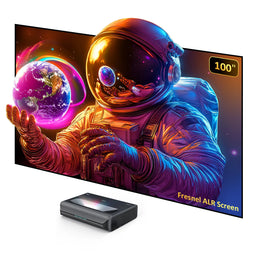
Fresnel UST ALR (optimized for maximum ambient light rejection): Usually fixed-frame only due to its rigid construction. Can be a strong choice when fighting challenging ambient light conditions. Check viewing-angle specs carefully, as Fresnel screens can have narrower optimal viewing cones.
Fixed Frame vs. Motorized Screens
Fixed frame: Best overall stability and screen flatness. Ideal if you always want the screen visible and you want the most optically consistent surface.
Motorized (floor-rising / ceiling-drop): Best for mixed-use rooms where you want the screen hidden when not in use. Lenticular ALR materials are commonly available in motorized formats; Fresnel surfaces typically are not.
How Much Does a UST Screen Cost?
UST-specific ALR screens typically range from $900 on the low end to $5,000+ on the high end. The price difference reflects material quality, manufacturing precision, and screen type.
Higher-end screens use finer-grade ALR material with thinner, more defined optical ridges for a sharper image. Frames are more robust with tighter tolerances and fewer visible imperfections. Some premium options are motorized retractable screens, which adds significantly to the cost.
The screen has as much impact on picture quality as the projector itself. If you want to get the best out of your UST, this is not the place to cut corners.
Setting Up a UST Projector and Screen
It's Easier Than a Traditional Projector
USTs are simpler to set up than long-throw projectors. A traditional projector requires measuring throw distance, ceiling-mounting the unit, running power and cables across the room, aligning the image, and calibrating.
With a UST, you place the projector on a cabinet or credenza, mount the screen above it, and connect your sources. It's not as simple as plugging in a TV, but it's far less involved than a ceiling-mounted setup.
Projector Placement
The UST sits right below the screen on a cabinet or dedicated stand. Two measurements determine exact position:
Distance from the wall/screen: Determined by the projector's throw ratio and your screen size. Use the manufacturer's throw chart for exact distances.
Height below the screen: Determined by the projector's lens offset specification.
Because USTs project at steep angles, small misalignments get magnified. Take extra care to level both the cabinet and the screen before fine-tuning position.
Pro tip: Avoid digital keystone correction unless absolutely necessary. Keystone is a convenience feature that reduces pixel-mapping clarity. It's always better to solve alignment mechanically.

Screen Placement
The ideal screen height follows the "lower one-third" rule: your seated eye level (typically 42" to 50" from the floor for most adults) should fall in the lower third of the screen. This usually results in the bottom of the screen being 2' to 4' off the ground, depending on screen size and seat height.
UST Furniture and Stands
Proper projector-to-screen alignment can be tricky if your furniture isn't the right height. Two options worth knowing about:
UST-specific credenzas with a built-in cradle that holds the projector flush with the tabletop. These provide a clean look and prevent the projector from being accidentally bumped out of alignment.
The Spectra Slider, a motorized tray that mounts to most credenzas or cabinets and automatically positions the projector at the correct throw distance when powered on. This lets you push your furniture against the wall when the projector isn't in use while still achieving proper placement when it is.
UST Projector Brands to Know
Hisense
Hisense was the first brand to bring a reasonably affordable 4K laser TV to the consumer market (the Hisense 100L8D in 2017). They've since expanded their UST lineup aggressively, and their current range includes the flagship L9Q, the value-oriented PX3-Pro, and the dark-room-focused PT1. Hisense models dominated the most recent UST Projector Showdown, and the company has built a strong track record for ongoing firmware updates that improve performance over time. Their integration with the HT Saturn wireless home theater system also offers a compelling audio expansion path for buyers who don't want to run speaker wire.
$2,797.97 $5,497.97 $2,497.97


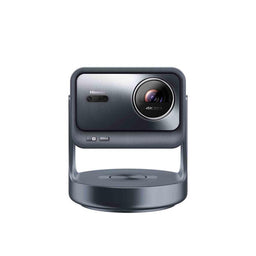
Formovie
Formovie Tech is a Mi ecosystem company jointly established by Appotronics Corporation and Xiaomi Technology. They built their reputation on USTs with deep black levels and advanced ALPD laser display technology. The original Formovie Theater won the Laser TV Showdown in both 2022 and 2023. The current Formovie Theater Premium carries that legacy forward with ALPD 4.0 and Bowers & Wilkins audio integration.
$2,199.00 $2,399.00 $900.00
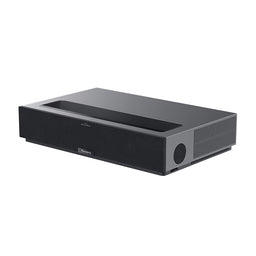


Epson
Epson is the only major UST brand using 3LCD technology, which eliminates the color wheel entirely. That means zero rainbow effect and virtually no laser speckle. Their QS100 targets custom integrators and serious home theater enthusiasts who want a high-brightness, "blank canvas" projector paired with external audio and streaming sources. Epson's approach is fundamentally different from the all-in-one smart TV model that other UST brands have adopted.
$4,799.00 $3,199.99 $2,799.99
![Epson LS12000 4K Home Theater Laser Projector with 2700 Lumens - Black - [Manufactured Refurbished]](http://www.projectorscreen.com/cdn/shop/files/ls12000b_280d9fb2-b8d4-4438-83ec-c6525c476c81.png?v=1753816626&width=256)
![Epson LS11000 4K Laser Projector with 2500 Lumens - White - [Manufactured Refurbished]](http://www.projectorscreen.com/cdn/shop/files/ls11000w_6b660d7f-990d-48a4-98e0-81ae755ee4b8.png?v=1753817144&width=256)

JMGO
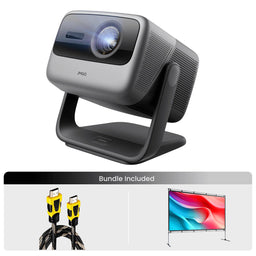
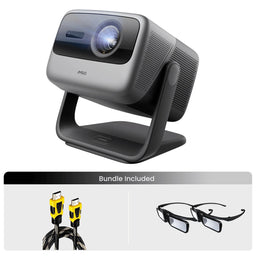
JMGO has carved out a niche with compact, design-forward USTs. The O2S Ultra is dramatically smaller than conventional UST chassis while delivering competitive specs. JMGO uses its proprietary MALC laser technology and targets buyers who need installation flexibility and a less imposing physical presence in the room.
$2,799.00 $2,099.00 $2,039.00
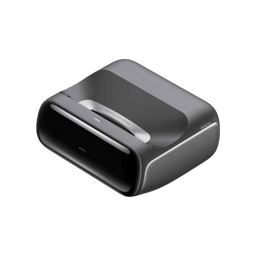
XGIMI
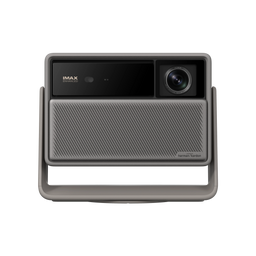
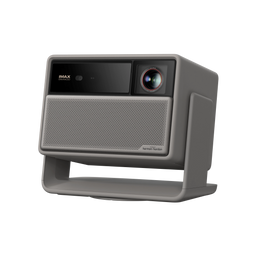
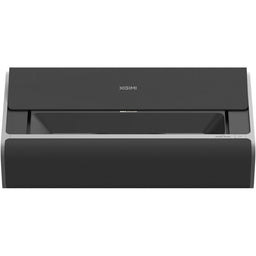
XGIMI emphasizes industrial design and ease of use. The Aura 2 features a motorized dust cover and sleek aesthetics that blend naturally into living room environments. XGIMI uses a hybrid laser/LED light source (Dual Light 2.0) and partners with Harman Kardon for audio.
$1,559.00 $2,699.00 $1,899.00
NexiGo
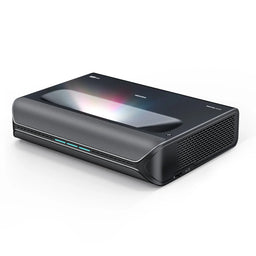
NexiGo is a newer entrant that has generated attention with the Aurora Pro MKII, featuring the latest ALPD 5.0 technology and a physical dynamic iris (Scene Adapt Engine) for boosted contrast. Those are unusual features at its price point. The brand is still building its track record for firmware maturity and long-term support, so buyers should verify current software stability before purchasing.
$3,499.00 $1,899.00
Bundle Price
$4,499.99 $0 in Savings

FAQ
Do I really need a UST ALR screen? If you watch with any meaningful ambient light, yes. The difference between a UST on a white wall and a UST on a quality ALR screen in a lit room is night and day. If you watch exclusively in a fully light-controlled room, a standard matte-white screen can work. But most buyers choosing a UST are doing so precisely because they want to watch in a living room with windows.
Can I compare 4,500 ISO lumens to 5,000 ANSI lumens? Not directly. ISO and ANSI are both legitimate standards with similar measurement approaches, but they are not interchangeable. Compare ISO to ISO or ANSI to ANSI, and use foot-lambert calculations (screen size + gain) to estimate real on-screen brightness.
Why do USTs require more precise setup than ceiling projectors? Because the projection angle is steep and the projector is inches from the screen, small physical shifts create visible geometry changes. A traditional projector 15 feet away is relatively forgiving of minor position errors. A UST 10 inches away is not.
What's the difference between native and dynamic contrast? Native (FOFO) contrast and dynamic contrast both use the same sequential measurement method: a full-white screen followed by a full-black screen (Full On/Full Off). The difference is what the projector is doing during the measurement.
Native contrast is measured with all dynamic enhancement features disabled, capturing the projector's inherent contrast capability. Dynamic contrast is measured with features like laser dimming, auto iris adjustments, or source modulation active, allowing the projector to drive blacks lower (and/or whites higher) than its native optical path would otherwise achieve. This is why the resulting number is always significantly higher. Native (FOFO) contrast measures the difference between the brightest white and darkest black the projector can display sequentially.
Dynamic contrast uses laser dimming, iris adjustments, or source modulation to inflate the number, measuring the brightest white in one frame vs. the darkest black in a completely different frame. Native contrast is the more useful spec for comparing projectors side by side.
How long will my UST projector last? Most UST laser light sources are rated for 20,000+ hours. At 4 hours of daily viewing, that's over 13 years before the light source reaches its rated half-brightness point. The change is gradual because laser sources deteriorate over time.
Do I need to buy from an authorized dealer? Yes. If you purchase from an unauthorized seller, the manufacturer may decline to honor the warranty. On a $1,500 to $6,000+ investment, warranty protection is not something to gamble on.
Let us know in the comments if you think we're missing any projectors from this guide.
Guide last updated: February 2026