Go Big or Go Home – Big Projector Screens for Video Games

Saturday, 12 November 2011 21:29 Written by Projector Screen Blog

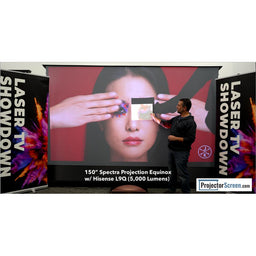
Are you a gamer? Play with your friends? Tired of squinting to see the 1/4 of your television in a multiplayer game? Then you need a big projector screen.

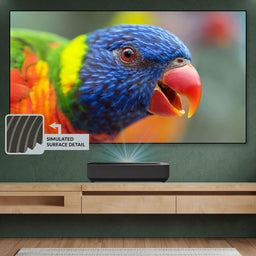
The size and quality of your display is an important aspect of video game enjoyment.  You used to have to sacrifice a good quality image for a large image but with the decreasing price of HD projectors and high resolution video game consoles, you can now get a very large image with very high quality.

If you use a projector and screen, you will get a display that diminishes that of most flat-panel television displays, at a lower cost. If you think that a 50″ plasma is large, consider the size of an inexpensive and average sized projector screen. A small projection screen (77″ diagonal) has twice the display area of a 50″ flat panel television. When comparing 106″ projector screens to a 50″ display, the difference is even larger; there is 4 times more display area than the 50″ television.

Here is a super portable and durable 100″ tripod screen from Elite Screens

Elite Screens Tripod Portable Projection Screen, 4:3 Aspect Ratio-100in (Max White) Elite Screens Tripod Portable Projection Screen, 4:3 Aspect Ratio-100in (Max White)
Average Rating:
114 total customer reviews...

When choosing a display for your video games, here are some reasons to Go BIG or Go Home:

  • Everyone gets involved. With the larger image size than a television, everyone can see what’s happening on the projector screen.
  • The Devil is in the details. While gaming, even the smallest detail can be the difference between life or death. Playing on a larger display will ensure you don’t miss any detail, giving you an advantage over the competition.
  • Large and in charge. By projecting a huge image on your projector screen, you are turning your home theater into an immerse environment. You can experience your gaming on a different level when you are fighting life size enemies on your big screen.
  • Multi Player Mayhem. Sharing your screen with 3 of your buddies is no longer a strain. If you double the diagonal size of your display, you just about quadruple the viewing space, in 4-player mode, you’ll have a 50″ display area for each player!

Whoever says that size doesn’t matter hasn’t taken a look at the chart below:

big projector screen

 Projector Screen


Making a move from 4:3 Video Format to 16:9 Widescreen Format? Don’t buy a new screen just yet…

Friday, 09 December 2011 23:14 Written by Projector Screen Blog

Are you looking to upgrade your video format projector screen to a wide format projection screen? If so, then you may not even need to buy a new screen.

It is as simple as rolling the screen out less than usual. By reducing the height of the screen, while retaining the width you are altering the format.

Some projector screens will allow you to set the rollout limit within the casing, allowing you to always pull it out the perfect amount to adjust the format and still look good.

If that cannot be done, another simple method is to make a marking on the screen at the desired roll out length, so as you pull it down in the future, it will be easy to locate the sweet spot.

Once disadvantage to doing this format altering trick is that you lose any masking border at the top of the image.

If you are happy with the current width of your projector screen but are looking to make a more widescreen format, this trick may work for you!

It also works on 1:1 square format projector screens; you can make them video format the same way.


Bigger Projector Screens Aren’t Always Better

Thursday, 01 December 2011 02:45 Written by Projector Screen Blog

People generally go for as large of a projector screen as possible based on their projectors throw distance and/or space restraints. While I don’t blame people for that rationale, bigger projector screens aren’t always better; here are 3 conditions in which you would not want to “Go Big or Go Home”

  1. Your projector’s resolution is not high enough. When you have a lower resolution projector, there are larger, more defined pixels. When you project a low resolution image on a very large surface, these pixels become extremely apparent and detract from the enjoyment of the movie.
  2. Your projector has a low lumen output. The larger the image you try to throw, the more light is needed from the projector. If you take your low lumen projector, and move it closer to the screen you will see the image get smaller but you will also see it get much brighter.
  3. Your seating is close to the projector screen. Sitting up close to a very large screen is not necessarily the most enjoyable for most viewers; that’s why the front rows are always the last to fill up at a movie theater. While showing off your big screen is cool,you do not want the audience to have to sit close too it,where they cant see the entire picture comfortably.

Can’t find a screen small enough? Here’s the Home Theater Screen I use in my closet:

Optoma Panoview DD-1024PG Mini Pull Down Screen – 25.5″ Diagonal

Optoma Panoview DD-1024PG Mini Pull Down Screen (Gray) Rating:
List Price: $49.00
Sale Price: $19.97
Availability: Usually ships in 24 hours
Eligible For Free Shipping


Electric Screens vs Manual Projector Screens

Wednesday, 23 November 2011 00:23 Written by Projector Screen Blog
When you should choose an electric projector screen instead of  manual projection screens:
  1. When you use the projector screen on a daily basis. Apart from the convenience, the motorized projector screen will hold up better after continuous use of the rolling mechanism.
  2. When the bottom of your projection screen is just above your equipment rack when rolled down. It is always best to have a bit of clearance to pull the screen down when rolling it down. An electric screen can be set to stop exactly where you want it, every single time. By having the complete control over the stopping point, your can be assured that your screen will not interference with the gear on you equipment rack.

Don’t think I am against manual screens , here are some instances in which they may be better for your application:

  1. When cost is a major factor in your selection. Manual projector screens will generally be significantly less than their electric counterparts, if all other factors are equal.
  2. When weight is a factor. Electric screens are heavier and may require mounting to more secure surfaces.  A manual screen can often be screed right into drywall with some anchors.

3 Important Projector Screen Buying Tips

Saturday, 12 November 2011 19:24 Written by Projector Screen Blog

Projection screens come in a variety of many different shapes and sizes, with many different projection screen fabrics many different power and mounting options.
When shopping for wall mounted projector screens it is important to take the following into consideration.

  1. A flat projection screen fabric -Ripples and waves distort the projected image, especially a horizontally scrolling image, like an Excel spreadsheet which has many grid lines. Many inexpensive screens are poorly constructed and do not have a flat fabric.

  2. Black masking borders  - Black borders do many things to improve the perceived image quality. They provide a high contrast frame around your projected image to help your eyes focus on the main image. They also help diffuse the light on the projector screen.projeciton screen border
  3. Sturdy, easy to install projector screen housing. Many wall projection screens have the ability to be ceiling mounted as well. These versatile mounting brackets give you any options when placing the screen. Fixed frame screens can only be mounted on the wall, unless you suspend the frame from wire above, but that doesn’t really make any sense.


 Projector Screen

Projector Screens

Friday, 11 November 2011 04:57 Written by Projector Screen Blog

Projector Screen shopping can be daunting, with so many brands, materials and styles to chose from. When shopping for a projector screen you need to be mindful of may factors

  • Your Projector – what is the throw distance on the lens? This will determine how far you need to place the projector from the screen and how large of an image you can project.
  • Your lighting conditions – depending on how much ambient light there is in your projection room, in conjunction with your projectors lumen output & contrast ratio will determine the projector screen material that will be best suited for your application.

Elite Screens Manual Pull Down Projection Screen, 16:9 Aspect Ratio-120in – Black

Thursday, 10 November 2011 19:30 Written by Projector Screen

Elite Screens M120UWH2 Manual Projection Screen (120" 16:9 AR)

Elite Screens M120UWH2 Manual Projection Screen (120" 16:9 AR) Rating:
List Price: $204.00
Sale Price: $90.85
Availability: Usually ships in 24 hours
Eligible For Free Shipping

Product Description

Manual Pull Down Screen for residential, business, or education application. Features an auto locking mechanism to provide variable height settings. Its designed for wall and ceiling installation, L-Brackets are optional. Black backed screen material eliminates light penetration for superior color reproduction. 120"Inch Diagonal, 1.1 Gain Matte white material with a 16:9 aspect ratio.

Details

  • Screen Fabric-MaxWhite
  • Front Projection-Yes
  • Elite Screens Manual 120 inches Front Projection Screen, 16:9 aspect ratio, MaxWhite Screen Material, black
  • Dual wall and ceiling - perfect for home / business
  • Designed for wall or ceiling installation
  • Advance auto locking system - easy lock to all position
  • Black back screen material - block rear light through
  • Matte White Screen

« Older Entries
guyandscreen

Categories

  • Electric Projector Screen
  • F.A.Q.
  • Fixed Frame Projector Screen
  • Manual Projector Screen
  • Movie Screen
  • Portable Projector Screen
  • Projector Screen Material
  • Projector Screen News
  • Projector Screen Paint
  • Tripod Projector Screen
  • Uncategorized

Tags

16:9 92-Inch 100-Inch 113" big Black Budget ceiling CineWhite curtains curved draper electric Elite Screens fixed frame Floor Frame gain goo home theater manual material movie outdoor outside paint portable Pull Ratio Ratio-106in Ratio-119in Ratio-120in Ratio-125in. recordex recordex usa Sable Screen Screens Spectrum tensioned tips tripod video game vs wall

F.A.Q.

  • Making a move from 4:3 Video Format to 16:9 Widescreen Format? Don’t buy a new screen just yet…
    Are you looking to upgrade your video format projector screen to a wide format projection screen? If so, then you may not even need to buy a new screen. It is as simple as rolling the screen out less than usual. By reducing the height of the screen, while retaining the width you are altering the format. Some projector [...]
    0
    Read More ...
  • Electric Screens vs Manual Projector Screens
    When you should choose an electric projector screen instead of  manual projection screens: When you use the projector screen on a daily basis. Apart from the convenience, the motorized projector screen will hold up better after continuous use of the rolling mechanism. When the bottom of your projection screen is just above your equipment rack [...]
    0
    Read More ...
  • 1
  • 2
  • 3
  • 4